14 Best AI Voice Agents for Business in 2026
TL;DR
According to Zendesk, 51% of consumers now say they'd rather talk to a bot than a human when they need something handled fast.
If your plan is to add more reps or build out IVR menus, you’re scaling headcount and complexity—not conversations. AI voice agents can actually talk to callers, use CRM context, and bring in a human when needed.
We tested 30+ tools to find the 14 best AI voice agents for conversation quality, integrations, pricing, and ease of use.
Here are the 14 best AI voice agent platforms to consider this year:
- 01CloudTalk: Best AI voice agent for growing sales and support teams that want it built into a full business phone system.
- 02Murf AI: Best for enterprises looking to deploy human-sounding agents powered by the fastest voice infrastructure.
- 03PolyAI: Best enterprise platform for large, multilingual customer service deployments.
- 04Chatbase: Best for support, ecommerce, SaaS, education, healthcare, and service teams that want voice AI as part of a wider customer experience platform.
- 05AnveVoice: Best for embedding a voice agent directly on your website to capture leads and answer questions.
- 06Zeeg: Best for scheduling-first businesses that want voice AI, calendar booking, and CRM built into one platform.
- 07CallMiner: Best for medium and large teams automating voice, chat, and email from a single low-code builder.
- 08Lindy: Best all-purpose AI assistant platform for teams automating tasks beyond just phone calls.
- 09Cognigy: Best for large-scale enterprise voice and chat automation across multiple channels.
- 10Bland AI: Best developer-first platform for teams that want programmable voice cloning and call flows.
- 11Retell AI: Best for compliance-heavy industries like healthcare and finance that need real-time streaming APIs.
- 12Vapi AI: Best for engineering teams that want full, low-level control over an AI phone agent’s build.
- 13Voiceflow: Best for teams collaboratively designing and prototyping voice and chat assistants before launch.
- 14Ringly.io: Best for Shopify and DTC ecommerce brands automating phone support around orders and returns.

See an AI voice agent in action

Best AI Voice Agent Platforms: Comparison Table
The table below compares all 14 AI voice agent solutions at a glance. Skip ahead to the in-depth reviews for the full breakdown of each tool.
Comparison Table: Best AI Voice Agents
| Provider | Starting Price | Key Features | Best for |
|---|---|---|---|
| CloudTalk | 50 First Minutes for Free, then $99/200 min | AI Voice Agent (CeTe), Conversation Intelligence, Call Flow Designer, CRM Integrations | Businesses of all sizes, with a focus on growing SMBs |
| PolyAI | Custom pricing | Multilingual AI agents, Custom AI personas, Real-time analytics, Seamless IVR integrations | Large enterprises needing advanced multilingual voice automation |
| Chatbase | Start at $32/month when billed annually | Unified agent across chat, email, messaging, and voice, AI voice agents for inbound customer calls | Support, ecommerce, SaaS, education, healthcare, and service teams that want voice AI as part of a wider customer experience platform |
| CallMiner | Custom pricing | Voicebot, Chatbot, Emailbot, Real-time translation, No-code builder | Medium to large businesses aiming to automate multichannel communication |
| Lindy | $49/month | Custom AI agents, AI Voice Assistant, 3,000+ integrations, Event triggers | Businesses of all sizes looking for flexible task automation and voice AI |
| Cognigy | Custom pricing | AI Voice Agents, Agentic AI, Voice Gateway, Generative AI, Multichannel | Large enterprises needing robust, scalable AI voice and chat infrastructure |
| Bland | $0.14 /min | AI phone agents, Voice cloning, Real-time API data use, Slack/CRM integration | Developers and enterprises automating call flows with programmable agents |
| Murf AI | $0.08/minute | Ultra-low end-to-end latency, Data residency and on-premise deployment, Guided setup, PoC with forward deployed engineers | Enterprises looking to deploy human-sounding agents powered by the fastest voice infrastructure. |
| Retell AI | $0.07/minute | LLM-powered voice agents, live API streaming, emotion-adaptive responses | Engineering-led teams, complex AI call logic, enterprise integrations |
| Vapi AI | Custom pricing | AI phone agents, real-time call control, programmable workflows, multichannel API | Developers and technical teams who need to build custom, voice AI apps with deep control over the models |
| Voiceflow | Custom pricing | Drag-and-drop builder, LLM & NLU support, API integration, multi-channel, team collaboration | Mid-sized teams wanting customizable AI voice/chat agents |
| Zeeg | Free" paid pans from $10/user/mo | AI Voice Agent, smart routing, built-in CRM, outbound calling, SIP import, GDPR-compliant EU storage | Scheduling-first businesses needing native voice AI + booking + CRM in one |
| AnveVoice | Free plan; Paid from $39/month | Natural AI (487ms P50 latency), 50+ languages, Shopify & Calendly integrations, ~2-minute setup | Businesses focused on voice-enabled website engagement to capture leads and complete sales directly on-site |
| Ringly.io | Native Shopify integration, 24/7 calls in 40+ languages, live transcripts | Shopify and DTC ecommerce brands automating phone support | Pending G2 verification |
What Is an AI Voice Agent?
An AI voice agent is a software program powered by conversational AI that understands and responds to spoken language in real time. Unlike traditional IVR menus, an AI voice agent understands what callers say, not just which key they press.
To pull that off, it combines NLP, machine learning, and voice recognition to hold natural, human-like conversations over the phone or through digital channels.
For a business team, that means calls get answered and resolved around the clock without adding headcount to cover nights, weekends, or volume spikes.
How I Evaluated the Best AI Voice Agent Platforms
We tested and compared 30+ AI voice agent platforms against six factors that matter once a platform is actually handling live calls, not just what shows up on a marketing page. That scoring draws on more than 5,500 verified reviews from G2, Capterra, and Trustpilot, analyzed by CloudTalk's research team as part of its ongoing software review process.
Conversation Quality
Voice latency, natural turn-taking, and how well the agent handles interruptions, accents, and mid-call topic changes. A voice agent that pauses awkwardly or restarts the caller's sentence loses trust fast.
Native CRM and Tool Integrations
Direct, native connections into HubSpot, Salesforce, Pipedrive, Zendesk, and Shopify, not a workaround built on Zapier polling. Native integrations sync in real time; polling-based ones lag and duplicate records.
Multilingual Coverage
How many languages the agent supports and how well it detects which one a caller is speaking, since guessing wrong mid-call kills the conversation.
Compliance Posture
GDPR, HIPAA, SOC 2, and PCI readiness for regulated industries. This matters even if you're not in healthcare or finance today, because a growing customer base often brings new compliance requirements with it.
Deployment Speed
Same-day self-serve setup versus a multi-week professional-services project. Some platforms let a non-technical admin build an agent in one sitting; others need a developer and a project plan.
Pricing Transparency
Whether the vendor publishes per-minute or bundled rates, or hides everything behind a "contact sales" form. Transparent pricing is also just a signal of how confident a vendor is in its own numbers.
Why Trust Our Software Reviews?
For nearly a decade, we've helped over 30,000 professionals find and implement smarter business communication tools. We've reviewed 200+ software tools across industries, analyzed 5,500+ verified customer reviews from platforms like G2, Capterra, and Trustpilot, and drawn insight from real user discussions on Reddit and Quora. In the past year alone, we published 1,000+ articles, each written by humans for humans.
Tool Scoring Overview
To score each platform, we analysed hundreds of verified customer reviews on G2 and similar review platforms. We used AI to process all available reviews for each tool and score them across six criteria—conversation quality, CRM integration, multilingual support, compliance, ease of deployment, and pricing clarity. Every score reflects what real customers consistently report in their own words, not what the vendor claims on their marketing page.
| Tool | Conv. Quality | CRM Integration | Multilingual | Compliance | Ease of Deploy | Pricing Clarity | Total Score |
|---|---|---|---|---|---|---|---|
| CloudTalk | 5 | 5 | 5 | 5 | 5 | 5 | 30/30 |
| AnveVoice | 4 | 3 | 5 | 3 | 5 | 5 | 25/30 |
| Retell AI | 5 | 3 | 4 | 4 | 4 | 4 | 24/30 |
| Lindy | 3 | 5 | 3 | 4 | 5 | 4 | 24/30 |
| Murf AI | 4 | 4 | 4 | 4 | 5 | 2 | 23/30 |
| Zeeg | 4 | 4 | 4 | 4 | 4 | 3 | 23/30 |
| Cognigy | 5 | 4 | 5 | 5 | 2 | 2 | 23/30 |
| Ringly.io | 4 | 4 | 3 | 3 | 5 | 4 | 23/30 |
| Chatbase | 4 | 3 | 5 | 5 | 3 | 2 | 22/30 |
| Voiceflow | 4 | 4 | 4 | 4 | 4 | 2 | 22/30 |
| PolyAI | 5 | 3 | 4 | 4 | 3 | 2 | 21/30 |
| Vapi AI | 4 | 3 | 4 | 3 | 3 | 4 | 21/30 |
| CallMiner | 4 | 4 | 4 | 4 | 3 | 2 | 21/30 |
| Bland AI | 4 | 3 | 4 | 3 | 3 | 4 | 21/30 |
| Donna | 4 | 4 | 3 | 3 | 5 | 5 | 24/30 |
Quick Answers: What People Ask About the Best AI Voice Agents
Which AI voice agent is best for small businesses?
CloudTalk is the best AI voice agent for small businesses because it's built directly into a complete cloud phone system, not a separate platform you have to connect to your existing number and CRM. MurfAI is a strong alternative Granular level customization for enterprises of any size , and AnveVoice fits well if your priority is capturing website visitors before they ever pick up the phone.
What is the best AI calling agent for business phone systems?
CloudTalk is the best AI calling agent for business phone systems, since its AI Voice Agent runs natively on the same telephony layer as your calls, IVR, and call routing, not bolted on through a third-party integration. That means one system handles inbound answering, outbound qualification, and reporting, with no extra software to license or maintain.
How do AI voice agent platforms differ from traditional IVR?
AI voice agent platforms differ from traditional IVR because they understand what a caller says, not just which key they press. A traditional IVR routes callers through a fixed menu of pre-recorded options, while an AI voice agent uses natural language processing to hold an open-ended conversation, ask follow-up questions, and take real actions, like booking a meeting or updating a CRM record, without forcing the caller into a rigid decision tree.
Where can I find a reliable AI voice agent for lead qualification?
CloudTalk's AI Voice Agent, CeTe, is a reliable choice for lead qualification: it calls a new lead within seconds of a form submission, asks qualifying questions, and books a meeting straight into the rep's calendar and CRM record. Retell AI and Vapi AI can also handle qualification calls, but need engineering time to build and maintain the flow.
Best AI Voice Agents for Small Businesses
- CloudTalk is the best AI voice agent for small businesses because it combines AI voice agents and a complete business phone system in one platform. Instead of wiring a standalone AI tool into your existing phone system, you can use your existing numbers, routing, and CRM integrations with setup measured in hours, not weeks.
- AnveVoice is a good fit if your priority is converting website visitors before they ever call. Its embedded voice widget can answer questions, book appointments, and guide customers through simple actions, all with flat pricing instead of per-minute fees.
Bottom line:
Every missed call or abandoned conversation is a lost lead. CloudTalk helps small businesses close that gap by combining AI automation and business telephony in a single platform—without adding another vendor or integration project.
The 14 Best AI Voice Agents for Business in 2026
Here's the full lineup: what each platform does best, where it falls short, and who should actually buy it.
1. CloudTalk: Best for AI-Native Business Phone Systems
What Is CloudTalk?
CloudTalk is a global AI business calling platform built for SMB growth, combining a full cloud phone system with an AI Voice Agent, AI Conversation Intelligence, and an AI Sales Dialer on one connected stack. Its AI Voice Agent, CeTe, holds natural, two-way conversations with callers in 60+ languages and accents rather than routing them through a rigid menu tree, picking the specific AI voice for each agent from CloudTalk’s voice library so the language and accent match the region being called.
What Is CloudTalk Best For?
Businesses of all sizes, especially growing SMB sales and support teams, that want AI calling built into the same phone system their team already uses—not a separate platform to connect.
Category Scores
| Conversation Quality | 5/5 |
| Native CRM & Tool Integrations | 5/5 |
| Multilingual Coverage | 5/5 |
| Compliance Posture | 5/5 |
| Deployment Speed | 5/5 |
| Pricing Transparency | 5/5 |
| Total | 30/30 |
CeTe: CloudTalk's AI Voice Agent
CeTe is CloudTalk's fully autonomous conversational AI for phone calls. Unlike a voicebot stuck on an IVR tree, it holds a free-flowing, two-way conversation: understanding intent, asking follow-up questions, pulling answers from a knowledge base, and taking real actions like booking a meeting or updating a CRM record before handing off to a human only when needed. It recognizes returning callers from their CRM history and can push the data it captures to any connected system through a webhook.
AI Conversation Intelligence
Every call CeTe or a human agent handles gets turned into a transcript, an AI summary, a sentiment score, and a set of tags automatically. Sales managers and QA teams can search transcripts, spot trending topics across hundreds of calls, and review performance without listening to a single recording end to end.
AI Sales Dialer
For outbound-heavy teams, the AI Sales Dialer bundles Power, Progressive, and Parallel dialing modes with AI-driven voicemail detection, local-presence caller ID, and automatic call disposition, so reps spend their time talking to live prospects instead of dialing and redialing manually.
CloudTalk Tech and Performance Metrics
- 60+ supported languages and accents, with sub-800ms response latency
- 99.999% published uptime SLA on a decentralized, multi-carrier SIP architecture
- Call coverage across 160+ countries
- Crystal- clear call quality
Industries and Use Cases for CloudTalk
- Outbound B2B and SaaS sales teams running high-volume dialer campaigns
- Ecommerce and retail support teams handling order and returns volume
- Financial services and healthcare teams needing HIPAA- and GDPR-aligned call handling
- IT and MSP support desks routing tickets across time zones
What Are CloudTalk's Key Integrations?
What Are CloudTalk's Pros & Cons?
| Pros | Cons |
|---|---|
| Transparent, usage-based pricing with a 14-day free trial | No native video conferencing |
| Built-in global VoIP—no third-party telephony needed | Solo users may not need its collaboration and routing depth |
| No-code Call Flow Designer for instant routing changes | No support for on-premises landline (PBX) hardware |
What Is the Pricing of CloudTalk?
- AI Voice Agent (CeTe): from $99/month for 200 minutes (first 50 minutes free in month one). Always a usage-based add-on, never bundled into a plan.
- Starter ($25/user/month): core calling, call recording, basic analytics.
- Essential ($29/user/month): advanced analytics, IVR, skill-based routing, integrations and open API.
- Expert ($49/user/month): Power Dialer, Smart Dialer, VIP queues, WhatsApp messaging, call monitoring.
- Custom (varies): tailored onboarding, unlimited outbound calls with flat rates, enterprise-level security, developer support.
- AI Conversation Intelligence add-on: $9/user/month.
What Do Customers Say About CloudTalk?
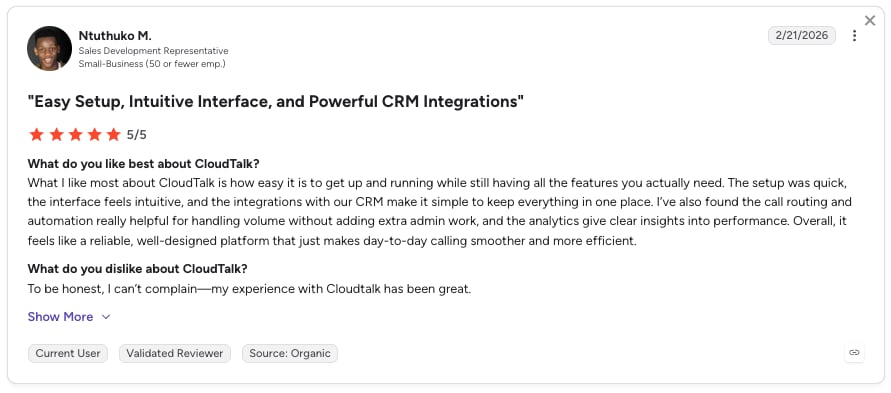
CloudTalk users consistently highlight the ease of use, intuitive interface, and affordability.
How Do G2 Users Rate CloudTalk?
CloudTalk's current G2 rating is 4.4/5, out of 1852+ verified user reviews.
When to Use CloudTalk
- You want AI calling built into the same phone system your team already uses, not a separate platform to connect
- You need native CRM sync so call outcomes, transcripts, and summaries land on the record without manual entry
- You're scaling outbound or support coverage and want the AI Voice Agent, Conversation Intelligence, and Sales Dialer to work off one connected data set
- You operate internationally and need real multilingual coverage plus local number coverage in the same product
- You want the AI Voice Agent to route calls by intent and hand off to the right person instead of a fixed menu tree
Try CeTe on your own number
2. Murf AI: Best for Fast, Human-like Voice Agents
What Is Murf AI?
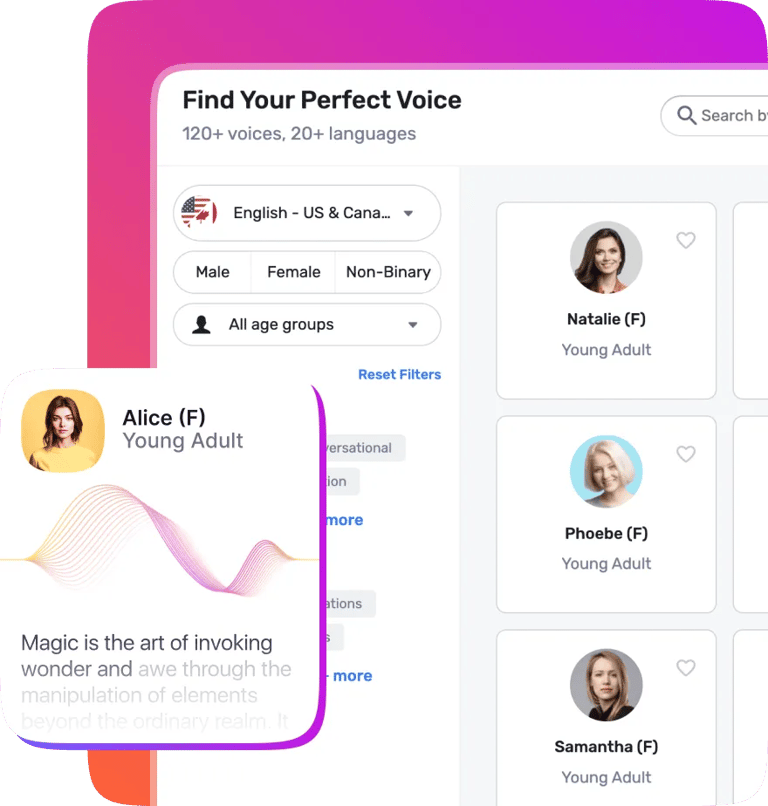
Murf AI is the complete voice AI platform powering enterprises, developers, and creators to deploy conversational voice agents and power real-time applications with the fastest text-to-speech API available. Murf AI deploys production-grade voice agents that handle inbound and outbound calls in 35+ languages, resolve support tickets, qualify leads, book appointments, update CRM records, and escalate to human agents with full conversation context at sub-800ms response latency.
What are Murf’s AI Voice Agents Best For?
Murf’s AI voice agents are best for enterprises looking to deploy human-sounding agents powered by the fastest voice infrastructure. Murf offers data residency, on-prem deployment and fully managed PoC with forward deployed engineers.
Category Scores
| Conversation Quality | 5/5 |
| Native CRM & Tool Integrations | 4/5 |
| Multilingual Coverage | 5/5 |
| Compliance Posture | 4/5 |
| Deployment Speed | 5/5 |
| Pricing Transparency | 4/5 |
| Total | 27/30 |
What Are the Key Features of Murf’s Voice Agents?
- Ultra-low end-to-end latency powered by Murf Falcon
- Data residency and on-premise deployment for enterprises
- Guided setup, PoC with forward deployed engineers at base plan
- Granular level customization for enterprises of any size
Murf AI Tech and Performance Metrics
- Round-trip latency: 55ms model latency, 130ms TTFA (vendor claim)
Call quality: 150+ voices, 99.4% pronunciation accuracy
Stability: 10,000 concurrent calls, no latency drop (claimed)
Industries and Use Cases for Murf AI
- Murf’s voice agents cater to enterprises of all sizes and revenue
- Use cases ranging from customer support, contact centers, reception to AI SDRs, AI recruiters, etc.
What are the Key Integrations of Murf’s Voice Agents?
- Murf integrates with all the popular telephony, CRM, CX, data, automation platforms as well as legacy tools used by large scale enterprises.
What Are the Pros & Cons of Murf AI?
| Pros | Cons |
|---|---|
| Owns its speech stack (Falcon) | No public self-serve agent builder — access via sales only |
| ~800ms latency; felt near-instantaneous in testing | Post-call latency metrics not yet exposed in the dashboard |
| Genuine multilingual switching (English + Indian languages) | Smaller platform voice library than ElevenLabs |
What Is the Pricing of Murf AI?
Murf’s voice agents start at only $0.08/minute.
What Do Customers Say About Murf AI?
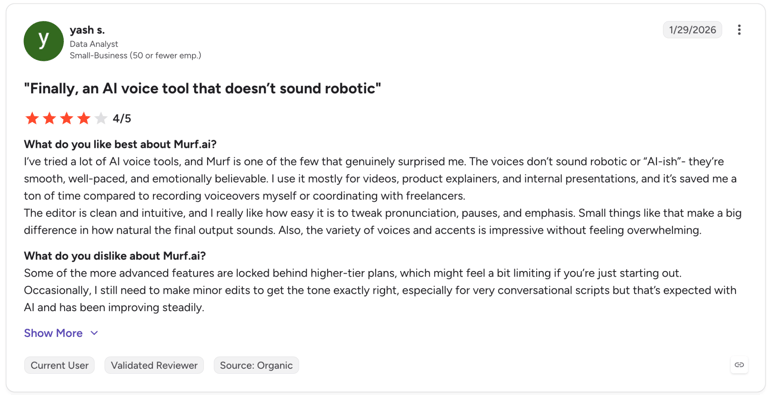
Users consistently praise the natural-sounding voices and low latency of Murf AI, highlighting its ability to create production-grade voice agents.
Murf AI G2 Rating
Murf’s AI current G2 rating is 4.7/5 out of 1,414 reviews.
CloudTalk vs MurfAI
| CloudTalk | Murf AI | |
|---|---|---|
| Core product | Full phone system + AI Voice Agent + dialer + analytics | AI Voice Agent for calls (inbound/outbound), no native phone system |
| CRM sync | Native, 100+ integrations | Custom-built CRM/telephony integrations |
| Compliance | GDPR, SOC 2, HIPAA-aligned | SOC 2, ISO 27001, GDPR, HIPAA (Enterprise tier) |
| Pricing model | Usage-based add-on, always separate from phone plans | Usage-based (per-minute calls + per-character API), split across layers |
When to Use Murf AI
- Building a custom voice agent from scratch: If your team has developers and wants to assemble a conversational agent in-house, Murf's Falcon API gives you a fast telephony stack, a good fit for technical teams optimizing cost and speed rather than buying an all-in-one platform.
- Multilingual voiceover and content production: For e-learning, marketing videos, or dubbing where you need studio-quality narration in many languages without hiring voice actors, Murf's Studio product (200+ voices, 20-35+ languages) is built for non-technical content teams, not for running live customer-facing calls.
When Not to Use Murf AI
- Skip Murf if you need deep emotional realism (ElevenLabs beats it for audiobooks or character work) or a full contact center platform, since Murf only provides TTS and a voice-agent building block, not call routing, CRM/helpdesk integrations, telephony infrastructure, or queue management.
3. PolyAI: Best for Multilingual Enterprise Support
What Is PolyAI?
PolyAI is a conversational AI platform built for enterprise customer service, designing lifelike voice assistants meant to understand callers naturally across multiple languages.
What Is PolyAI Best For?
Large enterprises running multilingual customer service at scale, particularly those integrated with existing contact center stacks like Genesys or Cisco.
Category Scores
| Conversation Quality | 5/5 |
| Native CRM & Tool Integrations | 3/5 |
| Multilingual Coverage | 4/5 |
| Compliance Posture | 4/5 |
| Deployment Speed | 3/5 |
| Pricing Transparency | 2/5 |
| Total | 21/30 |
What Are the Key Features of PolyAI?
- Multilingual support and customizable AI personas
- Real-time reporting and analytics
- Dialogue management and IVR integration
PolyAI Tech and Performance Metrics
Not found in public sources at the time of writing.
Industries and Use Cases for PolyAI
- Large, multilingual enterprise contact centers
- Global customer service operations needing custom AI personas
What Are the Key Integrations of PolyAI?
- Salesforce, Amazon Connect, Zendesk, Genesys Cloud, Cisco
What Are the Pros & Cons of PolyAI?
| Pros | Cons |
|---|---|
| Voice output among the best in the industry | Pricing is fully quote-based, with no published starting rate |
| Simple, user-friendly interface | Doesn’t run its own VoIP infrastructure |
What Is the Pricing of PolyAI?
PolyAI pricing is custom-based only, determined by business needs and interaction volume.
What Do Customers Say About PolyAI?
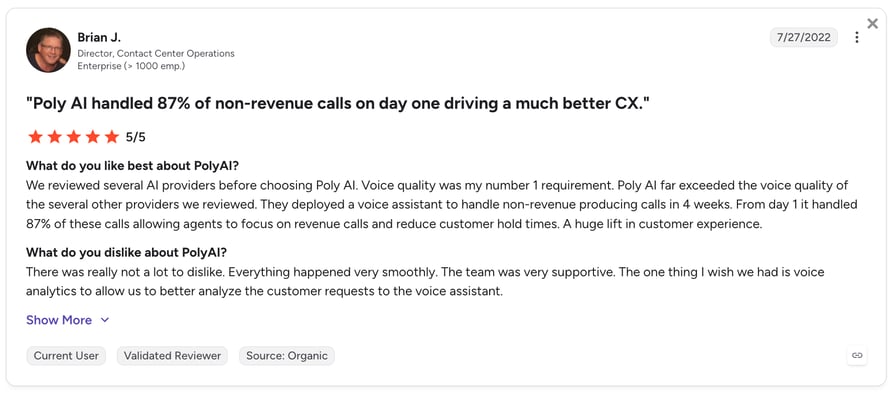
PolyAI customers praise its human-like voice and enterprise reliability, but cite limited analytics, custom pricing, and third-party telephony as common limitations.
| CloudTalk | PolyAI | |
|---|---|---|
| Target customer | Businesses of all sizes, especially growing SMBs | Large enterprises only |
| Pricing | Published, per-plan and per-minute pricing | Quote-based only |
| Deployment | Self-serve, same-day setup | Custom enterprise rollout |
| Phone system included | Yes, full cloud phone system | No, voice AI layer only |
When to Use PolyAI
- You are a large enterprise with the budget and timeline for a custom, multilingual voice AI rollout
- You need deep customization of AI personas across many languages at scale
When Not to Use PolyAI
- You want published pricing you can evaluate without a sales call
- You need a phone system and voice AI in a single product rather than a standalone AI layer
4. Chatbase: Best for Omnichannel AI Agents With Voice Support
What Is Chatbase?
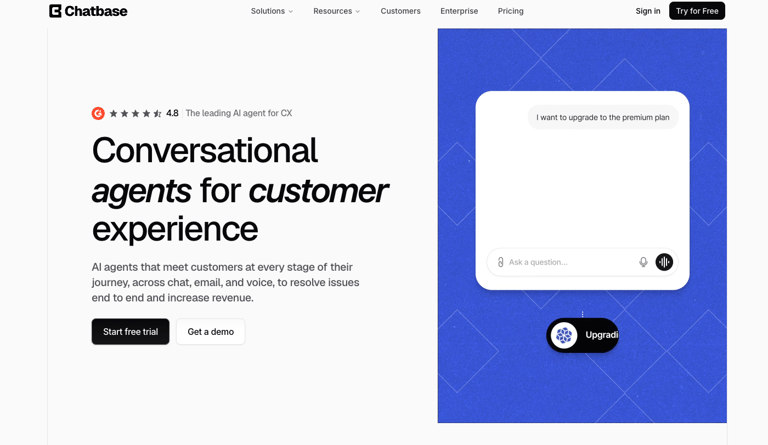
Chatbase is an AI customer service platform that lets teams deploy customer-facing AI agents across chat, email, messaging channels, and voice. With Chatbase Voice, the same agent used on your website, email, or messaging channels can answer calls, speak with customers in real time, and resolve requests over the phone.
What Is Chatbase Best For?
Chatbase is best for support, ecommerce, SaaS, education, healthcare, and service teams that want voice AI as part of a wider customer experience platform. It fits teams that want one AI agent to handle customer conversations across channels, while keeping humans available for sensitive or complex issues.
Category Scores
| Conversation Quality | 4/5 |
| Native CRM & Tool Integrations | 4/5 |
| Multilingual Coverage | 3/5 |
| Compliance Posture | 5/5 |
| Deployment Speed | 4/5 |
| Pricing Transparency | 4/5 |
| Total | 24/30 |
What Are the Key Features of Chatbase?
- AI voice agents for inbound customer calls
- Unified agent across chat, email, messaging, and voice
- Natural voice conversations with real-time customer responses
- Built-in Help Desk for tickets, assignments, and human oversight
- Actions and Procedures for structured support workflows
- Shopify workflows for product questions, carts, order status, billing details, and order views
- Enterprise controls including SSO, RBAC, audit logs, SOC 2 Type II, GDPR, and HIPAA-compliant Enterprise environments after BAA and ZDR setup
Chatbase Tech and Performance Metrics
Not publicly disclosed at the time of writing.
Industries and Use Cases for Chatbase
- Ecommerce teams handling product, order, shipping, and billing questions
- SaaS teams resolving account, onboarding, and subscription questions
- Support teams adding voice coverage without creating a separate AI stack
- Healthcare and patient support teams using eligible Enterprise workspaces
- Education and nonprofit teams that need controlled, source-grounded answers
What Are the Key Integrations of Chatbase?
Shopify, Stripe, Zendesk, Salesforce, HubSpot, Intercom, Freshdesk, Gorgias, WhatsApp, Slack, Facebook Messenger, Instagram DM, and Twilio for phone integration.
What Are the Pros & Cons of Chatbase?
| Pros | Cons |
|---|---|
| Same AI agent can work across chat, email, messaging, and voice | Voice is part of the wider Chatbase platform, not a full business phone system |
| Built-in Help Desk keeps humans in the loop for complex issues | Advanced Actions, Procedures, and handoff rules need setup time |
| Strong fit for ecommerce and support workflows beyond basic call answering | Teams should review plan limits and message credits before scaling |
| Enterprise controls include SOC 2 Type II, GDPR, SSO, RBAC, audit logs, and HIPAA support for eligible Enterprise setups | HIPAA support requires Enterprise setup, BAA, and Zero Data Retention |
What Is the Pricing of Chatbase?
Chatbase pricing includes a free plan. Paid plans start at $32/month when billed annually.
What Do Customers Say About Chatbase?
Chatbase customers use it across support, ecommerce, education, healthcare, and public-sector workflows. Jumia uses Chatbase across 8 African markets, with 80% of inbound communications resolved without human intervention and 50% of support volume handled by Chatbase. Rocksteady integrated Chatbase in 48 hours across website, email, and registration-page support.
Chatbase G2 Rating
Chatbase’s current G2 rating is 4.8/5, with 24 reviews listed on G2.
CloudTalk vs Chatbase
| CloudTalk | Chatbase | |
|---|---|---|
| Specialty | Full-stack AI calling for growing businesses | AI customer service platform with voice, chat, email, messaging, and Help Desk |
| Pricing | Published voice-agent minute pricing | Public platform pricing with free and paid plans |
| Deployment | Native calling, routing, dialer, and telephony analytics | AI agents, Actions, Procedures, Widgets, human handoff, and support workflows |
| Best fit | Best for SMB teams that want AI calling inside their phone system | Best for teams that want one AI agent across multiple customer channels |
When to Use Chatbase
- You want voice AI plus chat, email, WhatsApp, Facebook Messenger, Slack, and Help Desk in one platform
- You need AI agents that can answer, collect context, trigger workflows, and escalate to humans
- Your team wants ecommerce or SaaS support automation with voice included
- You want an AI customer service platform rather than a standalone AI phone-call tool
When Not to Use Chatbase
- You only need a full cloud phone system with VoIP, dialing, call routing, and telephony-first reporting
- You need published voice latency benchmarks before buying
- You want a developer-first voice API for building fully custom call infrastructure
5. AnveVoice: Best for Capturing Leads on Your Website
What Is AnveVoice?
AnveVoice is a voice AI platform that embeds conversational agents directly into websites, letting visitors ask questions and complete tasks by speaking instead of typing or clicking.
What Is AnveVoice Best For?
Businesses whose biggest conversion drop-off happens on the website—ecommerce brands, SaaS companies, and anyone wanting to capture leads with a flat, predictable monthly fee and no per-minute costs.
Category Scores
| Conversation Quality | 4/5 |
| Native CRM & Tool Integrations | 3/5 |
| Multilingual Coverage | 5/5 |
| Compliance Posture | 3/5 |
| Deployment Speed | 5/5 |
| Pricing Transparency | 5/5 |
| Total | 25/30 |
What Are the Key Features of AnveVoice?
- Agentic page actions by voice: navigate, fill forms, book appointments, complete checkout
- Answers grounded in your website content, with human handoff and full transcripts
- 50+ languages with automatic detection and noise cancellation
- Published latency benchmarks: 487ms P50, 712ms P95 end-to-end
AnveVoice Tech and Performance Metrics
- <500ms voice latency
Industries and Use Cases for AnveVoice
- Ecommerce and DTC brands wanting to convert website visitors without a phone call
- SaaS companies capturing leads directly from a pricing or demo page
What Are the Key Integrations of AnveVoice?
- Shopify, Calendly, WordPress, Webflow, React, custom sites via script tag
What Are the Pros & Cons of AnveVoice?
| Pros | Cons |
|---|---|
| Published, sub-second latency benchmarks—unusually transparent for the category | Relies heavily on your existing website data and FAQs |
| Flat-rate pricing with no per-minute fees, easy to budget | Web-only: does not handle traditional phone (inbound/outbound) calling |
What Is the Pricing of AnveVoice?
- Free: $0/month, 50K tokens
- Growth: $39/month flat rate, no per-minute fees
- Scale: $129/month flat rate, no per-minute fees
- Enterprise: Custom
What Do Customers Say About AnveVoice?
There are currently no G2 reviews, likely because the company is still relatively new.
CloudTalk vs AnveVoice
| CloudTalk | AnveVoice | |
|---|---|---|
| Channel | Phone calls (inbound and outbound) | Website-embedded voice widget |
| Pricing model | Usage-based add-on plus per-seat phone plans | Flat monthly rate, no per-minute fees |
| Best fit | Teams whose customers call in | Teams whose customers browse before they would ever call |
When to Use AnveVoice
- Most of your conversions happen on your website, not over the phone
- You want flat, predictable pricing with no per-minute usage risk
When Not to Use AnveVoice
- Your customers primarily reach you by phone rather than through your website
- You need the voice agent to also handle traditional inbound and outbound calling
6. Zeeg: Best for Scheduling-First Businesses
What Is Zeeg?
Zeeg is an appointment-scheduling platform with a natively built AI voice agent, meaning voice AI, calendar booking, and CRM live in one place with no third-party integrations required.
What Is Zeeg Best For?
Solo operators and small service businesses that run primarily on scheduled appointments and want voice AI and booking native to the same platform.
Category Scores
| Conversation Quality | 4/5 |
| Native CRM & Tool Integrations | 4/5 |
| Multilingual Coverage | 4/5 |
| Compliance Posture | 4/5 |
| Deployment Speed | 4/5 |
| Pricing Transparency | 3/5 |
| Total | 23/30 |
What Are the Key Features of Zeeg?
- 24/7 inbound call handling with real back-and-forth conversation, not IVR
- Outbound calling to qualify and book leads before they go cold
- Smart routing via plain-language rules based on caller intent
- Automatic lead capture: name, email, company, and custom fields
Zeeg Tech and Performance Metrics
- Not publicly disclosed at the time of writing.
Industries and Use Cases for Zeeg
- Solo operators and small teams running a scheduling-first business
- Service businesses that book most of their revenue through calendar appointments
What Are the Key Integrations of Zeeg?
- HubSpot, Pipedrive, Salesforce, Google Calendar, Zoom, PayPal
What Are the Pros & Cons of Zeeg?
| Pros | Cons |
|---|---|
| Voice AI, booking, and CRM live natively in one platform—no integration work required | GDPR-compliant EU storage is documented, but broader compliance certifications (SOC 2, HIPAA) are not |
| Per-minute pricing is published and predictable at entry-level volume | Per-minute cost rises meaningfully at higher volume (roughly $0.20/min to $0.80/min) |
What Is the Pricing of Zeeg?
Zeeg offers five pricing plans:
- Free
- Professional: $10/user/month
- Business: $16/user/month
- Scale: $30/user/month
- Enterprise: Custom
What Do Customers Say About Zeeg?
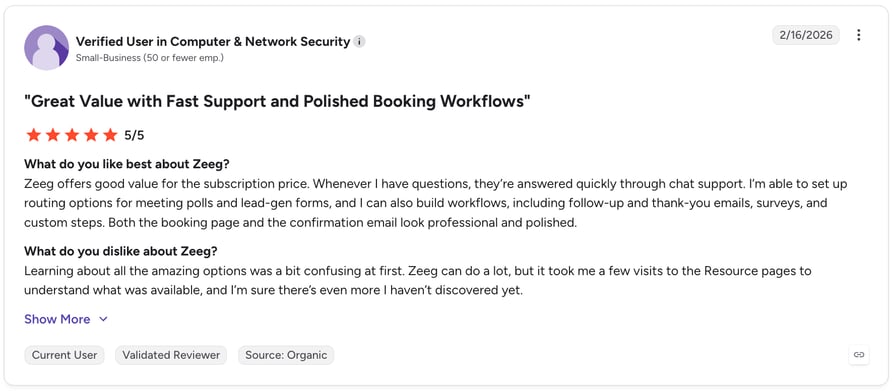
Zeeg customers praise its intuitive booking experience, reliable AI phone assistant, and time-saving automation, but cite a limited mobile experience, a learning curve for advanced features, and meeting customization limitations as common drawbacks.
| CloudTalk | Zeeg | |
|---|---|---|
| Core focus | Full business phone system plus AI calling | Scheduling platform with a native voice agent |
| Best fit | Sales and support teams of any size | Scheduling-first solo operators and small teams |
| Pricing at scale | Fixed per-minute add-on rate | Per-minute rate increases with volume |
When to Use Zeeg
- Your business runs primarily on booked appointments rather than general call handling
- You want voice AI and scheduling in a single native tool with no integration setup
When Not to Use Zeeg
- You need broad compliance certifications like SOC 2 or HIPAA documented upfront
- Your call volume is high enough that rising per-minute costs would outweigh the simplicity
7. CallMiner: Best for Omnichannel Automation at Scale
What Is CallMiner?
CallMiner is a voice-first conversational AI platform that automates customer interactions across voice, chat, and email using a low-code builder—one platform for teams that do not want to manage separate tools for each channel.
What Is CallMiner Best For?
Medium to large enterprises handling multichannel support volume who want voice, chat, and email automation unified in a single low-code builder.
Category Scores
| Conversation Quality | 4/5 |
| Native CRM & Tool Integrations | 4/5 |
| Multilingual Coverage | 4/5 |
| Compliance Posture | 4/5 |
| Deployment Speed | 3/5 |
| Pricing Transparency | 2/5 |
| Total | 21/30 |
What Are the Key Features of CallMiner?
- Voicebot, chatbot, and emailbot in one platform
- LiveTranslate real-time translation
- Low-code designer and analytics dashboard
CallMiner Tech and Performance Metrics
Not publicly disclosed at the time of writing.
Industries and Use Cases for CallMiner
- Medium to large enterprises automating support across multiple channels
- Teams that want voice, chat, and email handled by one connected platform
What Are the Key Integrations of CallMiner?
- Salesforce, Zendesk, Microsoft Teams, Twilio, Genesys Cloud
What Are the Pros & Cons of CallMiner?
| Pros | Cons |
|---|---|
| Covers voice, chat, and email from one low-code builder | Pricing is fully quote-based |
| Real-time translation is a genuine differentiator for multilingual support teams | Built for multichannel, not phone-first teams |
What Is the Pricing of CallMiner?
- Custom pricing only, based on business needs and interaction volume.
What Do Customers Say About CallMiner?
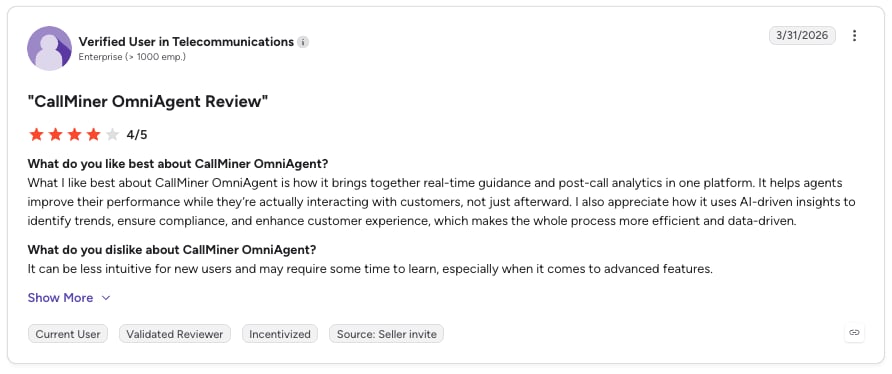
CallMiner OmniAgent customers praise its flexible workflow builder, ease of use, and automation capabilities, but cite transcription accuracy, advanced AI limitations, and platform performance issues as common drawbacks.
CallMiner G2 Rating
CallMiner's current G2 rating is 4.2/5 out of 15+ reviews.
CloudTalk vs CallMiner
| CloudTalk | CallMiner | |
|---|---|---|
| Channel breadth | Phone-first, with SMS and WhatsApp | Voice, chat, and email in one builder |
| Pricing | Published, per-plan and per-minute | Quote-based only |
| Best fit | Growing SMB sales and support teams | Medium-large enterprises with multichannel volume |
When to Use CallMiner
- You need voice, chat, and email automation unified in a single low-code platform
- Real-time translation across channels is a priority for your support operation
When Not to Use CallMiner
- You want published pricing before engaging a sales team
- Your core need is phone-based calling rather than multichannel automation
8. Lindy: Best All-Purpose AI Assistant Platform
What Is Lindy?
Lindy is a versatile AI assistant platform that automates a wide range of business tasks, from scheduling meetings and drafting emails to managing CRM updates and handling phone calls. Voice is one capability among many, not the core focus.
What Is Lindy Best For?
Teams wanting one platform to automate calls alongside email, scheduling, and CRM tasks, especially if starting on a free plan and scaling usage gradually.
Category Scores
| Conversation Quality | 3/5 |
| Native CRM & Tool Integrations | 5/5 |
| Multilingual Coverage | 3/5 |
| Compliance Posture | 4/5 |
| Deployment Speed | 5/5 |
| Pricing Transparency | 4/5 |
| Total | 24/30 |
What Are the Key Features of Lindy?
- AI voice assistant and event-based triggers
- Knowledge base integration
- 3,000+ app integrations via no-code builder
Lindy Tech and Performance Metrics
Not publicly disclosed at the time of writing.
Industries and Use Cases for Lindy
- Teams wanting one platform to automate calls, email, and CRM tasks together
- Businesses that want to start free and scale usage gradually
What Are the Key Integrations of Lindy?
- Gmail, HubSpot, Salesforce, Google Calendar, Slack, and 3,000+ additional apps
What Are the Pros & Cons of Lindy?
| Pros | Cona |
|---|---|
| Free plan lets teams test the platform before committing budget | Price can become expensive for smaller teams |
| Very wide integration catalog with no-code builder | Voice is one feature among many general-purpose automations, not the core focus |
What Is the Pricing of Lindy?
Lindy pricing includes four plans:
- Free: $0/month, 400 credits
- Pro: $49.99/month from 5,000 credits
- Business: $299.99/month from 30,000 credits
- Custom: tailored to specific needs
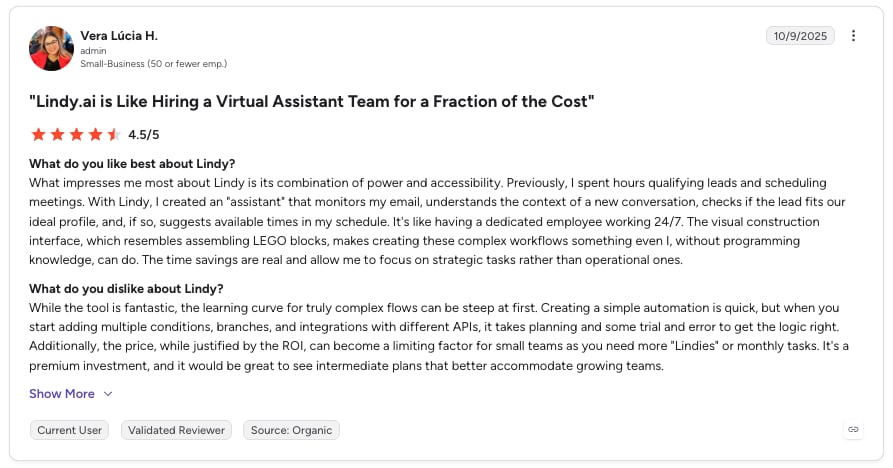
What Do Customers Say About Lindy?
Lindy customers praise its ease of use, powerful automation, and fast AI agent setup, but cite credit-based pricing, a learning curve for advanced workflows, and occasional AI reliability issues as common drawbacks.
| Pros | Cons | |
|---|---|---|
| Focus | Phone system and voice-first AI calling | General AI assistant with voice as one capability |
| Pricing | Published, per-minute add-on | Credit-based tiers, published |
| Best fit | Teams whose core workflow is phone calls | Teams automating a mix of tasks beyond just calls |
When to Use Lindy
- You want one platform automating calls alongside email, scheduling, and CRM tasks
- You would rather start on a free plan and scale usage as you go
When Not to Use Lindy
- Voice calling is your primary channel and needs to be the platform's core strength, not one feature among many
- You need documented compliance certifications for a regulated industry
9. Cognigy: Best for Enterprise-Scale Automation
What Is Cognigy?
Cognigy is an enterprise-grade conversational AI platform that automates and enhances customer service across voice and chat, combining structured automation with large language models.
What Is Cognigy Best For?
Large enterprises running voice and chat automation across multiple markets that need deep CRM integration and generative AI layered onto structured, rule-based flows.
Category Scores
| Conversation Quality | 5/5 |
| Native CRM & Tool Integrations | 4/5 |
| Multilingual Coverage | 5/5 |
| Compliance Posture | 5/5 |
| Deployment Speed | 2/5 |
| Pricing Transparency | 2/5 |
| Total | 23/30 |
What Are the Key Features of Cognigy?
- Voice Gateway and generative AI integration
- Multichannel support and real-time translation
- Low-code flow builder
Cognigy Tech and Performance Metrics
Not publicly disclosed at the time of writing.
Industries and Use Cases for Cognigy
- Large enterprises running voice and chat automation across multiple markets
- Contact centers needing deep integration with existing enterprise CRM stacks
What Are the Key Integrations of Cognigy?
- Salesforce, Zendesk, Microsoft Dynamics, ServiceNow, Genesys, HubSpot
What Are the Pros & Cons of Cognigy?
| Pros | Cons |
|---|---|
| Wide, enterprise-grade CRM and helpdesk integration catalog | Pricing is fully quote-based |
| Combines structured automation with generative AI for more flexible conversations | Deployment is enterprise-led rather than self-serve—not a same-day setup |
What Is the Pricing of Cognigy?
Custom pricing only, based on business needs and interaction volume.
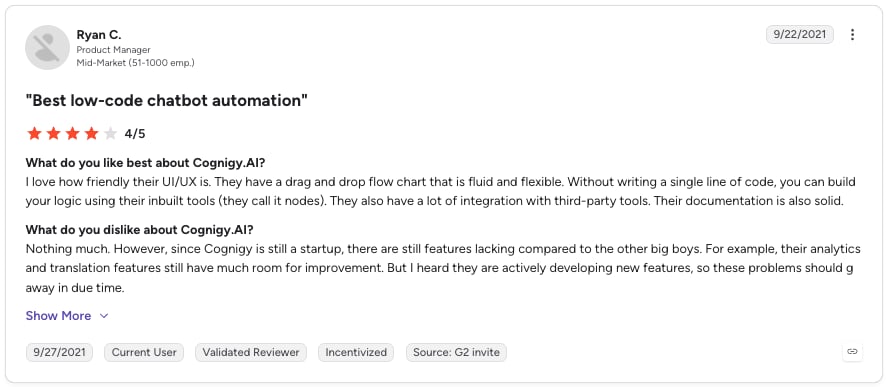
What Do Customers Say About Cognigy?
Cognigy reviewers on G2 consistently highlight ease of use and an intuitive low-code interface, while limited analytical capabilities are the most common criticism.
| Cloudtalk | Cognigy | |
|---|---|---|
| Target customer | Businesses of all sizes, especially growing SMBs | Large enterprises with complex, multi-market deployments |
| Pricing | Published plans and add-on pricing | Quote-based only |
| Setup | Self-serve, same-day | Enterprise-led rollout |
When to Use Cognigy
- You are a large enterprise needing deep CRM integration across voice and chat
- You want generative AI layered onto structured, rule-based automation
When Not to Use Cognigy
- You want to see pricing without going through an enterprise sales process
- You need same-day, self-serve deployment rather than a longer rollout
10. Bland AI: Best for Developer-First Voice Building
What Is Bland AI?
Bland AI is a developer-first platform for automating phone calls with AI-powered agents, giving engineering teams programmatic control over voice cloning and call flows.
What Is Bland AI Best For?
Developer teams and startups that want to build fully custom, programmable AI voice call flows—or embed AI voice calling into an existing product.
Category Scores
| Conversation Quality | 4/5 |
| Native CRM & Tool Integrations | 3/5 |
| Multilingual Coverage | 4/5 |
| Compliance Posture | 3/5 |
| Deployment Speed | 3/5 |
| Pricing Transparency | 4/5 |
| Total | 21/30 |
What Are the Key Features of Bland AI?
- Conversational pathways and voice cloning
- Real-time data injection and analytics dashboard
Bland AI Tech and Performance Metrics
- Latency: ~400ms.
Industries and Use Cases for Bland AI
- Developer teams building custom, programmable voice call flows
- Startups and enterprises embedding AI voice calling into an existing product
What Are the Key Integrations of Bland AI?
- Salesforce, HubSpot, Slack, Zapier, Make.com
What Are the Pros & Cons of Bland AI?
| Pros | Cons |
|---|---|
| Powerful conversational capabilities | Not a full telephony platform |
| High concurrency for large outbound volumes | Steep learning curve for complex call flows |
What Is the Pricing of Bland AI?
Bland AI pricing includes four pricing plans:
- Start: $0.14/min
- Build: $0.12/min
- Scale: $0.11/min
- Enterprise: Custom. See
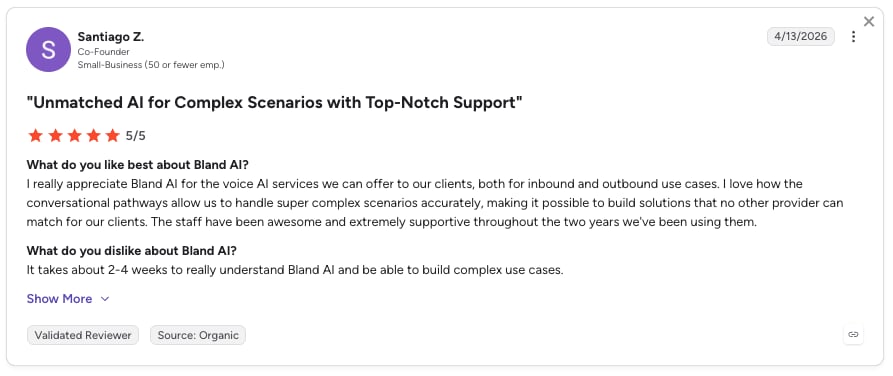
What Do Customers Say About Bland AI?
Bland AI customers highlight its ease of use and powerful conversational voice capabilities, but note a learning curve and complexity when moving beyond basic use cases.
Bland AI G2 Rating
Bland AI's current G2 rating is 5/5, based on 11+ verified user reviews.
CloudTalk vs Bland AI
| CloudTalk | Bland AI | |
|---|---|---|
| Setup | Self-serve, no engineering required | Developer-first, built for programmatic control |
| Review base | 1852+ G2 reviews | 11 G2 reviews |
| Best fit | Sales and support teams without dedicated engineering resources | Engineering teams building custom voice-calling products |
When to Use Bland AI
- You have engineering resources and want full programmatic control over call flows and voice cloning
- You are building AI voice calling into your own product rather than using it as a standalone tool
When Not to Use Bland AI
- You do not have engineering time to dedicate to building and maintaining call flows
- You want a review base large enough to judge real-world reliability before committing
11. Retell AI: Best for Compliance-Heavy Industries
What Is Retell AI?
Retell AI is a developer-focused platform built for creating highly natural, real-time AI voice agents, using streaming APIs and emotion-adaptive dialogue.
What Is Retell AI Best For?
Engineering-led teams in healthcare and finance building complex, compliance-heavy call logic where predictable, published per-minute pricing matters.
Category Scores
| Conversation Quality | 5/5 |
| Native CRM & Tool Integrations | 3/5 |
| Multilingual Coverage | 4/5 |
| Compliance Posture | 4/5 |
| Deployment Speed | 4/5 |
| Pricing Transparency | 4/5 |
| Total | 24/30 |
What Are the Key Features of Retell AI?
- Real-time streaming voice API
- Emotion-adaptive conversations
- Custom knowledge and prompting
- Built-in call recording and analytics
Retell AI Tech and Performance Metrics
- Latency: ~600ms latency.
Industries and Use Cases for Retell AI
- Engineering-led teams building complex, compliance-heavy call logic
- Healthcare and finance teams needing deep customization of conversation flow
What Are the Key Integrations of Retell AI?
- Zapier, Make.com, n8n, custom APIs
What Are the Pros & Cons of Retell AI?
| Pros | Cons |
|---|---|
| Fast to deploy, intuitive workflow builder | Limited built-in VoIP infrastructure |
| Enterprise-grade compliance (SOC 2, HIPAA, GDPR) | Fewer native CRM integrations than full phone systems |
What Is the Pricing of Retell AI?
Retell AI pricing includes two plans:
- Pay-as-you-go, roughly $0.05–$0.12/minute depending on model and volume
- Custom enterprise pricing available.
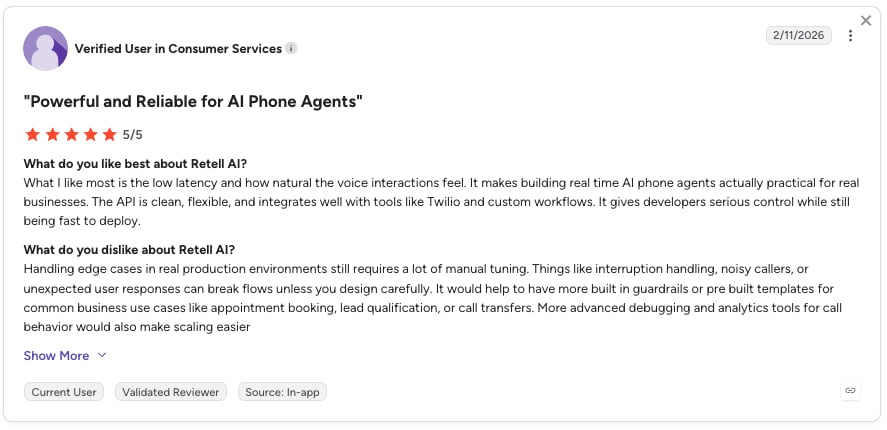
What Do Customers Say About Retell AI?
Retell AI customers highlight that they can go from idea to a working voice agent quickly, thanks to an intuitive interface and clear workflow builder, but note the platform struggles with highly complex or dynamic conversational logic compared to more developer-first tools.
Retell AI G2 Rating
Retell AI's current G2 rating is 4.8/5, out of 2,640+ verified user reviews.
CloudTalk vs Retell AI
| CloudTalk | Retell AI | |
|---|---|---|
| Setup | No-code, self-serve | Developer-first, API-driven |
| CRM sync | Native, 100+ integrations | Via Zapier/Make/n8n |
| Phone system included | Yes | No, voice AI layer only |
When to Use Retell AI
- You have engineering resources and want fine-grained control over conversation logic
- Predictable, published per-minute pricing matters more than native CRM integrations
When Not to Use Retell AI
- You do not have developer time to build and maintain custom call flows
- You need native CRM integrations out of the box rather than through automation tools
12. Vapi AI: Best for Full Engineering Control
What Is Vapi AI?
Vapi AI is an API-first platform for building AI phone agents that handle both inbound and outbound calls with full real-time control over voices, models, and call flows.
What Is Vapi AI Best For?
Technical teams wanting full model-level control and the lowest published starting per-minute rate on this list, in exchange for real engineering investment to build and maintain call flows.
Category Scores
| Conversation Quality | 4/5 |
| Native CRM & Tool Integrations | 3/5 |
| Multilingual Coverage | 4/5 |
| Compliance Posture | 3/5 |
| Deployment Speed | 3/5 |
| Pricing Transparency | 4/5 |
| Total | 21/30 |
What Are the Key Features of Vapi AI?
- Real-time call control and API-based agent customization
- Plug-and-play phone numbers
- Multi-channel support (voice, chat)
- Webhooks and workflow automation
Vapi AI Tech and Performance Metrics
- Latency: sub-500ms end-to-end latency.
- Reliability: 99.9% to 99.99% uptime.
Industries and Use Cases for Vapi AI
- Engineering teams building fully custom, programmable AI phone agents
- Technical teams needing deep control over model and voice selection
What Are the Key Integrations of Vapi AI?
- Zapier, HubSpot, Salesforce, Webhooks, custom APIs
What Are the Pros & Cons of Vapi AI?
| Pros | Cons |
|---|---|
| Deep API-level control over the voice stack | Limited no-code tooling for non-technical teams |
| Works with multiple LLM providers | Real cost can run higher than advertised once telephony and LLM usage are added |
What Is the Pricing of Vapi AI?
Vapi AI pricing is quote-based.
What Do Customers Say About Vapi AI?
Vapi customers highlight ease of setup and flexibility for building voice AI agents, but report issues with latency, unreliable performance, additional costs, and inconsistent support.
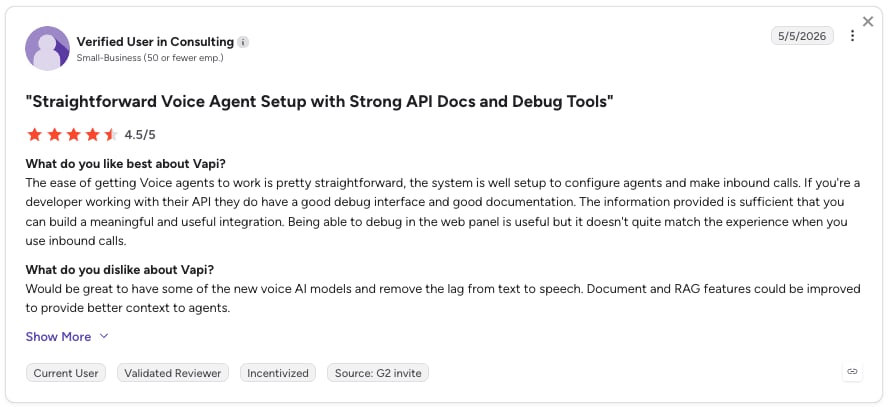
Vapi AI G2 Rating
Vapi has limited G2 review volume just one review at 4.5/5, since it's a developer-focused API product.
CloudTalk vs Vapi AI
| Pros | Cons | |
|---|---|---|
| Setup | No-code, self-serve | API-first, requires development |
| Pricing model | Usage-based add-on plus per-seat plans | Pay-as-you-go per-minute, LLM-dependent |
| Best fit | Sales and support teams without engineering resources | Technical teams wanting full model-level control |
When to Use Vapi AI
- You have engineering resources and want granular control over models and call flow
- You are optimizing for the lowest possible per-minute cost and can manage the technical overhead
When Not to Use Vapi AI
- You need a ready-to-use voice agent without a development project
- You want predictable costs that do not shift with LLM selection
13. Voiceflow: Best for Collaborative Voice Design
What Is Voiceflow?
Voiceflow is a collaborative no-code and low-code platform for designing, prototyping, and launching AI voice and chat assistants, built around a drag-and-drop builder.
What Is Voiceflow Best For?
Product and design teams still in the design phase, who need non-technical stakeholders to review conversation flows visually before launch.
Category Scores
| Conversation Quality | 4/5 |
| Native CRM & Tool Integrations | 4/5 |
| Multilingual Coverage | 4/5 |
| Compliance Posture | 4/5 |
| Deployment Speed | 4/5 |
| Pricing Transparency | 2/5 |
| Total | 22/30 |
What Are the Key Features of Voiceflow?
- Drag-and-drop conversation builder
- No-code/low-code voice and chat design
- LLM and NLU support
- Real-time testing and prototyping
- Reusable components and workspaces
Voiceflow Tech and Performance Metrics
- Latency: sub-500ms latency.
Industries and Use Cases for Voiceflow
- Product and design teams prototyping conversational flows before launch
- Mid-sized teams collaborating across roles on assistant design
What Are the Key Integrations of Voiceflow?
- HubSpot, Google Sheets, Zapier, Slack, custom API integrations
What Are the Pros & Cons of Voiceflow?
| Pros | Cons |
|---|---|
| Strong collaborative prototyping tools for teams designing flows together | Built more for design and prototyping than production-optimized, real-time call handling |
| Free tier lets individuals get started before committing budget | Steep earning curve for advanced features |
What Is the Pricing of Voiceflow?
Voiceflow pricing includes four plans:
- Free: for individuals getting started
- Pro: roughly $60/month per creator
- Business: roughly $150/month per creator
- Enterprise: custom pricing.
What Do Customers Say About Voiceflow?
Voiceflow reviewers on G2 consistently highlight how easy the visual builder is to pick up, but mention that the price is higher than expected.
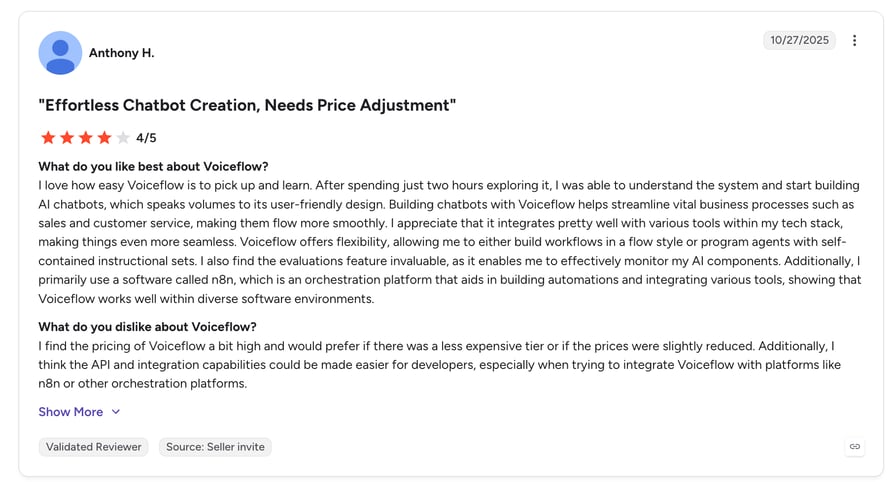
Voiceflow G2 Rating
Voiceflow's current G2 rating is 4.6/5 out of 110+ reviews.
CloudTalk vs Voiceflow
| CloudTalk | Voiceflow | |
|---|---|---|
| Purpose | Production phone system plus AI calling | Design and prototyping tool for conversational flows |
| Pricing | Usage-based add-on plus per-seat plans | Per-creator monthly pricing |
| Best fit | Teams ready to run live calls today | Teams still designing and testing conversation flows |
When to Use Voiceflow
- You are still in the design phase and want to prototype conversation flows collaboratively
- Your team includes non-technical stakeholders who need to review flows visually before launch
When Not to Use Voiceflow
- You need a production-ready voice agent handling live calls today, not a prototype
- Real-time, low-latency call performance matters more than design flexibility
14. Ringly.io: Best for Shopify and DTC Ecommerce
What Is Ringly.io?
Ringly.io is an AI phone support platform built for Shopify ecommerce brands, reading directly from the store's backend to handle inbound product, order, and return calls.
What Is Ringly.io Best For?
Shopify and DTC ecommerce brands automating phone support for order questions, returns, and customer issues, especially during peak seasons when call volume spikes and headcount does not.
Category Scores
| Conversation Quality | 4/5 |
| Native CRM & Tool Integrations | 4/5 |
| Multilingual Coverage | 3/5 |
| Compliance Posture | 3/5 |
| Deployment Speed | 5/5 |
| Pricing Transparency | 4/5 |
| Total | 23/30 |
What Are the Key Features of Ringly.io?
- Native Shopify integration (orders, customers, products, returns)
- 24/7 inbound call handling in 40+ languages
- Custom AI knowledge base built from store policies and FAQs
- Live transcripts, post-call summaries, and call analytics
- Human escalation via call transfer or email handoff
Ringly.io Tech and Performance Metrics
Not publicly disclosed.
Industries and Use Cases for Ringly.io
- Shopify and DTC ecommerce brands automating order and return support
- Ecommerce teams wanting phone support without adding headcount during peak seasons
What Are the Key Integrations of Ringly.io?
- Shopify, Gorgias, Zendesk, Klaviyo, Slack
What Are the Pros & Cons of Ringly.io?
| Pros | Cons |
|---|---|
| Reads directly from the Shopify backend, so order and return answers stay accurate without manual updates | Purpose-built for Shopify, less relevant outside ecommerce use cases |
| Published, tiered minute-bundle pricing | No outbound sales dialing—inbound support only |
What Is the Pricing of Ringly.io?
- Grow: $349/month, 1,000 minutes (roughly 500 calls)
- Pro: $799/month, 2,500 minutes (roughly 1,250 calls)
- Enterprise: custom pricing
What Do Customers Say About Ringly.io?
Early G2 feedback on Ringly.io is positive: reviewers highlight how easy it is to set up and how natural the AI agents sound on calls, but mention that some advanced features are still being developed.
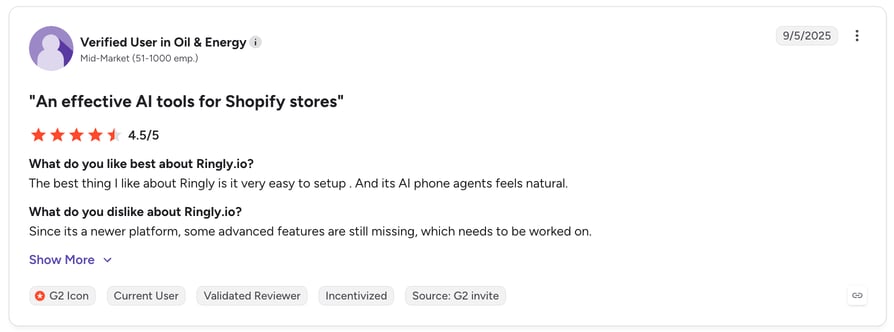
Ringly.io G2 Rating
Ringly.io's current G2 rating is 4.8/5 out of only 2+ reviews.
CloudTalk vs Ringly.io
| CloudTalk | Ringly.io | |
|---|---|---|
| Specialty | General-purpose AI calling for any business | Shopify-specific ecommerce phone support |
| Integrations | 100+ CRM and helpdesk tools | Shopify-centric stack (Gorgias, Zendesk, Klaviyo) |
| Best fit | Sales and support teams across industries | DTC and Shopify ecommerce brands specifically |
When to Use Ringly.io
- You run a Shopify store and want phone support that reads live order and return data automatically
- Your call volume is concentrated in ecommerce-specific questions
When Not to Use Ringly.io
- You are not on Shopify or need broader CRM and helpdesk integrations beyond ecommerce
- You need outbound sales dialing in addition to inbound support
Top AI Voice Agents by G2 Reviews & Ratings
CloudTalk holds a 4.4/5/5 rating across 1852+ reviews on G2, one of the largest and highest-rated review bases of any AI voice calling platform on this list. Here's how it stacks up against the other names that come up most often in AI voice agent searches, using only figures we could independently confirm.
| Platform | G2 Reviews | G2 Rating | Full Review Link | Alternative Link |
|---|---|---|---|---|
| CloudTalk | 1852+ | 4.4/5/5 | Read CloudTalk reviews on G2 | N/A |
| JustCall | 2,388+ | 4.3/5 | Read JustCall reviews on G2 | JustCall Alternative |
| Vapi AI | 1+ | 4.5/5 | Read Vapi AI reviews on G2 | Vapi AI Alternative |
| Bland AI | 11+ | 5/5 | Read Bland AI reviews on G2 | Bland AI Alternative |
AI Voice Agent Pricing: What to Expect in 2026
The cost of an AI voice agent typically runs $0.05 to $0.50 per minute for pay-as-you-go plans, or $30 to $300+ per month for a bundled tier with a set number of included minutes. AI voice agent pricing varies widely across vendors, and misreading the fine print is one of the most common mistakes businesses make when budgeting for one.
The most common pricing models you'll run into:
- Per-minute pricing: pay only for what you use, but cost scales directly with call volume.
- Bundled or tiered plans: a fixed monthly price that includes a set number of minutes, with a clear overage rate once you exceed it.
- Seat-based pricing: you pay per user for the business phone system itself, with AI calling billed separately based on usage.
- Enterprise contracts: a custom price based on call volume, security requirements, and support needs.
Hidden costs worth checking before you sign:
- Premium voice models: Will you get natural-sounding calls by default, or do you need to upgrade just to avoid a robotic voice?
- API or CRM sync usage: Is basic CRM logging included, or billed separately as usage grows?
- Compliance or recording add-ons: Is call recording and data protection part of the base plan, or locked behind an extra fee?
Cost Comparison Across AI Voice Agent Platforms
| Plaform | Starting Price | Pricing Model |
|---|---|---|
| AnveVoice | Free; from $39/month | Flat monthly rate (no per-minute fees) |
| Lindy | Free; from $49.99/month | Credit-based tiers |
| Voiceflow | Free; from ~$60/month per creator | Per-creator monthly |
| Zeeg | Free; from $10/user/month | Per-seat plan |
| CloudTalk | $99/month (200 minutes AI Receptionist) | Bundled minute tiers |
| Ringly.io | $349/month (1,000 minutes) | Bundled minute tiers |
| Retell AI | ~$0.05/minute base rate | Pay-as-you-go per minute |
| Bland AI | $0.14/minute (Start plan) | Pay-as-you-go per minute |
| Spitch | $0.0014/second for speech generation | Usage-based (speech generation) |
| PolyAI, Vapi AI, CallMiner, Cognigy | Custom/contact sales | Enterprise contract |
| Murf AI | 0.08/minute | Flat monthly rate |
CloudTalk AI Voice Agent Pricing
CloudTalk's AI Voice Agent is priced as a usage-based add-on, always separate from your phone system plan. It starts at $99/month for 200 minutes, with the first 50 minutes free in your first month. It includes 24/7 AI calling, human handoff to live agents, and CRM/helpdesk integrations from the entry tier, so you're not paying extra just to unlock the basics.
Here' s an overview of the main plans:
| Plan | Starting Price | Minutes Included | Best for | Key Features |
|---|---|---|---|---|
| AI Receptionist | $99/month | 200 min + 50 min free in your first month | Front desk, peak & after-hours coverage | 24/7 inbound call coverage · 60+ languages & accents · Conversational routing (no phone trees) · FAQ answering |
| AI Specialist | $349/month | 1,000 min/month | End-to-end workflow automation across support, sales & billing | Everything in AI Receptionist, plus: · Real-time system workflows & instant updates · Multi-step resolution for complex requests · Payment & invoice handling |
| Tailored Scale | Custom | Custom (from $0.15/min at 10,000+ min) | High-volume teams needing bespoke automation at scale | Everything in AI Specialist, plus: Volume-discounted per-minute rates · Custom minute packages · Bespoke workflow mapping for complex, multi-step processes |
Your ideal AI voice agent is just one click away
Key Benefits of Using an AI Voice Agent
Keeping up with customer expectations isn't easy, but an AI voice agent takes a real chunk of that load off your team. Here's what it actually changes.
Round-the-Clock Coverage Without a Round-the-Clock Team
Your business can answer calls at 2 a.m. or on a holiday weekend without anyone on shift. That means fewer frustrated callers stuck waiting for business hours, and a better shot at improving customer satisfaction simply by being there when the call comes in.
Lower Costs Without Cutting Corners on Quality
By automating repetitive requests, an AI voice agent reduces how many hires you need just to keep pace with call volume. The savings show up directly in your support and sales budget, not in a worse customer experience.
Faster Answers, Fewer Repeat Calls
Customers don't have to wait on hold or repeat themselves to a new person each time. The agent understands the request the first time and often resolves it on the first call, which is the single biggest lever for reducing overall call volume.
Handles Spikes Without Adding Headcount
When call volume jumps during a busy season or a product launch, the AI voice agent absorbs the extra load instead of your team scrambling to cover it. You keep response times steady without a hiring sprint every time demand rises.
Consistent Quality on Every Single Call
Every caller gets the same professional, on-script experience regardless of time of day or who happens to be on shift. That consistency is what turns high-quality service into a repeatable standard instead of a matter of luck.
Top Use Cases for AI Voice Agents in Business
An AI voice agent goes well beyond basic call answering. Here's where it makes a measurable difference for teams of any size.
Lead Qualification: Identify Hot Opportunities Faster
Instead of a rep manually working through a spreadsheet of new leads, the agent calls a new inbound lead within seconds of a form submission, asks the qualifying questions your team already uses, and routes anyone who clears the bar straight to a rep's calendar. CloudTalk's AI Specialist is built for this: it captures answers into your CRM and only alerts a human when there's a real opportunity to work. For a closer look, see our guide to the AI voice sales agent playbook.
Appointment Scheduling: Reduce No-Shows and Save Time
An AI voice agent schedules meetings in real time and cuts out the back-and-forth of finding a slot that works. AI can make the outbound calls, offer open slots, confirm the booking, and follow up with a reminder—all without a human touching the calendar. Zeeg is worth a look if scheduling is your primary use case rather than one feature among several.
Payment Reminders: Reduce Late Payments and Improve Cash Flow
Automated voice reminders keep customers on track while keeping the collections process professional and consistent. The agent delivers a personalized prompt, confirms payment intent, and points the customer to a secure payment option, cutting the manual follow-up work your team would otherwise carry.
After-Hours Customer Support: Answer FAQs Anytime
Provide round-the-clock support without needing anyone on call. The agent handles common questions—business hours, booking requirements, or account details—at any time of day, keeping satisfaction up while reducing your support queue.
Outbound Follow-Ups: Keep Leads Warm and Deals Moving
An AI voice agent automates the follow-up calls that too often get skipped when a rep's pipeline gets busy. Voicemail detection lets the agent skip past unanswered lines and drop a message automatically—the same discipline that makes AI cold calling work at scale: consistent timing, no skipped follow-ups, and a record of every attempt.
Self-Service Tasks: Automate Simple Operations Securely
Customers can complete everyday tasks—like checking an order status or updating account details—without waiting for a live agent. This kind of self-service support frees your team to spend its time on the harder conversations that actually need a person.
CRM and Tool Integration: Every Call Becomes Usable Data
An AI voice agent that isn't tied into your CRM is really just a fancy answering machine. When it's properly connected, every call automatically triggers three things: webhook events that fire the moment a call ends, call recording and analytics that feed straight into your reporting, and two-way CRM sync so the contact record updates itself instead of a rep doing it by hand.
Schools and Education: Answering Admissions Questions Around the Clock
Prospective students and their parents don't call during school office hours. An AI voice agent handles enrollment enquiries, program and pricing questions, and after-hours calls without making anyone wait until the admissions office reopens. For a deeper look, see our guide to AI voice agents for student enrollment.
Put an AI voice agent on your toughest use case
How to Choose the Right AI Voice Agent
When evaluating AI voice agent services for businesses, look past the basic automation pitch and prioritize platforms with deep CRM integration and natural, low-latency conversation flow. This agent will be the voice of your company, so it's worth getting the evaluation right before you commit.
1. Prioritize Accurate Voice Recognition
Avoid miscommunication by choosing an agent that quickly and accurately understands what callers are actually asking. Test with real, messy speech before you buy, not a scripted demo.
2. Demand Seamless CRM Integrations
Make sure the agent connects directly with your CRM, help desk, and sales tools. Native integrations mean less manual work, faster service, and a better customer experience than a workaround built on generic automation tools.
3. Choose a Platform That Scales With You
Pick a platform that lets you customize conversations today and grow alongside your business tomorrow. A scalable solution meets today's call volume without forcing a platform switch the moment you outgrow it.
4. Protect Your Data and Compliance Posture
Choose a solution with end-to-end encryption, secure authentication, and compliance with regulations like GDPR. If you're in a regulated industry, confirm HIPAA or SOC 2 posture before you sign, not after.
5. Confirm Real 24/7 Reliability
Make sure your provider backs its uptime with real infrastructure, not just a marketing claim. A reliable system is what prevents a costly outage from turning into missed calls at the worst possible moment.
6. Insist on Transparent Pricing
Look past the sticker price to ongoing costs like maintenance, add-ons, and integration fees. Transparent AI voice agent pricing keeps you inside budget instead of discovering surprise charges three months in.
7. Look for Advanced Analytics and Reporting
Tracking performance is how you catch problems early and make smarter decisions. Strong analytics turn every call into a chance to improve your service rather than a data point that disappears the moment the call ends.
What Teams Tell Us When They Switch to CloudTalk
These are patterns we hear most often in sales conversations, not quotes from named customers, but they capture the reasons that come up again and again when a team decides to move to CloudTalk.
"We had three tools bolted together, and none of them talked to each other."
Teams running a standalone AI voice agent alongside a separate phone system and a separate CRM integration describe the same recurring pain: call data, transcripts, and CRM updates live in three different places, and reconciling them eats the time the AI tool was supposed to save.
Moving the AI Voice Agent onto the same phone system that already handles routing and CRM sync removes that reconciliation work entirely.
"Our developer platform worked, but it was a project, not a product."
Teams that started on a developer-first API, like Retell AI or Vapi AI, often built something that worked well in a demo, but every change—a new prompt, a new integration, a new call flow—needed engineering time.
Switching to a self-serve platform lets a non-technical admin update scripts, routing, and integrations without opening a ticket with their own dev team.
"Our IVR menu was actively costing us calls."
Teams still routing callers through a traditional keypad IVR describe frustrated callers hanging up mid-menu, especially on mobile, where pressing multiple digits is awkward.
Replacing the menu with an AI voice agent that understands spoken requests directly cuts that abandonment without callers having to learn a new system.
Limitations and Challenges of AI Voice Agents
AI voice agents bring real improvements to customer service, sales, and operational efficiency, but they're not without limits. Understanding these upfront helps you set realistic expectations and pick a solution that balances automation with human oversight.
- Accuracy depends on training and context. An AI voice agent relies on good data, a solid knowledge base, and well-designed conversation flows. Skimp on any of those and it will misread requests. Ongoing tuning is what keeps accuracy from drifting.
- Voice quality varies by provider. Some agents sound genuinely natural; others still pause oddly or sound robotic. Test more than one before committing, since this is one of the easiest things to evaluate and one of the most consequential for caller experience.
- Compliance and privacy controls need real attention. These agents handle sensitive customer information, so data has to be encrypted, stored securely, and handled in line with regulations like HIPAA or CCPA.
- Setup still takes real effort. Even on a platform like CloudTalk that simplifies deployment, getting an agent production-ready takes testing and iteration. Skip that step and performance stalls.
- Costs scale with usage. Pricing is usually tied to minutes or interactions, so a high-volume business needs to actually monitor consumption rather than assume the bill will stay flat.
Pro Tip: Anger Management
Before launch, decide which call types the AI should never try to finish on its own—like angry complaints, cancellations, or anything touching sensitive personal details—and make sure the platform routes those straight to a human. That one decision prevents most of the bad experiences teams worry about before rollout.
Implementation Best Practices for AI Voice Agents
A successful rollout isn't a matter of flipping a switch. It works best introduced gradually and deliberately.
Best practices for a lower-risk AI voice agent implementation:
- Start with low-risk, repetitive calls: FAQs, reminders, scheduling
- Test scripts on real calls before scaling up
- Set clear handoff rules to live agents
- Review call logs weekly during the rollout period
- Train your team to work with the AI, not around it
Pro Tip: Baby Steps
Start with one job that creates immediate relief, like handling missed calls after hours or booking basic appointments. Review a small batch of recordings, tighten the script, and only then expand. It's the surest way to improve the agent's performance without disrupting the humans working alongside it.
Why CloudTalk Is the Best AI Voice Agent for Business Phone Systems
CloudTalk is built into the telephony layer itself, which is the structural difference that matters most once you're past the demo stage: the same numbers, routing, recording, and CRM sync your human agents use are exactly what CeTe, CloudTalk's AI Voice Agent, runs on.
- One connected data set. CRM sync, Call Recording, and analytics work the same way whether a call was handled by CeTe or a human rep, so managers get one clean view of performance instead of stitching together two systems.
- No separate number or platform to manage. CeTe uses your existing CloudTalk numbers and call routing, so there's no second phone system to configure, monitor, or pay for separately.
- Compliance built into the same infrastructure. GDPR, SOC 2, and HIPAA-aligned controls apply across both human and AI-handled calls, not as a separate compliance project for the AI layer.
- A published, add-on pricing model. The AI Voice Agent starts at $99/month for 200 minutes, always separate from your phone plan, so you know exactly what you're paying for AI calling versus your core phone system.
A Better Way to Deploy AI Voice Agents
AI voice agents are becoming a core part of how businesses handle customer conversations. The biggest differences between platforms come down to conversation quality, CRM integrations, pricing, and how much technical work they require.
If you need a standalone builder or a developer-first platform, there are strong options available. But if you want AI calling built into the same business phone system your team already uses, CloudTalk offers the most practical path from testing to production.
Ready to put CeTe to work?
FAQs About AI Voice Agents
CloudTalk is the best AI voice agent for SMBs because it runs on the same phone system, numbers, and CRM sync your team already uses—instead of a separate platform to configure and pay for on its own.
Schools need an AI voice agent that can answer enrollment and program questions around the clock. CloudTalk handle this well, but the right fit depends on how deeply the AI voice agent for student enrollment needs to integrate with your student information system.
Look for published, verifiable G2 or Trustpilot reviews rather than marketing claims, native CRM sync so qualified leads land on a rep's desk automatically, and a real test call handling an off-script question. Our roundup of the best AI voice agents for lead qualification compares CloudTalk, Retell AI, and Vapi AI on exactly these points.
The best AI calling agent depends on whether you need it built into a full phone system or as a standalone layer. CloudTalk is the strongest choice for teams that want AI voice agent business call handling, human agents, and CRM data on one connected platform. Developer-first options like Retell AI and Vapi AI suit engineering teams that want granular control over models and call flow.
CloudTalk is the best AI voice agent for customer service because it answers, triages, and resolves routine questions using the same call data, routing, and CRM record your human support team already relies on.
An AI voice agent combines speech recognition, natural language processing, and text-to-speech to hold a real, two-way conversation over the phone. It listens to what a caller says, interprets the intent rather than matching keywords, pulls relevant information from a knowledge base or CRM, and responds in a natural-sounding voice. When the request needs a human, the agent hands off the call along with a transcript and summary.
Most AI voice agent platforms charge $0.05 to $0.50 per minute of usage, or a bundled monthly rate typically starting between $50 and $350 per month. CloudTalk's AI Voice Agent starts at $99/month for 200 minutes, always billed separately from the core phone system plan; run your own numbers with the AI voice agent ROI calculator before you commit to a tier.
CloudTalk, Retell AI, and Vapi AI all support CRM integration and webhook events, but the depth varies. CloudTalk offers 100+ native, pre-built CRM integrations with two-way sync, so a call outcome updates the CRM record automatically. Retell AI and Vapi AI typically connect through Zapier, Make.com, or custom webhooks.
CloudTalk's AI voice agent for outbound sales calls is the strongest fit, since it runs qualification and follow-up campaigns on the same numbers, CRM sync, and dialer data your outbound team already uses. Vapi AI and Retell AI can also power outbound calling, but both need engineering time to build and maintain the call logic.
No, not entirely. AI voice agents handle high-volume, repetitive, time-sensitive calls well: after-hours coverage, qualification, reminders, and FAQs. Complaints, cancellations, and anything emotionally charged still need a human. The realistic goal is freeing your team from the calls that don't need a person—not replacing the people who handle the ones that do. Among the clearest benefits of AI voice agents for sales and support teams is handling high-volume, repetitive work well.
AnveVoice and Zeeg have the lowest published entry prices, starting at $33/month and roughly $49 for 250 minutes respectively, though Zeeg's per-minute cost rises at volume. CloudTalk's AI Voice Agent starts at $99/month for 200 minutes with the first 50 minutes free, and includes CRM sync and human handoff from the entry tier rather than as a paid upgrade.
PolyAI and Cognigy are built specifically for large, multilingual enterprise deployments, with the custom rollout and integration depth that scale requires, though both are quote-based with a longer implementation timeline. CloudTalk fits enterprise teams that want that same depth of CRM and compliance coverage without a multi-month rollout, since deployment is self-serve and pricing is published upfront.
CloudTalk, Synthflow, Lindy, AnveVoice, and Zeeg offer no-code, self-serve setup, while Retell AI supports both no-code and API options. Vapi, Bland AI, and Voiceflow are more developer-focused. If you don’t have engineering resources, prioritize platforms with a proven no-code builder.
CloudTalk, Retell AI, and ElevenLabs offer HIPAA compliance with self-serve BAAs. For regulated industries, check BAA availability, PII controls, and audit trails before choosing a platform.
Most AI voice platforms operate between 500–900ms end-to-end. CloudTalk’s CeTe runs at sub-800ms, fast enough for natural, responsive conversations. For most business calls, 600–800ms is a solid range, while delays above 900ms can make pauses more noticeable.
For structured, repetitive outbound work like lead qualification, reminders, and follow-ups, yes. Trevo used CloudTalk’s AI Voice Agent to reach 20 times more customers per outbound campaign than its human team could cover at peak, and MadRent runs over 60,000 AI outbound minutes a month with a cost per conversion inside its own human calling benchmark. AI still hands off to a person for calls that need judgment or negotiation.
No. CloudTalk’s AI Voice Agent can be set up by uploading a document or basic company information, so it works without a CRM connection. Connecting a CRM adds automatic call logging and lets the agent personalize conversations with existing contact data, but it’s not a requirement to get started.
CloudTalk’s AI Voice Agent runs on infrastructure certified under GDPR and SOC 2 Type II, and CloudTalk is HIPAA-compliant, with signed BAAs available for healthcare customers. That is what backs up its compliance posture score in the comparison table above.