
Power Dialer Software
CloudTalk's Power Dialer calls one contact at a time. Know who you're calling, log the outcome in one click, and move on to the next contact. Every call syncs to your CRM.
4.4/5 on G2 (1,702+ reviews)
$15 per user/month (add-on) · Included in the Expert plan · 14-day free trial
- 01Next contact ready the moment the call ends
- 02Every outcome automatically logged in your CRM
- 03100+ calls per agent per day
 SOC2 CompliantISO 27001
Trusted by 30,000+ sales & support professionals worldwide
















Primary Benefits
Power Dialer Software That Turns Every List Into Real Conversations
Same list, same team, less time between calls.
Get More Conversations From the Same List and Team
Your next contact is ready the moment you hang up. Power Dialer tries every number a contact has, not just the first, and one toggle puts fresh leads ahead of retries.
Know What Happened on Every Call
Pick the call outcome in one click, and it shows up in analytics, call history, and your CRM. Your stats show how many calls reached a person, not just how many you dialed.
Run Outbound on the Phone System You Already Use
Power Dialer runs on the same numbers, routing, and analytics as your inbound calls, with local numbers in 160+ countries. It’s included in Expert, or $15 per user per month (billed annually) as an add-on to Starter or Essential.
Product Tour
See a Power Dial Session in Action
Select your campaign, preview the contact, make the call, pick the outcome, and move to the next.
Power Dialer
Everything Your Reps Need to Work a List, Start to Finish
Campaign structure, smart queues, scripts, and CRM sync in one power dialer.
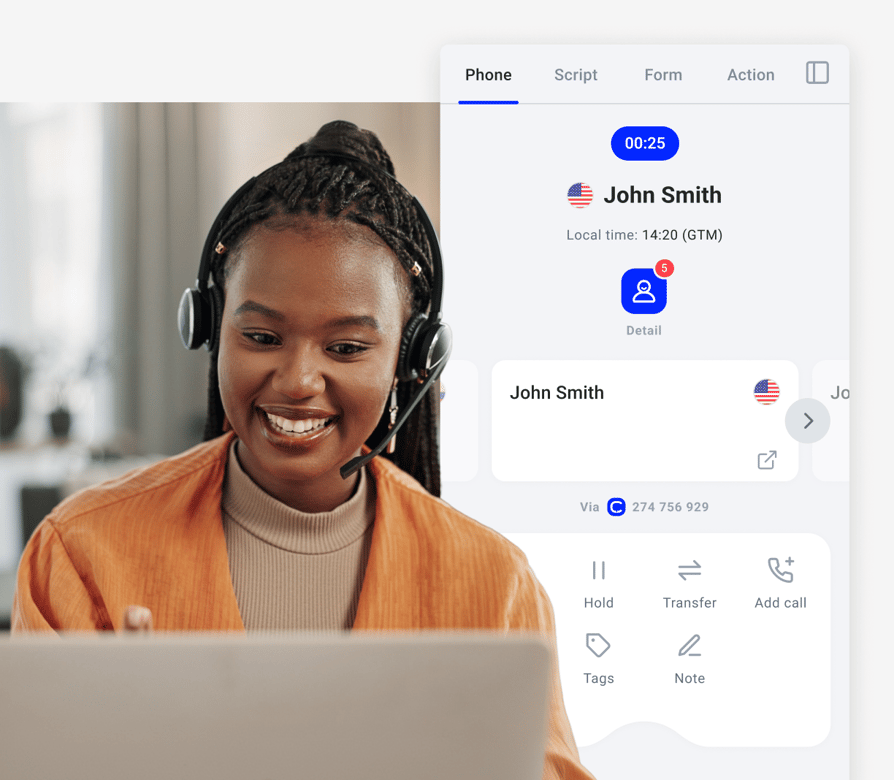
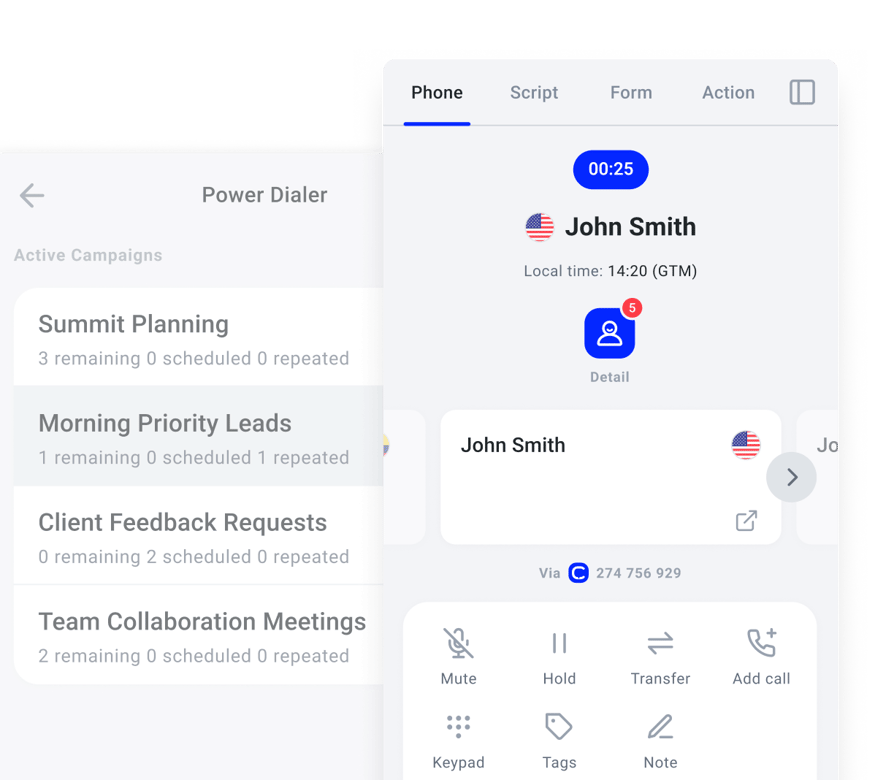
Work Your List One Contact at a Time, With No Dead Air
- 01See the contact, their history, and their local time before you dial
- 02Turn on auto-dial and the next call starts after a short countdown, or keep it off to preview every contact
- 03Caller ID matches each contact's area code, or rotates across your numbers
- 04Busy, ring-out, voicemail, and out-of-service numbers are tagged automatically. Busy and unanswered contacts are retried by your rules.
Reach the Right Contact First, and Never Lose Track of a Callback
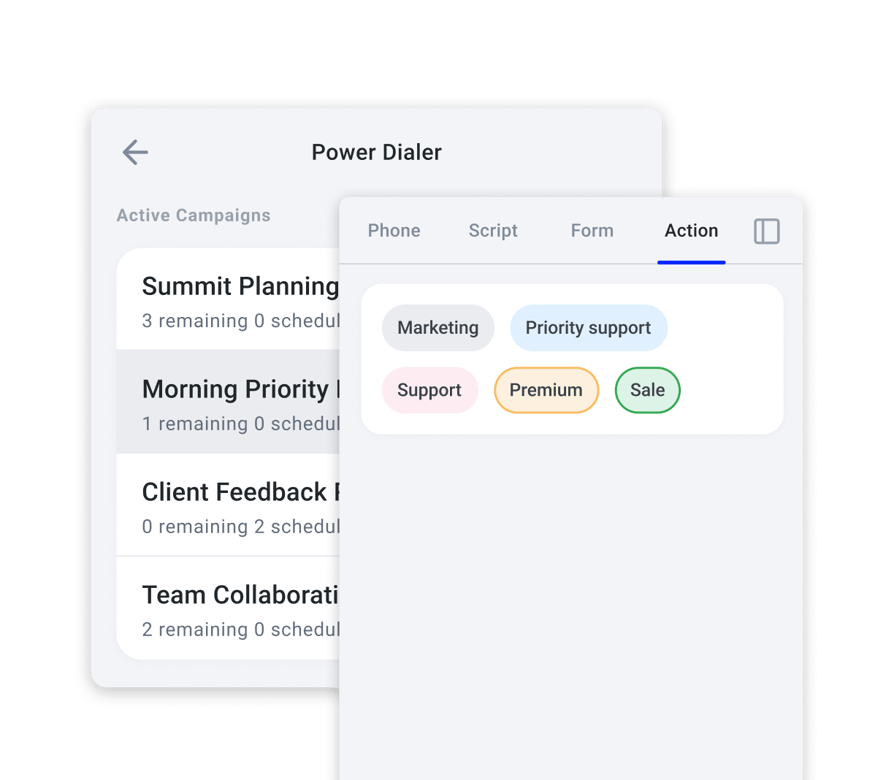
- 01One toggle puts fresh leads ahead of retries
- 02Rank your tags and CRM lists, and reorder them mid-campaign without stopping
- 03Every phone number on a contact is tried, not just the first
- 04"Call me Thursday at 3" becomes a callback that surfaces at exactly that time
- 05Retry rules decide when a no-answer contact comes back
Sound Prepared From the First Second
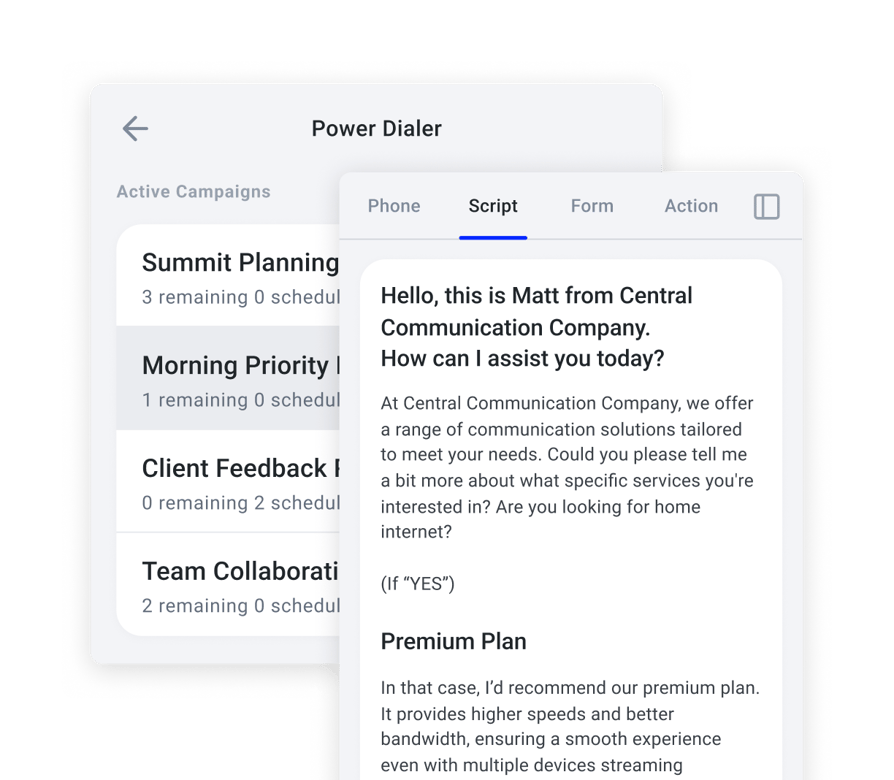
- 01Scripts and survey questions sit right on the calling screen
- 02Survey answers are captured as structured data you can export
- 03Drop a pre-recorded voicemail in one click
- 04Hand a live call to a colleague with a warm transfer
- 05Calls are recorded by default, with start, pause, and stop controls
Every Outcome Logged in Your CRM, With Nobody Typing It
- 01Outcomes are your own tags, shared by analytics, call history, and your CRM
- 02Contact lists sync in from HubSpot, Salesforce, Pipedrive, and Zoho CRM
- 03Stats show whether a person, voicemail, or another machine answered each call
- 04Watch a running campaign live, and listen, whisper, or barge into any call
- 05With Conversation Intelligence on, see the last call's summary and sentiment before you dial
We’ve helped thousands of global companies
Case studies featuring customers who are building faster.

Global Sales Engine Powered by Connected Conversations
“CloudTalk’s AI transcripts and analytics make it easier to track talk ratios, discovery depth, and regional performance—all without requiring formal training to get started.”

Revolutionizing Revolut’s Efficiency and Saving 40+ Hours
"Thanks to CloudTalk’s reliability, we could improve sales teams’ performance and close more deals than we could have ever imagined."

Increasing productivity for 200 customer support agents
"With CloudTalk's Analytics I now get to see every step of the way. We can find discrepancies and gain a much better understanding of our teams."

Delivering success for Glovo’s customer support team
"CloudTalk improved our team's cost and efficiency. The script feature allows us to lead the calls in a much more systematic way."
Try the Power Dialer on Your Own List, Risk-Free
Choose the Number You Call From
Caller ID matches each contact’s area code by default, or you can rotate across your own numbers or fix one per campaign, and your rep always sees which number is being dialed.
Keep Control of Every Call
The Power Dialer dials one line at a time so two prospects never answer at once, shows each contact and their local time before you dial, and, if your admin allows it, lets you skip, reorder or remove contacts between calls.
Add Voicemail Detection Whenever You Need It
In Power mode, your rep hears the greeting and drops a pre-recorded message in one click, or you can add Parallel and run two or more lines for automatic detection and drop, with the same screens, queue and data.
Test It for 14 Days
Start a free 14-day trial on your own contact list. After the trial, the Power add-on costs $15 per user/month, billed annually. Already on Expert? Power is included.
CloudTalk Power Dialer vs. Other Dialers
A campaign dialer inside your phone system, not a list you dial through once.
Dial Straight From the CRM Your Team Already Lives In
Fill campaigns from CRM lists, and send every outcome back to the contact record.
- 01Pull contact lists from HubSpot, Salesforce, Pipedrive, and Zoho CRM
- 02Lists stay in sync, so new leads join the queue on their own
- 03Call outcomes sync back to the CRM record
- 04100+ integrations, plus Zapier, Make, and CloudTalk workflow automation
- 05Manage campaigns through the public API

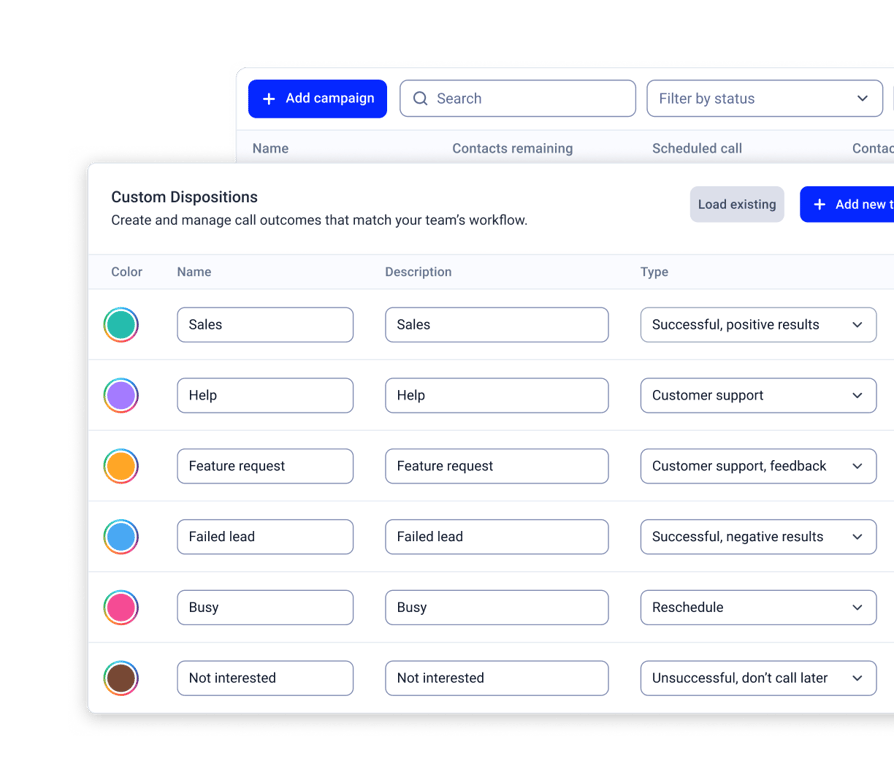
Launch Your First Campaign in 5 Steps
Start your free trial and CloudTalk turns the dialer on for your account.
- 01General. Name your campaign and choose when it starts.
- 02Contacts. Add contacts by tag or by CRM list.
- 03Calling setup. Set attempts per contact, time between attempts, auto-dial, and caller ID.
- 04Agents. Assign reps, pick outcomes, and attach a script or survey.
- 05Review. Activate, and reps start a session from the CloudTalk Phone app.
Integrations
Plug the Power Dialer Into Everything You Use
CRMs, helpdesks, applicant tracking systems and more. Get started instantly with 100+ built-in integrations, or expand further with Zapier, Make or CloudTalk's own workflow automation builder.


Features
Other Features You Might Like with the Power Dialer

Parallel Dialing
Ring up to 5 contacts at once, with automatic voicemail detection and drop.
Learn more about Parallel Dialing
Smart Dialer
Build one-click call queues from numbers on any website or CRM, for when you want to add contacts on the fly rather than work a fixed list.
Learn more about Smart Dialer
Conversation Intelligence
Ditch the manual call analysis and guesswork. Automatically transcribe, summarize, and analyze every call.
Learn more about Conversation Intelligence
International Numbers
Local numbers in 160+ countries for every market you call.
Learn more about International Numbers
Stop Losing Track of Who You Called
Try the CloudTalk Power Dialer free for 14 days. $15 per user/month, or included in Expert.
FAQs: Power Dialer
A power dialer is outbound calling software that works through a contact list one number at a time and keeps a live rep on every connection. CloudTalk's power dialer runs campaigns from a tag or CRM list, with scripts, retries, and a required outcome on every call.
You build a campaign from a tag or CRM list, and reps start a session from the CloudTalk Phone app. The rep sees the contact, makes the call, picks the outcome, and the next contact is ready. Every outcome syncs to your CRM.
Favorite contacts come first, then scheduled callbacks that are due, then retries whose waiting time has passed, then fresh contacts. Turn on fresh-first to put new leads ahead of retries. Admins can also rank tags and CRM lists, and reorder them on a live campaign.
The Power add-on is $15 per user per month, billed annually, and it is included in the Expert plan. You can try it free for 14 days.
A power dialer calls one contact at a time. A parallel dialer calls several at once and connects the first person who answers. Both are modes of CloudTalk's AI Sales Dialer, so you can start with Power and add Parallel later.
In CloudTalk's power mode, your rep hears the greeting and can drop a pre-recorded voicemail in one click. Automatic voicemail detection and drop come with Parallel, on two or more lines.
A predictive dialer calls several numbers at once and guesses when agents will be free. A power dialer calls one at a time, so a rep is ready before every call. For multi-line dialing, CloudTalk offers Parallel mode.
Yes. Campaigns pull contact lists from HubSpot, Salesforce, Pipedrive, and Zoho CRM, and call outcomes sync back to the contact record.
Yes. Each campaign can have one script and one survey, shown on the calling screen. Survey answers can be exported.
Yes. CloudTalk offers local numbers in 160+ countries, and caller ID matches each contact's area code by default.
Yes. Managers can listen in silently, whisper to the rep without the contact hearing, or barge into a live campaign call, in both Power and Parallel mode. Every campaign call can also be recorded and reviewed in call history.


Hello 👋 My name is Emma. Still have questions?
Can’t find the answer you’re looking for? Please chat to our friendly team.