Salesforce Dialer Pricing 2026: What It Costs, and Why Salesforce Is Retiring It
TL;DR:
Salesforce Dialer costs from $5 per user per month as an add-on, and Salesforce has publicly scheduled it for retirement. Its own documentation now reads: "Sales Dialer is scheduled for retirement. No new features or enhancements are being added." Salesforce tells customers to move to Salesforce Voice instead, which starts at $50 per user per month with zero minutes included.
The $5 is real, and it is 2.5% of what you actually pay. The dialer is an add-on to a Sales Cloud edition, and the cheapest edition that supports it is Pro Suite at $100. Add the Sales Engagement console reps actually work in at $50 and a realistic seat lands at $155 to $250 per user per month. Then there is the part nobody prices: coached calls bill double against your minute pool, call recordings eat 15 MB per hour of your Salesforce file storage, and outbound calling works in the US and Canada only. Verified against salesforce.com and Salesforce Help on 7 September 2026.
Summary of Salesforce Dialer Pricing
| What you are buying | Price (billed annually) | What it actually is |
|---|---|---|
| Sales Dialer (add-on) | From $5 /user/month | Click-to-dial and automatic call logging. Requires a paid Sales Cloud edition underneath. |
| Cheapest supporting edition (Pro Suite) | $100 /user/month | The dialer is not available on Free Suite or Starter Suite. |
| Sales Engagement (add-on) | $50 /user/month | The inside-sales console: cadences, work queue, conversation insights. No dialer, no minutes. |
| Realistic dialing seat | $155 to $250 /user/month | Edition plus dialer plus Sales Engagement, depending on which edition you are on. |
| Salesforce Voice (the replacement) | $50 to $200 /user/month | What Salesforce tells Sales Dialer customers to move to. $50 tier includes zero minutes. |
All figures are USD, billed annually, taken from Salesforce's own pricing and help pages in September 2026. Salesforce no longer publishes a per-SKU breakdown of the dialer's licence types, so "from $5" is the only official dialer number in existence today. More on that below, because it matters.
Your dialer should not have an end-of-life date.
How Much Does Salesforce Dialer Cost?
Salesforce Dialer costs from $5 per user per month, billed annually, according to Salesforce's official Sales add-ons page. That page describes what the money buys in seven words: "Click-to-dial and automatic logging features."
Take that description literally, because it is accurate. Sales Dialer is not a sales dialer in the sense a modern outbound team means it. There is no power dialing, no parallel dialing, no predictive dialing. It puts a clickable phone icon next to numbers in Salesforce and writes the call to the activity record afterwards. That is genuinely useful, and it is not the same product category as the tools it gets compared against.
The Edition You Also Have to Buy
Sales Dialer is an add-on licence. It cannot be bought on its own, and Salesforce's add-ons page lists it as available on Pro Suite, Professional, Enterprise, Unlimited, and Agentforce 1 Sales Edition. It is not available on the Free Suite or the $25 Starter Suite. So the cheapest legitimate route to a Salesforce native dialer is Pro Suite at $100 plus the dialer at $5.
Salesforce rebuilt its Sales Cloud lineup on 3 September 2026, replacing the old tiers with Core, Advanced, and Max. Salesforce's own marketing now describes Enterprise and Unlimited as "legacy" editions. If you are reading a dialer pricing guide anywhere else on the internet right now, check whether it still quotes Enterprise at $165, because most of them do.
| Sales Cloud edition | Price /user/month | Sales Dialer available? | Edition + dialer |
|---|---|---|---|
| Free Suite | $0 | No | n/a |
| Starter Suite | $25 | No | n/a |
| Pro Suite | $100 | Yes | $105 |
| Core | $195 | Not yet published for the new tiers | $200 |
| Advanced | $395 | Not yet published for the new tiers | $400 |
| Max | $550 | Not yet published for the new tiers | $555 |
That third column deserves a flag. Salesforce's add-ons page was last updated before the September edition overhaul and still lists the old edition names, while the main pricing page shows the new ones. The two pages have not been reconciled, which means Salesforce has not yet published whether Sales Dialer is available on Core, Advanced, or Max at all. If you are on a new edition, get that confirmed in writing before you budget for it.
Sales Engagement at $50, and Why It Does Not Include a Dialer
Most teams buying a Salesforce dialer end up buying Sales Engagement too, at $50 per user per month. It is the inside-sales console: cadences, work queue, lead scoring, prospecting center, Einstein Activity Capture, Buyer Assistant, and Einstein Conversation Insights.
Notice what is not on that list. Sales Engagement analyses calls, transcribes them, and surfaces coaching moments. It does not place them. Salesforce's own help article is titled "Set Up Sales Dialer for Sales Engagement," which tells you the relationship precisely: two separate line items, both billed, one plugged into the other. Sales Engagement includes no minutes either.
So a realistic Salesforce dialing seat looks like this:
| Your edition | Edition + dialer | Edition + dialer + Sales Engagement | The dialer as a share of the full seat |
|---|---|---|---|
| Pro Suite | $105 | $155 | 3.2% |
| Core | $200 | $250 | 2.0% |
| Advanced | $400 | $450 | 1.1% |
| Max | $555 | $605 | 0.8% |
The dialer is between 0.8% and 3.2% of the seat it lives on. That is the honest way to read the $5: it is not a cheap dialer, it is a cheap attachment to an expensive CRM licence you were buying anyway. Which is a perfectly good deal if you already own the licence, and a terrible reason to choose Salesforce for calling if you do not.
Why the Old $5 / $25 / $15 Breakdown Has Vanished
Sales Dialer has historically been licensed in three parts: a Dialer Outbound licence, a Dialer Inbound licence, and a pool of Dialer Minutes shared across the org. All three licence types are still named in Salesforce's current implementation documentation, so the structure is real.
What has gone is the price list. Salesforce's dedicated Sales Dialer pricing page now redirects to the general Sales Engagement page, and the only dialer figure published anywhere on salesforce.com today is "starting at $5." The per-component prices that circulate widely in other pricing guides are no longer on any live Salesforce page, so we are not repeating them here as though they were current. If you need the outbound and minutes pricing, it has to come from a quote.
Salesforce Is Retiring Sales Dialer: What It Means for Your Budget
Every Sales Dialer page in Salesforce Help now carries the same notice, word for word:
"Sales Dialer is scheduled for retirement. No new features or enhancements are being added to Sales Dialer. To use telephony features directly in Salesforce, we recommend that you modernize your experience by moving to Salesforce Voice."
Three things are true at once here, and it is worth separating them. The product is still sold, and still listed at $5 on the official add-ons page. There is no published end-of-life date, and Sales Dialer does not appear on Salesforce's formal product retirements list. And it is feature-frozen, with Salesforce explicitly recommending a different product.
What Salesforce Voice Costs
Salesforce Voice, described in the docs as "Salesforce Voice with Telephony Providers (formerly Service Cloud Voice)," is the recommended destination. Here is what it costs, from Salesforce's Partner Contact Center pricing page. An annual contract is required on every tier.
| Salesforce Voice tier | Price /user/month | Minutes included | Effective cost per minute |
|---|---|---|---|
| Partner Contact Center | $50 | None. Bring your own telephony provider. | n/a |
| Partner Contact Center + Amazon Connect | $75 | 750 | $0.100 |
| Partner Contact Center + Amazon Connect | $125 | 2,000 | $0.063 |
| Partner Contact Center + Amazon Connect | $200 | 5,000 | $0.040 |
| Agentforce Contact Center | $125 | Unlimited platform voice minutes | n/a |
Two things in that table are worth a second look. The $50 entry tier includes zero minutes: it connects a telephony provider you supply and pay separately, which is the same two-vendor structure people criticise cheaper platforms for. And the $200 tier buys 5,000 minutes while the $125 Agentforce Contact Center tier buys unlimited platform voice minutes. The unlimited package is $75 per user per month cheaper than the 5,000-minute package. They are different architectures, partner telephony against native, so it is not a pure like-for-like. On minutes alone it still reads strangely.
The Migration Math
Moving from Sales Dialer to Salesforce Voice, as Salesforce recommends, costs $70 more per user per month, and the delta is identical whichever edition you are on because both sides move by the same amount.
| Setup | Today (edition + dialer + Sales Engagement) | After migrating (edition + Salesforce Voice 2,000 min) | Change |
|---|---|---|---|
| Pro Suite | $155 | $225 | +$70 /user/month |
| Core | $250 | $320 | +$70 /user/month |
| 25-rep team on Core | $75,000 /year | $96,000 /year | +$21,000 /year |
And there is a constraint that makes the migration harder than a licence swap. Salesforce's own limitations page states: "Dialer users can't have Salesforce Voice permission sets or be part of a Salesforce call center." The two products cannot coexist on the same user. There is no phased rollout, no team-by-team pilot with the rest of the org still dialing. It is a cutover.
Worth naming what Salesforce Voice actually is, too. It is a contact centre product, built around Omni-Channel routing, queues, and supervisor consoles for service reps. A twelve-person outbound sales team being pointed at it is being sold a different category of software to solve the problem of clicking a phone number. If that is the upgrade path, it is reasonable to look at what else that budget buys, including a Service Cloud Voice integration that does not require the migration in the first place.
$70 more per user to keep dialing from Salesforce.
What Are Salesforce Dialer's Additional Costs?
Beyond the licence stack, three costs sit in Salesforce's documentation rather than on its pricing page. None of them appear in any other Salesforce dialer pricing guide we could find.
| Extra cost | Amount | When it hits |
|---|---|---|
| Base Sales Cloud edition | $100 to $550 /user/month | Required. The dialer is an add-on licence, not a product. |
| Sales Engagement | $50 /user/month | If your reps need cadences and a work queue, which is usually the point. |
| Dialer minutes | Not published | Pooled at org level, not per user. Rate available only by quote. |
| Coached calls | Double minute consumption | Salesforce bills the rep's time and the manager's time separately. |
| Call recording storage | ~15 MB per hour of audio | Recordings are saved as Salesforce files and count against your file storage quota. |
| Agentforce for Sales | $125 /user/month | If you want the AI layer on top. |
Coaching a Call Bills It Twice
Straight from Salesforce's dialer limitations page: "Monitored calls use double the minutes of a regular call, counting the call time for both the rep and manager."
Every call a manager listens in on consumes two minutes from the org pool for every minute of conversation. Coach 10% of your calls and your minute consumption is 1.1 times your actual talk time. Coach 20% and it is 1.2 times. A team talking 2,000 minutes a month with a fifth of calls monitored bills 2,400.
The same page adds two more constraints on monitoring: you can listen to only one rep at a time, and only outbound calls can be monitored. Inbound calls cannot be listened to at all. For a support team, or any sales team running inbound demos, that removes coaching from exactly the calls where it matters most.
Your Call Recordings Eat Your Salesforce Storage
Salesforce documents this plainly: call recordings are saved as files in Salesforce, an hour of recording takes roughly 15 MB, and those files count toward your file storage quota. So do voicemails, which are capped at 20 stored messages of two minutes each.
Run the numbers on a real team. A rep on the phone two hours a day for 21 working days generates about 630 MB a month.
| Team size (2 h talk time/day) | Recording storage per month | Per year | Typical included file storage |
|---|---|---|---|
| 10 reps | 6.2 GB | 74 GB | 30 GB (10 GB org + 2 GB per user) |
| 25 reps | 15.4 GB | 185 GB | 60 GB (10 GB org + 2 GB per user) |
| 50 reps | 30.8 GB | 369 GB | 110 GB (10 GB org + 2 GB per user) |
A 25-rep team exhausts its entire included file allowance with call recordings alone in about four months, before a single proposal, contract, or attachment goes into the org. Salesforce sells additional file storage, and the rate is negotiated rather than published. Ask for it before you turn recording on for everybody.
The Limitations That Cost You Money
Salesforce publishes a long list. These are the ones with a budget consequence:
- Outbound calls to the US and Canada only. Puerto Rico is explicitly not supported. If any part of your pipeline is outside North America, the native dialer cannot serve it and you are buying a second calling tool regardless.
- Local Presence works in the US only, not in Canada, even though Canada is a supported calling destination.
- Desktop Lightning Experience only. No mobile calling, and no support in Experience Cloud sites. A field rep cannot use it from a phone.
- No live calling in sandboxes. You cannot fully test call flows before they hit production.
- Voicemail drop caps at 10 prerecorded messages, and stored voicemail at 20 messages of two minutes.
- Reps need the Edit Task permission to log calls. Without it they can dial but nothing is recorded against the record, which quietly defeats the entire reason for a CRM-native dialer.
What Will Salesforce Dialer Actually Cost You?
Here is the Salesforce dialer cost per month for four realistic teams, counting the licence stack, which is the only honest way to count it. Figures exclude minutes, storage overage, and implementation.
| Team | Stack per user | Monthly | Annual |
|---|---|---|---|
| 10 reps, Pro Suite + dialer only | $105 | $1,050 | $12,600 |
| 10 reps, Pro Suite + dialer + Sales Engagement | $155 | $1,550 | $18,600 |
| 25 reps, Core + dialer + Sales Engagement | $250 | $6,250 | $75,000 |
| 25 reps, Core + Salesforce Voice (2,000 min) | $320 | $8,000 | $96,000 |
Scenario 1: The ten-person team that already owns Salesforce
Ten reps on Pro Suite, adding click-to-dial and automatic logging for $5 each. Total marginal cost: $50 a month. This is the scenario where Sales Dialer is unbeatable and nothing in this article should talk you out of it. You already pay for the CRM, your reps call US and Canadian numbers from their desks, and $50 removes manual call logging for the whole team. Take it.
Scenario 2: The same team once reps want a work queue
Add Sales Engagement so reps get cadences and a prioritised call list, and the seat goes from $105 to $155, or $18,600 a year. The dialer is still $5 of it. What you have bought at $155 is a CRM with a click-to-dial button and a task list, and still no power dialer, no parallel dialing, and no calling outside North America.
Scenario 3: The 25-rep team on Core doing the retirement math
Twenty-five reps at $250 per seat is $75,000 a year today. Following Salesforce's own recommendation onto Salesforce Voice takes it to $96,000, a $21,000 annual increase for a product Salesforce built for service contact centres, with no phased migration available because the two permission sets cannot coexist. That is the moment to price the dialer layer separately from the CRM, because $21,000 a year buys a lot of dedicated calling platform.
The real-world read:","description":"<p>Sales Dialer at $5 is excellent value as an attachment to a Salesforce licence you already own, for a North American team calling from desks. It stops making sense the moment you need a real dialer, a rep outside the US or Canada, a phone in someone's hand, or a three-year budget. And Salesforce has now told you in writing that it is not investing in the product any further.</p>
Sales Dialer at $5 is excellent value as an attachment to a Salesforce licence you already own, for a North American team calling from desks. It stops making sense the moment you need a real dialer, a rep outside the US or Canada, a phone in someone's hand, or a three-year budget. And Salesforce has now told you in writing that it is not investing in the product any further.
Price the dialing layer on its own.
CloudTalk: Best for Sales Teams That Want a Real Dialer Inside Salesforce
What is CloudTalk?
CloudTalk is an AI-powered business calling platform for sales and support teams. It provides the phone system itself, 160 national numbers across 160+ countries and 100+ calling features, and it integrates natively with Salesforce so calls, recordings, and outcomes land on the right records automatically. You keep Salesforce as your CRM. You just stop asking it to be your phone network.
Why choose CloudTalk over Salesforce Dialer?
Be precise about what is being compared. CloudTalk does not replace Sales Cloud, and if all you want is a clickable phone icon on a contact record for a US-based team, Sales Dialer at $5 does that and CloudTalk is more platform than you need. The comparison starts mattering at the $50 Sales Engagement line and becomes decisive at the $70-per-user migration.
- Dialers that are actually dialers. Power dialer, smart dialer, and parallel dialer for reps working lists, against click-to-dial. There is a reason "power dialer for Salesforce" is a search people run.
- 160+ countries, not two. Salesforce's native dialer calls the US and Canada. If your pipeline crosses a border, that is the whole conversation.
- Mobile apps. iOS and Android, against desktop Lightning Experience only.
- Coaching that does not bill twice, and works on inbound calls as well as outbound.
- Not scheduled for retirement. Worth saying out loud on this page.
What is CloudTalk's pricing?
CloudTalk plans start at $25 per user per month billed annually, with Essential at $29 and Expert at $49. Calling minutes and numbers are included in the seat rather than pooled at org level or quoted separately, and dialers come with the plan rather than as another add-on line. AI features start at $9 per user per month. Full detail on the CloudTalk pricing page.
Flexible Pricing Plans to Scale with You
Compare our plans
CloudTalk pricing vs Salesforce Dialer pricing
Against the $5 add-on on its own, Salesforce wins on price and nothing else. Against the $50 Sales Engagement line, a CloudTalk Expert seat costs less and includes dialers, international numbers, mobile apps, and coaching that Sales Engagement does not have at any price. Against the $70-per-user Salesforce Voice migration, the comparison stops being close. And CloudTalk keeps every call logged in Salesforce either way, so the CRM your team works in does not change.
CloudTalk reviews
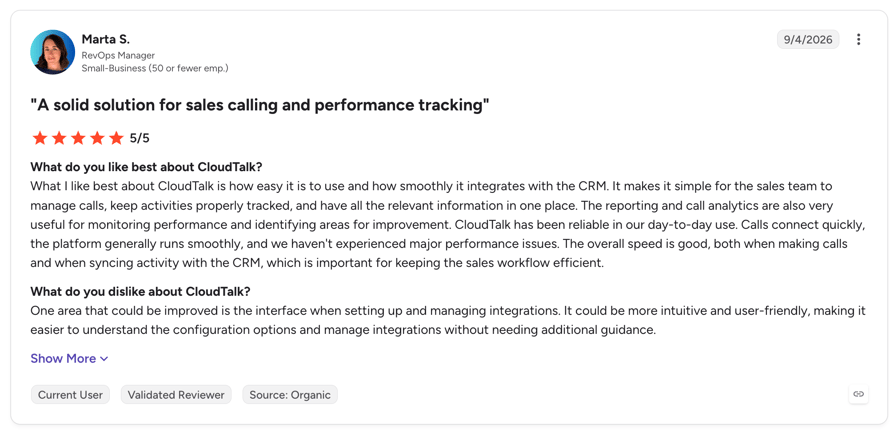
CloudTalk holds a 4.4/5 rating on G2 from 1,702+ reviews, with call quality, onboarding, and CRM integrations the themes that come up most.
Keep Salesforce. Change what dials.
Related Reading
What Are Salesforce Dialer's Best Features?
Pricing only means something next to what you get. For the team it fits, Sales Dialer does four things genuinely well.
- Zero context switching. The phone lives inside the record. No second tab, no separate app, no CTI adapter to maintain.
- Automatic call logging. Calls write themselves to the activity timeline, which is the single most valuable thing a CRM-native dialer does and the reason reps stop lying to the pipeline.
- Call lists and voicemail drop. Build a list from leads, accounts, person accounts, or contacts, work it in sequence, and drop one of ten prerecorded voicemails without waiting for the beep.
- Local Presence in the US. Dial from an area code that matches the prospect, which measurably lifts connect rates.
What Are the Pros and Cons of Salesforce Dialer's Pricing?
The honest ledger, judged on cost and value:
| Pros | Cons |
|---|---|
| $5/user/month is the cheapest way to add click-to-dial to a CRM you already own | Scheduled for retirement, feature-frozen, and no end-of-life date published |
| Native logging to Salesforce records with no integration to build or maintain | Requires a paid edition underneath: $105 minimum, $250 for a realistic seat |
| Call lists, voicemail drop, and US Local Presence come with the add-on | Outbound calling to the US and Canada only, and desktop only |
| Available across Pro Suite and the legacy paid editions | Component and minute pricing no longer published anywhere by Salesforce |
| No separate telephony vendor to manage at the $5 tier | Coached calls bill double, inbound calls cannot be monitored, recordings consume file storage |
Is Salesforce Dialer Worth the Price for Your Team?
For one buyer, clearly yes. If your team already lives in Sales Cloud, calls US and Canadian numbers from desks, and wants calls logged without anyone typing, $5 per user is the best money in this entire article. It removes a daily annoyance for the price of a coffee, and no dedicated calling platform will beat it on marginal cost.
Just price the stack, not the add-on. The dialer needs a $100 edition minimum and is not sold on Starter Suite. The console your reps actually want costs $50 more. Coaching bills your minute pool twice. Recordings fill a 25-rep org's file allowance in about four months. And the realistic seat is $155 to $250, of which the dialer is between 0.8% and 3.2%.
Then factor in the thing Salesforce has now put in writing. The product is feature-frozen and marked for retirement, and the recommended replacement costs $70 more per user per month, cannot run alongside it during a migration, and is a service contact centre product rather than a sales tool. None of that is speculation. All of it is on help.salesforce.com today.
So here is the decision rule. Keep Sales Dialer if you are North American, desk-based, and calling is a convenience. Budget for Salesforce Voice if you are becoming a contact centre and want everything native. And if calling is how your team makes its number, price the dialing layer on its own: a dedicated platform gives you real dialers, international numbers, mobile apps, and coaching for less than the Sales Engagement line alone, while every call still lands in Salesforce.

Salesforce for the pipeline. CloudTalk for the calls.

Frequently asked questions
Salesforce Dialer starts at $5 per user per month, billed annually, as an add-on to a paid Sales Cloud edition. Because it cannot be bought standalone, the cheapest real cost is $105 per user per month (Pro Suite at $100 plus the dialer at $5). Adding Sales Engagement takes a typical seat to $155 to $250.
Salesforce Help states that "Sales Dialer is scheduled for retirement" and that no new features or enhancements are being added, and recommends moving to Salesforce Voice. As of September 2026 the product is still sold at $5 per user per month and no formal end-of-life date has been published. Treat it as feature-frozen rather than gone.
Yes, two. Sales Dialer is the click-to-dial add-on from $5 per user per month, now marked for retirement. Salesforce Voice, formerly Service Cloud Voice, is the contact centre product from $50 per user per month. Neither includes power, parallel, or predictive dialing, which is why most outbound teams add a dedicated Salesforce dialer.
No. It is a paid add-on licence from $5 per user per month and it is not included in any Sales Cloud edition. It is also unavailable on the Free Suite and the $25 Starter Suite, so there is no free path to native Salesforce calling.
Sales Dialer uses a Dialer Minutes licence pooled across your whole org rather than per user, and Salesforce no longer publishes its price or any overage rate. Salesforce Voice does publish minute bundles: $75 for 750 minutes, $125 for 2,000, and $200 for 5,000 per user per month. One thing to budget for on Sales Dialer: monitored calls consume double the minutes, billing both the rep's and the manager's time.
Outbound calls work to the US and Canada only, with Puerto Rico excluded and Local Presence available in the US alone. It runs in desktop Lightning Experience only, with no mobile app. Only outbound calls can be monitored, one rep at a time, and monitoring doubles minute consumption. Live calls do not work in sandboxes, voicemail drop caps at 10 messages, and call recordings consume Salesforce file storage at roughly 15 MB per hour.
No. Sales Engagement at $50 per user per month gives you cadences, a work queue, lead scoring, and Einstein Conversation Insights. It analyses and transcribes calls but does not place them, and includes no minutes. Salesforce's own setup guide is titled "Set Up Sales Dialer for Sales Engagement," confirming they are two separately billed products.
No. Salesforce documents that outgoing calls are supported to the US and Canada only, and Puerto Rico is not supported. Teams with pipeline outside North America need a separate calling platform. CloudTalk provides numbers in 160+ countries with the same Salesforce logging.
It depends on volume. For a North American desk-based team that just wants logging, the native $5 add-on is hard to beat. For teams working lists, calling internationally, or needing mobile, a dedicated platform with a power dialer for Salesforce costs less than the $50 Sales Engagement line and adds what the native dialer does not have. Our roundup compares 12 Salesforce dialers side by side.