

TL;DR Comparison Table: 12 Best Conversation Analytics Platforms Compared
| Software | Best For | Key Features | Starting Price | G2 Rating |
|---|---|---|---|---|
| CloudTalk | SMBs needing built-in calling and AI conversation analytics | AI summaries and tagging, sentiment analysis, custom dashboards, CRM sync, global calling + AI voice agents | $25/user/month | 4.4/5 |
| Gong | Enterprise sales teams focused on revenue intelligence | Deal intelligence, pipeline analytics, coaching scorecards, market insights | Custom | 4.7/5 |
| HubSpot | Companies wanting conversation insights inside a CRM | CRM-linked transcripts, deal scoring, pipeline analytics, AI reports | Free tier or from $9/month/seat | 4.4/5 |
| Zonka Feedback | Analyzing customer feedback and sentiment | Sentiment analysis, theme detection, omnichannel feedback analytics | Custom pricing | 4.7/5 |
| Chorus | B2B teams needing deal intelligence with enriched data | Deal tracking, moment detection, coaching tools, ZoomInfo integration | Custom pricing | 4.5/5 (Capterra) |
| Outreach | Combining sales engagement with conversation insights | Guided selling, conversation insights, sequence automation, deal tracking | Custom pricing | 4.3/5 |
| Dialpad | Unified communications with built-in analytics | Real-time coaching, call summaries, sentiment tracking, voice analytics | $15/user/month | 4.4/5 |
| JustCall | Small businesses needing basic conversation analytics | Call scoring, transcription, sentiment analysis, CRM integrations | $29/user/month | 4.3/5 |
| CallMiner Eureka | Large contact centers requiring compliance analytics | Omnichannel analytics, compliance monitoring, predictive insights | Custom pricing | 4.5/5 |
| Convin | Growing sales teams needing affordable coaching | Conversation scoring, deal insights, coaching tools, revenue alerts | Custom pricing | 4.7/5 |
| Iovox | Marketing teams needing call tracking with analytics | Call tracking, marketing attribution, reporting tools, global numbers | $500/month | 4.5/5 (only 1 review) |
| EnthuAI | Tech-savvy teams experimenting with GPT-powered analytics | GPT-powered analysis, coaching suggestions, summaries, intent detection | Custom pricing | 4.9/5 |
Spot What Works. Fix What Doesn’t.
Every sales and support call carries information that never makes it into a CRM: tone, hesitation, the exact moment a prospect started losing interest. Without a system built to catch it, that information disappears the second the call ends.
That blind spot costs revenue long before anyone notices it. A rep who over-talks a prospect or misses a buying signal keeps doing it until someone happens to listen in, and for growing teams adding reps faster than managers can review calls, that gap only widens.
Conversation analytics software closes that gap automatically, turning every call into searchable, scored data: sentiment, talk-to-listen ratios, and summaries, without a separate reviewer. Below, we compare the 12 best conversation analytics platforms on the market, so you can find the one that fits your team’s size, budget, and use case, whether that’s sales, support, or both.
How We Evaluated the Best Conversation Analytics Software in 2026
To build this list, we tested each platform’s transcription accuracy, sentiment scoring, and AI summaries against real sales and support calls, then cross-referenced results against hundreds of verified reviews on G2, Capterra, and Reddit. Our focus was on teams of 5 to 500 agents looking for conversation intelligence that goes beyond a basic call recording.
We evaluated every platform against five key criteria:
-
Real-World Transcription AccuracyEvery platform was tested against accented speech, overlapping speakers, and industry jargon, not just clean demo audio. Tools that only handle simple dictation scored lower.
-
AI Capability DepthWe assessed sentiment analysis, automatic tagging, and summarization, not just searchable transcripts. Tools that stop at a transcript scored lower.
-
Pricing TransparencyWe show verified plan ranges or flag “contact sales” clearly, with no estimated figures presented as confirmed.
-
Fit Across Team SizesThe list covers SMB, mid-market, and enterprise options so readers at different stages find relevant picks.
-
Integration BreadthA conversation analytics tool that can’t sync with your CRM or helpdesk can’t turn insight into action. We evaluated native integration depth for each.
What Is the Best Conversation Analytics Software in 2026?
CloudTalk is our top pick for growing teams that want a single conversation analytics platform built into the phone system they already use to make calls. Instead of adding a specialist tool on top of your existing setup, CloudTalk’s AI Conversation Intelligence add-on turns every call into a searchable summary, a sentiment score, and a talk-to-listen ratio the moment the call ends. And it only costs $9/month on top of your subscription.
One size doesn’t fit all, though. That’s why the section below covers all 12 conversation analytics platforms that made our list, so you can compare features, pricing, and ratings side by side.
12 Best Conversation Analytics Software Platforms: Full Breakdowns
1. CloudTalk: Best Conversation Analytics Software for SMBs Needing Built-In Calling and Reliable CRM Syncing
What Is CloudTalk?
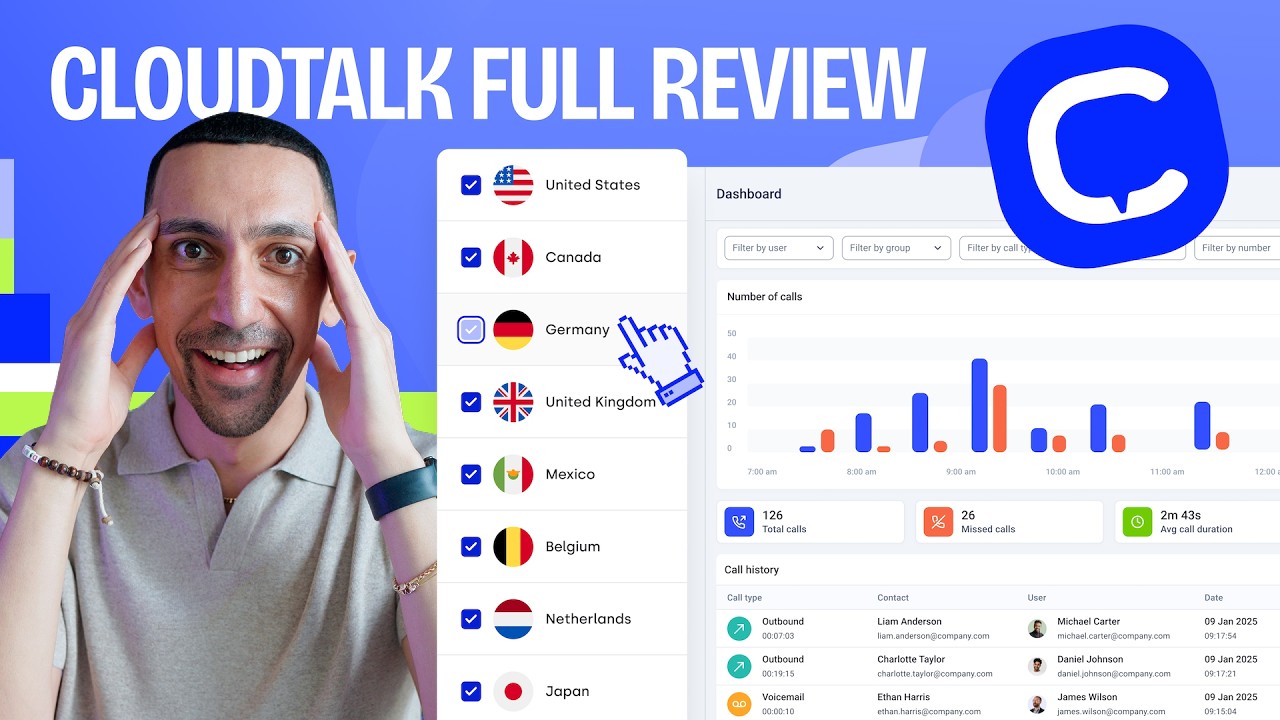
CloudTalk turns conversations of growing sales and support teams into actionable AI-powered business intelligence. This cloud-based phone system offers a next-gen conversation analytics software as an add-on to any plan (for just $9/month), so teams get call summaries, sentiment scores, and coaching data without adding a second tool or a second bill.
What Are CloudTalk’s Key Features?
-
Every call gets a copyable AI-generated summary the moment it ends, along with structured notes covering action items, decisions, and open questions.
-
Scores the emotional tone of a call after it ends, so managers can filter for negative-sentiment conversations and step in before a deal goes cold.
-
CloudTalk’s real-time analytics and custom dashboards (available on Expert plan) tracks talk-to-listen ratios and conversation patterns across agents, teams, and campaigns, with two-way CRM sync built in.
-
Keeps data flowing between CloudTalk and the CRMs (100+ tools from Essential) your reps already use, so conversation data lands on the contact or deal record automatically.
-
CloudTalk offers virtual numbers for 160+ countries with crystal-clear call quality, making it the best conversation analytics platform for teams talking to customers across borders.
-
CloudTalk’s voice agents and virtual receptionists handle inbound calls 24/7, answering FAQs, qualifying leads, and booking meetings, then hand off anything complex to a human with full context. AI-handled and human-handled calls show up in the same dashboard and analytics, one system instead of two.
What Are CloudTalk’s Key Integrations?
CloudTalk connects natively with 100+ popular apps, including the major players like Salesforce, HubSpot, Pipedrive, Zendesk. This way, all conversation data from your sales and support calls syncs to the systems your team already works from, completely eliminating manual work.
What Are CloudTalk’s Pros and Cons?
| Pros | Cons |
|---|---|
| All-in-one solution combines calling with conversation intelligence | Conversation intelligence only available as an add-on |
| Extensive integration ecosystem, from Salesforce to Zendesk | Learning curve for advanced analytics features |
| Superior international call quality | The mobile app has limited analytics capabilities |
| AI Voice Agents and Virtual Receptionist call data show up in the same analytics dashboard as human-handled calls |
Who Is CloudTalk Best For?
Growing SMBs that need both a reliable phone system and conversation intelligence get the most from CloudTalk. It’s particularly valuable for international teams that need clear calls across multiple countries, not just a domestic dial tone.
How Much Does CloudTalk Cost?
CloudTalk’s pricing starts at $25/user/mo (billed annually), with the following plans available:
CloudTalk Pricing Plans
| Plan | Price (annual billing) | Key Features |
|---|---|---|
| Starter | $25/user/mo | Unlimited inbound calling, 500 outbound minutes/mo (regional), call queues, transfers, click-to-call, automatic call recording (1-month retention) |
| Essential | $29/user/mo | Everything in Starter + 100+ CRM integrations, IVR, skill-based routing, workflow automation, unlimited outbound (FUP applies), unlimited call recording retention |
| Expert | $49/user/mo (3-seat min) | Everything in Essential + Salesforce Ecosystem Integration, Real-Time Analytics, Custom Dashboards and Wallboards, Power Dialer, 24/7 phone support |
| Conversation Intelligence | $9/user/mo | AI call summaries, sentiment analysis, AI call scoring, topic detection, and more as an add-on to any plan |
| AI Receptionist | 50 free min/account (one-time), then $99/mo (200 min) up to $699/mo (2,500 min) | Inbound, no-code, 24/7, 60+ languages, first 50 minutes free |
| AI Voice Agent (Specialist) | From $349/mo (1,000 min) | Inbound and outbound, sales-led setup, complex workflows |
What Are Real Users Saying About CloudTalk?
Reviewers consistently highlight CloudTalk’s ease of setup, its global local-number coverage, and how conversation data flows automatically into the CRM and reporting dashboard. The most common criticism is occasional call-quality hiccups and a learning curve on the more advanced call-flow features.
What Is CloudTalk’s G2 Rating and Review Count?
CloudTalk’s current G2 rating is 4.4/5, out of 1,800+ verified user reviews. On Capterra, CloudTalk holds a 4.4/5 rating, out of 250+ reviews.

Ready to Try the Best Conversation Analytics Software…for Free?
2. Gong: Best Conversation Analytics Software for Enterprise Revenue Intelligence
What Is Gong?
Known as “the revenue intelligence platform,” Gong combines conversation analysis with deal intelligence. Its AI engine processes sales calls, emails, and web conferences to predict deal outcomes and guide revenue strategy.
What Are Gong’s Key Features?
-
Deal Pipeline AnalyticsRisk scoring and opportunity tracking across every open deal in the pipeline.
-
Competitor Mention TrackingAutomated analysis of competitor mentions and pricing discussions across recorded calls.
-
Custom Coaching ScorecardsScorecards built around your own sales methodology, used for coaching and performance tracking.
-
Market IntelligenceAggregated conversation trends across the whole team, not just a single rep’s calls.
-
Advanced CRM IntegrationDeep, two-way sync with Salesforce and other major CRMs.
What Are Gong’s Key Integrations?
Gong integrates with Salesforce, HubSpot, Microsoft Teams, Zoom, Slack, and 100+ other tools.
What Are Gong’s Pros and Cons?
| Pros | Cons |
|---|---|
| Deep sales-specific analytics capabilities | Significant investment required |
| Robust coaching and training features | Complex implementation process |
| Extensive market intelligence data | Better suited for larger sales teams |
Who Is Gong Best For?
Enterprise sales organizations with large teams and complex sales cycles get the most from Gong. It fits businesses that are already heavily invested in data-driven sales strategy.
How Much Does Gong Cost?
Gong’s pricing is only available upon request, since the platform is priced by team size under an annual contract.
What Are Real Users Saying About Gong?
Reviewers consistently praise Gong’s automatic call recording, transcription, and AI-generated summaries as strong tools for coaching and self-review, and its also considered a great quality assurance platform. The most common complaints are occasional transcription accuracy issues and a longer ramp-up period before teams feel they’re getting full value.
What Is Gong’s G2 Rating and Review Count?
Gong’s current G2 rating is 4.7/5, out of 6,600+ verified user reviews, the highest review count of any tool on this list. On Capterra, Gong holds a 4.8/5 rating, out of 500+ reviews.

See our Gong Review or explore Gong Alternatives for a closer look.
3. HubSpot: Best Conversation Analytics Software for Teams Already Living in a CRM
What Is HubSpot?
HubSpot’s conversation intelligence tools live inside the platform’s Sales Hub. They unify sales performance and conversation analysis data, so teams can see how calls move prospects through the deal pipeline and spot where deals stall.
What Are HubSpot’s Key Features?
-
Native CRM LinkProspect-specific call transcripts and recordings live in one view, directly on HubSpot’s Smart CRM.
-
AI Deal Health ScoringAI-powered deal health scoring and next-step suggestions based on call content.
-
Sales and Deal Pipeline AnalyticsForecasting built on top of your actual conversation and pipeline data.
-
Native Service and Marketing IntegrationWorks directly with HubSpot’s customer service and marketing tools, no separate setup needed.
-
Custom AI-Generated ReportsBuild reports around the specific conversation data your team cares about.
What Are HubSpot’s Key Integrations?
HubSpot connects with Salesforce, Gmail, Outlook, Slack, Zoom, and 1,000+ tools through the HubSpot App Marketplace.
What Are HubSpot’s Pros and Cons?
| Pros | Cons |
|---|---|
| Built-in coaching and training tools | Significant investment required for advanced plans |
| CRM database enrichment from new call recordings and transcripts | Conversation intelligence tools aren’t available as a standalone product |
| Access to numerous other sales tools within the same platform | May be out of reach for smaller businesses |
Who Is HubSpot Best For?
Enterprise-level organizations looking for an all-in-one sales solution with strong data analytics get the most out of HubSpot.
How Much Does HubSpot Cost?
HubSpot’s Sales Hub pricing starts with a free plan with limited features. For more advanced workflows, you can choose from the following plans:
HubSpot Pricing Plans
| Plan | Pricing | Notes |
|---|---|---|
| Free | $0/month | Basic conversation-linked CRM data |
| Starter | $9/month/seat | Entry-level Sales Hub features |
| Professional | $90/month/seat | Adds deal automation and forecasting |
| Enterprise | $150/month/seat | Full conversation intelligence and advanced reporting |
What Are Real Users Saying About HubSpot?
Reviewers consistently praise HubSpot’s ease of use and how it centralizes the sales workflow, from pipeline tracking to call recording and analysis, in one place. The most common complaints center on pricing that jumps sharply between tiers and feature limitations that surface as sales teams scale.
What Is HubSpot’s G2 Rating and Review Count?
HubSpot’s current G2 rating is 4.4/5, out of 13,800+ real user reviews. On Capterra, HubSpot holds a 4.5/5 rating, an average from 4,400+ reviews.

HubSpot Is the CRM, not the Phone:
HubSpot builds one of the best CRMs on the market. What it doesn’t build is a phone system, ringing, dialing, and recording calls is a different job entirely, and HubSpot leaves that job to someone else. CloudTalk’s native HubSpot integration logs every call, recording, and conversation-analytics insight straight into the contact timeline HubSpot already gives you, so the CRM you already love finally gets a phone system that was actually built to be one.
4. Zonka Feedback: Best for Analyzing Customer Feedback and Sentiment

What Is Zonka Feedback?
Zonka Feedback is an AI-powered customer feedback and intelligence platform. It analyzes conversations and open-ended feedback across customer touchpoints, turning text-heavy input from surveys, support interactions, and digital channels into clear themes, sentiment, and actionable insights.
What Are Zonka Feedback’s Key Features?
-
AI Sentiment and Emotion AnalysisRuns sentiment and emotion analysis on open-text feedback, not just structured survey scores.
-
Automatic Theme Detection and TaggingGroups conversations into themes automatically, without a manual taxonomy to maintain.
-
Unified Feedback AnalysisAnalyzes feedback from surveys, in-app prompts, web, email, SMS, and other integrations in one place.
-
CX Impact AnalysisLinks conversation themes directly to CX metrics like NPS and CSAT.
-
Ask AIGet instant insights, summaries, and trend exploration by asking a question in plain language.
What Are Zonka Feedback’s Key Integrations?
Zonka Feedback integrates with Salesforce, HubSpot, Intercom, Zendesk, Slack, and 40+ other tools.
What Are Zonka Feedback’s Pros and Cons?
| Pros | Cons |
|---|---|
| Strong AI capabilities for text and conversation analysis | Not a native call recording or speech-to-text tool |
| Combines feedback collection with analytics in one platform | Advanced AI features available on higher plans only |
| Supports omnichannel and offline data sources | Learning curve for complex automation setups |
Who Is Zonka Feedback Best For?
Teams that want to analyze customer conversations and open-ended feedback with AI, and connect the insights directly to CX metrics like NPS and CSAT, get the most from Zonka Feedback.
How Much Does Zonka Feedback Cost?
Zonka Feedback’s pricing is only available upon request, since the platform quotes based on team size and channel mix.
What Are Real Users Saying About Zonka Feedback?
Reviewers consistently highlight Zonka Feedback’s ease of use, flexible survey customization, and responsive support as its biggest strengths. The most common criticism is that the interface and options can feel overwhelming for new users without more onboarding guidance.
What Is Zonka Feedback’s G2 Rating and Review Count?
Zonka Feedback’s current G2 rating is 4.7/5, out of 80+ verified user reviews. On Capterra, it holds a 4.8/5 rating from 60+ reviews.

5. Chorus: Best Conversation Analytics Software for B2B Teams Needing Deal Intelligence With Enriched Data

What Is Chorus?
Part of ZoomInfo’s revenue platform, Chorus specializes in conversation analytics for B2B sales teams. The platform emphasizes deal momentum tracking and sales methodology adherence.
What Are Chorus’s Key Features?
-
Moment IdentificationFlags key discussion points inside a call automatically, so managers don’t have to scrub through a full recording.
-
Deal Risk AnalysisScores deal risk based on conversation patterns across the sales cycle.
-
Smart PlaylistsCurated call clips built for training and onboarding new reps.
-
Real-Time Coaching CardsSurfaces coaching prompts during live calls, not just after the fact.
-
Native ZoomInfo IntegrationConnects conversation data directly with ZoomInfo’s B2B contact and account database.
What Are Chorus’s Key Integrations?
Chorus integrates with ZoomInfo, Salesforce, HubSpot, Microsoft Teams, Zoom, and major CRM platforms.
What Are Chorus’s Pros and Cons?
| Pros | Cons |
|---|---|
| Strong B2B focus with deep ZoomInfo data integration | Requires a ZoomInfo subscription for full benefits |
| Extensive training library and smart playlists for onboarding | Limited support options |
| Real-time coaching cards during live calls | Higher price point for small teams |
Who Is Chorus Best For?
B2B sales teams already using ZoomInfo who need deep conversation insights integrated with their existing tech stack get the most from Chorus.
How Much Does Chorus Cost?
Chorus’s pricing is only available upon request, since the platform is bundled with ZoomInfo subscriptions under an enterprise-focused pricing model.
What Are Real Users Saying About Chorus?
Reviewers consistently praise Chorus for its call-capture accuracy and the coaching insights it surfaces from sentiment and conversation-pattern analysis. The most common complaints are its price point and inconsistent AI summary quality that often needs human editing.
What Is Chorus’s G2 Rating and Review Count?
After ZoomInfo consolidated its products into unified G2 listings, Chorus’s standalone profile was taken down. ZoomInfo’s GTM Studio, which now covers Chorus’s conversation intelligence capability, holds a 4.5/5 rating from 3,500+ reviews on the broader ZoomInfo platform, not Chorus specifically. On Capterra, Chorus’s entry is still live and the platform holds a 4.5/5 rating, out of 60+ verified reviews.

6. Outreach: Best for Combining Sales Engagement Workflows With Conversation Insights
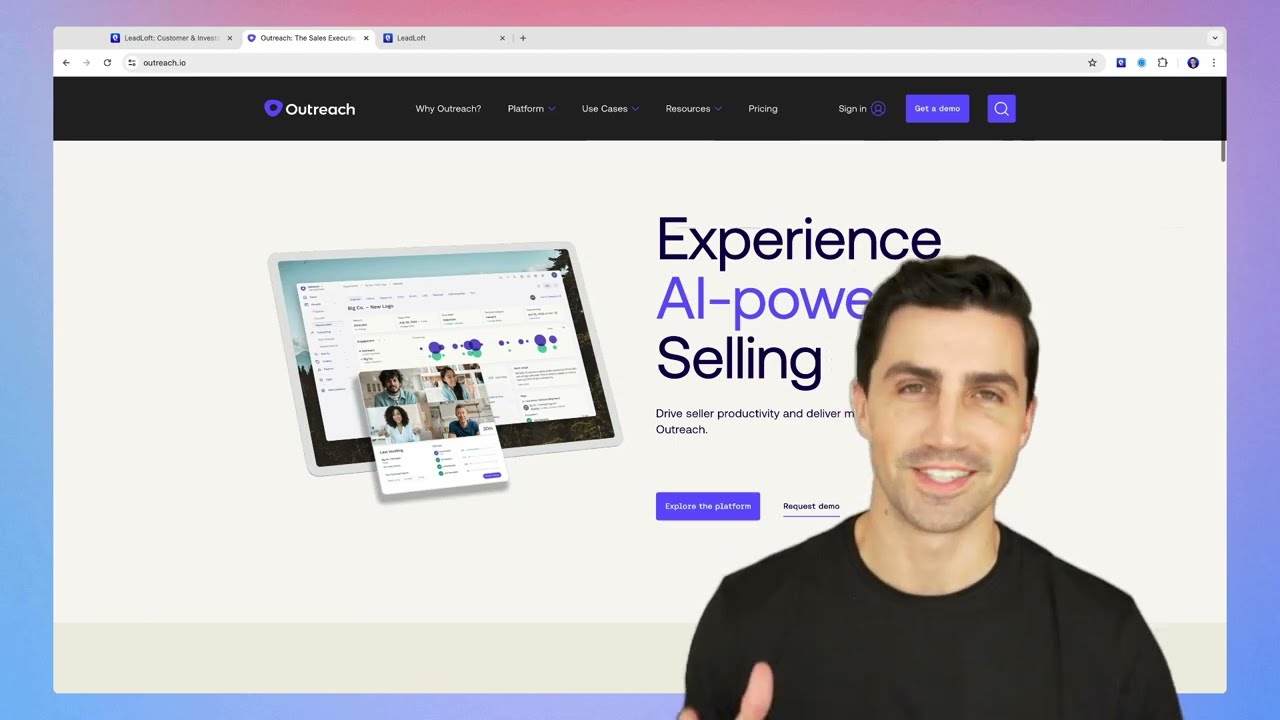
What Is Outreach?
Outreach has evolved from a sales engagement platform to include robust conversation intelligence. The platform focuses on revenue execution, combining sales sequences with AI-powered conversation analysis.
What Are Outreach’s Key Features?
-
Guided SellingRecommends next steps based on conversation insights pulled from your own team’s calls.
-
Success Pattern DetectionSurfaces the patterns top-performing reps use, so the rest of the team can copy them.
-
Real-Time Battle CardsPops up competitive talking points the moment a competitor gets mentioned on a call.
-
Automated Sequence OptimizationAdjusts outreach sequences based on what’s actually working in conversations.
-
Deal Health MonitoringTracks deal health through conversation signals, not just CRM stage changes.
What Are Outreach’s Key Integrations?
Outreach integrates with Salesforce, HubSpot, LinkedIn Sales Navigator, Zoom, Microsoft Teams, and 90+ other tools.
What Are Outreach’s Pros and Cons?
| Pros | Cons |
|---|---|
| Seamless integration with sales engagement workflows | Complex pricing structure |
| Strong automation capabilities | Requires full platform adoption to get full value |
| Multi-channel analytics across calls, email, and sequences | Feature overlap with existing tools in many stacks |
Who Is Outreach Best For?
Sales organizations looking to combine engagement automation with conversation intelligence in one platform get the most from Outreach.
How Much Does Outreach Cost?
Outreach’s pricing is only available upon request, with additional costs for AI features on top of the base contract.
What Are Real Users Saying About Outreach?
Reviewers consistently praise Outreach’s workflow automation and reporting depth, along with its deep, bi-directional Salesforce integration. The most common complaints are a complex initial setup and a cost of entry that includes steep implementation fees.
What Is Outreach’s G2 Rating and Review Count?
Outreach’s current G2 rating is 4.3/5, out of 3,500+ reviews. On Capterra, it holds a 4.4/5 rating from 300+ reviews.

7. Dialpad: Best for Unified Communications With Built-In Conversation Analytics
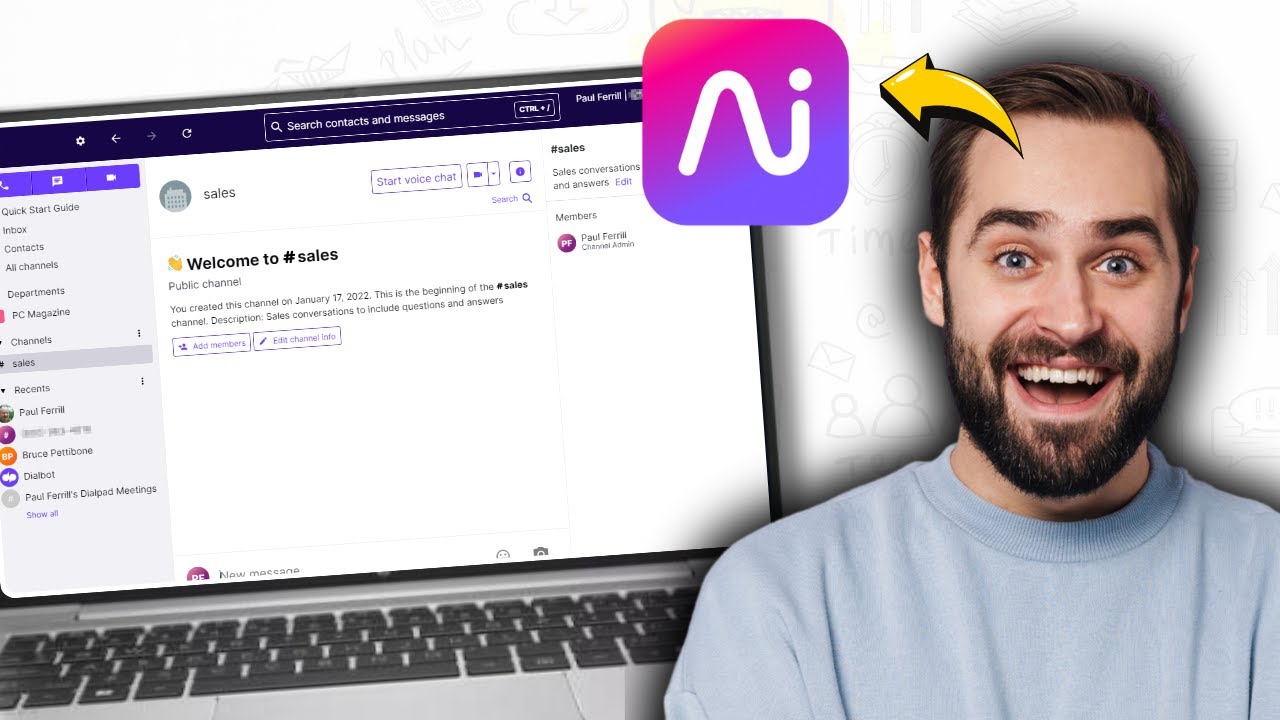
What Is Dialpad?
Dialpad offers AI-native communications with built-in conversation analytics. The platform emphasizes real-time assistance and automated post-call analysis.
What Are Dialpad’s Key Features?
-
Live CoachingThanks to live call transcriptions, Dialpad serves real-time recommendations to reps while a call is still happening.
-
Automated Call SummariesGenerates call summaries and action items automatically once a call ends.
-
Sentiment TrackingTracks sentiment across the full customer journey, not just a single call.
-
Voice IntelligenceSurfaces trend analysis across thousands of calls to spot patterns early.
-
Native Video Meeting AnalyticsApplies the same analytics layer to video meetings, not just phone calls.
What Are Dialpad’s Key Integrations?
Dialpad connects with Salesforce, HubSpot, Zendesk, Microsoft Teams, Google Workspace, and 70+ other tools.
What Are Dialpad’s Pros and Cons?
| Pros | Cons |
|---|---|
| Real-time insights and live coaching during calls | Call quality issues reported by some users |
| Unified communications platform: calls, video, and messaging in one place | Limited customization options for analytics dashboards |
| Strong mobile experience | Advanced analytics features are gated behind higher-tier plans |
Who Is Dialpad Best For?
Companies seeking unified communications with integrated conversation analytics capabilities get the most from Dialpad.
How Much Does Dialpad Cost?
Dialpad’s pricing starts at $15/user/mo (billed annually), with the following plans available:
Dialpad Pricing Plans
| Plan | Starting Price | Main Features |
|---|---|---|
| Standard | $15/user/month | Unlimited calling, AI transcription, AI summaries, SMS, voicemail |
| Pro | $25/user/month | Everything in Standard plus call recording, CRM integrations, international numbers |
| Enterprise | Quote-based | Advanced AI coaching, dedicated support, SLA |
What Are Real Users Saying About Dialpad?
Reviewers consistently praise Dialpad’s AI-powered transcription and summaries, along with its call quality and unified messaging. The most common complaints are slow customer support and frustration with auto-renewal and contract terms when leaving the service.
What Is Dialpad’s G2 Rating and Review Count?
Dialpad’s current G2 rating is 4.4/5, out of 4,100+ verified user reviews. On Capterra, it holds a 4.2/5 rating from roughly 200 reviews.

8. JustCall: Best for Small Businesses Needing Basic Conversation Analytics
What Is JustCall?
JustCall combines a cloud phone system with conversation intelligence capabilities focused on small business needs.
What Are JustCall’s Key Features?
-
Basic Sentiment AnalysisFlags sentiment on calls without a heavy setup process.
-
Automated Call Scoring and TranscriptionScores and transcribes calls automatically for quick review.
-
Performance Analytics DashboardsGives managers a dashboard view of team and agent performance.
-
SMS Campaign AnalyticsExtends the same analytics approach to SMS campaigns, not just calls.
-
CRM IntegrationConnects with popular CRM platforms to keep conversation data in sync.
What Are JustCall’s Key Integrations?
JustCall integrates with HubSpot, Salesforce, Pipedrive, Zoho CRM, Slack, and 100+ other tools.
What Are JustCall’s Pros and Cons?
| Pros | Cons |
|---|---|
| Simple user interface with quick implementation | Limited advanced analytics capabilities |
| Affordable starting price for small teams | Basic AI capabilities compared to dedicated tools |
| Solid CRM integration library for the price point | Restricted customization options |
Who Is JustCall Best For?
Small businesses needing basic conversation analytics integrated with their phone system get the most from JustCall.
How Much Does JustCall Cost?
JustCall’s pricing starts at $29/user/mo (2-seat minimum, billed annually), with the following plans available:
JustCall Pricing Plans
| Plan | Starting Price | Notes |
|---|---|---|
| Team | $29/user/month | Entry-level plan with core calling and dialer features |
| Pro | $49/user/month | Adds deeper analytics and automation |
| Pro Plus | $89/user/month | Adds advanced workflow and reporting features |
| Business | Quote-based | Custom terms for larger teams |
What Are Real Users Saying About JustCall?
Reviewers consistently praise JustCall’s ease of use and its CRM integration, along with its AI-powered call transcription and summaries. The most common complaint by a wide margin is call reliability, including dropped calls and connection issues.
What Is JustCall’s G2 Rating and Review Count?
JustCall’s current G2 rating is 4.3/5, out of 2,300+ verified user reviews. On Capterra, it holds a 4.1/5 rating averaged from 200+ reviews.

9. CallMiner Eureka: Best for Large Contact Centers Requiring Compliance Analytics

What Is CallMiner Eureka?
CallMiner Eureka is a specialized analytics platform focused on contact center interactions and customer experience insights. It’s built for enterprises that need comprehensive interaction analytics across multiple channels, with strong compliance monitoring built in.
What Are CallMiner Eureka’s Key Features?
-
Omnichannel Interaction AnalyticsApplies the same analysis across voice, chat, and other interaction channels.
-
Root Cause AnalysisDigs into why an issue keeps happening, not just that it happened.
-
Automated Scoring SystemsScores interactions automatically against a defined rubric.
-
Compliance MonitoringFlags required disclosures and regulatory language across every interaction.
-
Predictive Behavioral AnalyticsForecasts likely outcomes based on patterns across past interactions.
What Are CallMiner Eureka’s Key Integrations?
CallMiner Eureka integrates with Salesforce, Amazon Connect, Genesys, NICE inContact, and major CCaaS (Contact Center as a Service) platforms.
What Are CallMiner Eureka’s Pros and Cons?
| Pros | Cons |
|---|---|
| Deep analytical capabilities across all interaction channels | Steep learning curve |
| Strong compliance features for regulated industries | Complex implementation requiring professional services |
| Extensive customization options | Higher price point, not suitable for smaller teams |
Who Is CallMiner Eureka Best For?
Large contact centers and enterprises requiring comprehensive interaction analytics across multiple channels get the most from CallMiner Eureka.
How Much Does CallMiner Eureka Cost?
CallMiner Eureka’s pricing is only available upon request, using module-based licensing under annual contracts.
What Are Real Users Saying About CallMiner Eureka?
Reviewers consistently praise CallMiner Eureka’s depth of customization and its real-time quality scoring and dashboard analytics. The most common complaint is a steep learning curve, with new users needing significant training time to get the most out of it.
What Is CallMiner Eureka’s G2 Rating and Review Count?
CallMiner Eureka’s current G2 rating is 4.5/5, out of 200+ verified user reviews. On Capterra, it holds a 4.6/5 rating, but doesn’t even have 10 reviews.

10. Convin: Best for Growing Sales Teams Needing Affordable Coaching

What Is Convin?
Convin is an emerging player focused on sales conversation intelligence, with an emphasis on coaching and revenue optimization.
What Are Convin’s Key Features?
-
Deal Intelligence TrackingFollows deal signals across conversations to flag which ones need attention.
-
Automated Conversation ScoringScores calls automatically instead of relying on manual spot checks.
-
Sales Battlecard CreationBuilds battlecards reps can pull up when a competitor comes up on a call.
-
Revenue Opportunity AlertsFlags moments in a call that signal a new revenue opportunity.
-
Personalized Coaching InsightsTailors coaching feedback to each rep’s own calls, not a generic script.
What Are Convin’s Key Integrations?
Convin integrates with Salesforce, HubSpot, Freshdesk, Zoom, Google Meet, and major dialers.
What Are Convin’s Pros and Cons?
| Pros | Cons |
|---|---|
| User-friendly interface with quick setup process | Limited integration options compared to established platforms |
| Affordable for small and growing teams | Basic reporting capabilities |
| Strong coaching and battlecard features | New market entrant with a limited track record at scale |
Who Is Convin Best For?
Growing sales teams looking for affordable conversation intelligence with coaching capabilities get the most from Convin.
How Much Does Convin Cost?
Convin’s pricing is only available upon request, so contact Convin directly for a quote.
What Are Real Users Saying About Convin?
Reviewers consistently praise Convin’s intuitive interface (or ease of use) and responsive customer support, along with its flexible reporting and real-time analytics. The most common complaint is a learning curve for new users and occasional delays before calls surface on the dashboard.
What Is Convin’s G2 Rating and Review Count?
Convin’s current G2 rating is 4.7/5, out of 500+ verified user reviews. On Capterra, it holds a near-perfect 4.9/5 rating out of 200+ reviews.

11. Iovox: Best for Marketing Teams Needing Call Tracking With Analytics

What Is Iovox?
Iovox focuses on conversation analytics with a strong emphasis on call tracking and marketing attribution.
What Are Iovox’s Key Features?
-
Call Tracking AnalyticsTies calls back to the marketing source that generated them.
-
Marketing Campaign InsightsShows which campaigns are actually driving phone conversions, not just clicks.
-
International Number CoverageSupports tracking across global marketing campaigns.
-
Webhook IntegrationsSends call data into custom workflows through webhooks.
-
Custom Reporting ToolsBuilds reports tailored to marketing attribution needs.
What Are Iovox’s Key Integrations?
Iovox integrates with Google Analytics, Salesforce, HubSpot, and custom webhook-based integrations.
What Are Iovox’s Pros and Cons?
| Pros | Cons |
|---|---|
| Strong marketing focus with detailed attribution tracking | Limited AI capabilities compared to dedicated conversation analytics tools |
| Global number coverage for international marketing campaigns | Basic conversation analytics, not suitable as a primary analytics platform |
| Flexible webhook integrations for custom workflows | Dated interface |
Who Is Iovox Best For?
Marketing teams needing call tracking with basic conversation analytics capabilities get the most from Iovox.
How Much Does Iovox Cost?
Iovox no longer publishes fixed pricing tiers. Every deployment is custom-scoped to your channels and call volume, with indicative starting costs (mention in the online space and suggested by their website) shown below:
Iovox Capability Areas and Indicative Pricing
| Capability Area | Indicative Cost |
|---|---|
| AI Agents | From $100–$200/month per location |
| Call Intelligence | From $2,000/month plus usage |
| Platform & Integrations | Included with Call Intelligence |
What Are Real Users Saying About Iovox?
Iovox doesn’t have a meaningful public review sample at the time of writing, so there’s no representative sentiment to summarize here. Its customer stories page highlights results across automotive, real estate, and hospitality brands using its call tracking and AI Insights.
What Is Iovox’s G2 Rating and Review Count?
Iovox holds a 4.5/5 rating on G2, based on a single review, too small a sample for a reliable read. It doesn’t have a matching, verified Capterra listing.

12. EnthuAI: Best for Tech-Savvy Teams Experimenting With GPT-Powered Analytics

What Is EnthuAI?
EnthuAI is a new AI-focused conversation intelligence platform targeting small to medium businesses.
What Are EnthuAI’s Key Features?
-
GPT-Powered Conversation AnalysisApplies GPT-based models to break down what happened on a call.
-
Real-Time Coaching SuggestionsOffers suggestions to reps while a call is still in progress.
-
Automated Meeting SummariesSummarizes meetings automatically, no manual note-taking required.
-
Topic ClusteringGroups calls by topic to surface trends across the whole team.
-
Customer Intent DetectionIdentifies what a customer is actually trying to accomplish on a call.
What Are EnthuAI’s Key Integrations?
EnthuAI integrates with HubSpot, Salesforce, Zoom, Google Meet, and major dialer platforms.
What Are EnthuAI’s Pros and Cons?
| Pros | Cons |
|---|---|
| Modern GPT-powered AI technology with regular feature updates | Limited track record as a new market entrant |
| Competitive pricing for the AI feature set | Basic integration options compared to established platforms |
| Strong intent detection and topic clustering capabilities | Small feature set overall |
Who Is EnthuAI Best For?
Tech-savvy teams wanting to experiment with the newest AI conversation analytics capabilities get the most from EnthuAI.
How Much Does EnthuAI Cost?
EnthuAI’s pricing is only available upon request, so contact EnthuAI directly for a quote.
What Are Real Users Saying About EnthuAI?
Reviewers consistently highlight EnthuAI’s transcription accuracy and its ability to quickly surface key moments from a call, praising its ease of use for QA and coaching workflows. Feedback also points to a need for more industry-specific customization, and the overall reviewer sample is still fairly small, so treat this as directional rather than definitive.
What Is EnthuAI’s G2 Rating and Review Count?
EnthuAI’s current G2 rating is a stellar 4.9/5, but only out of 40+ verified user reviews. On Capterra, it holds an equally amazing 4.8/5 rating, but the review sample is even thinner.

You’ve Compared 12 Tools. See Why CloudTalk Wins on Value.
What Is Conversation Analytics Software and How Does It Work?
Conversation analytics is the process of using AI and natural language processing (NLP) to analyze customer interactions. Used especially in call centers, the software automatically extracts key topics, measures agent performance through talk-to-listen ratios, and identifies emotional trends to help managers improve service quality and sales conversion rates.
As Yellowfin BI’s history of chatbots¹ recounts, ELIZA, the first chatbot, could only ask, “How does that make you feel?” Sales teams faced similar limitations. They relied on manual note-taking, gut feelings, and incomplete data to gauge call success. Missing crucial details meant missing revenue opportunities.
Fast forward to today. Modern conversation analytics software, sometimes marketed as a conversation intelligence platform, transforms every customer interaction into actionable insights. Teams capture the exact moments when prospects show buying signals. Support agents identify customer frustration before it escalates. Managers spot coaching opportunities within seconds of call completion.
The system processes conversations through multiple analytical layers:
-
Speech RecognitionConverts spoken dialogue into searchable text.
-
Pattern AnalysisIdentifies common topics, questions, and objections.
-
Sentiment DetectionGauges emotional tone and engagement levels.
-
Predictive ModelingForecasts outcomes based on conversation patterns.
Together, these layers are what separate a true conversation intelligence platform from a basic call recorder. Different industries use this conversation intelligence software in unique ways. Sales teams track competitive mentions and buying signals. Customer service departments monitor satisfaction trends. Healthcare providers ensure compliance during patient interactions. Financial institutions detect risk factors in client communications. eCommerce companies analyze customer journey touchpoints.
Modern conversation analytics platforms go beyond keyword spotting with four specific capabilities: intent detection (what a customer is actually trying to accomplish), drop-off rate analysis (the exact moments prospects disengage or hang up), resolution scoring (whether an issue got resolved, without a human reviewer), and topic clustering (grouping thousands of calls by theme to surface trends no single call reveals).
Teams that deploy conversation analytics report measurable gains in four areas: higher first-call resolution as agents get coached on failure patterns, better conversion as winning talk tracks get replicated, lower compliance risk from monitoring every call instead of a sample, and higher satisfaction scores as friction points get fixed at scale.
How Does AI Conversation Analytics Work?
Most AI-powered conversation analytics solutions follows a similar pipeline, regardless of vendor.
-
TranscriptionSpeech-to-text engines transcribe the call with speaker separation first, so the system knows who said what.
-
AnalysisNatural language processing scans that transcript for topics, objections, and sentiment shifts, tagging each moment against a taxonomy the team defines or the vendor pre-builds.
-
ScoringThe system generates a summary, a sentiment score, and a set of tags. Platforms built for coaching add a talk-to-listen ratio that flags whether a rep dominated the conversation or gave the customer room to talk.
-
Action ItemsSome platforms, including CloudTalk, auto-extract action items and open questions into structured notes, so a manager can scan a call’s outcome without replaying the recording.
Is Conversation Analytics Different From Speech Analytics?
Even the best speech analytics software mostly focuses on “what” was said: the words and phrases themselves. Conversation analytics software adds the deeper layer of “how” and “why,” analyzing sentiment shifts, talk-to-listen ratios, and the context behind the dialogue for more actionable intelligence than keyword spotting alone.
Key Benefits of Conversation Analytics Software for Small Businesses
According to Market Research Future’s conversation intelligence market report², adoption is accelerating fastest among small and mid-sized businesses, and it’s easy to see why. A 10 to 200-person sales or support team sees the payoff faster than an enterprise contact center does, because the insight gap is bigger and there’s no dedicated QA team already covering it.
-
Less time on admin, without hiring for itReps and support agents spend less time on manual note-taking and QA busywork, work a small team usually can’t afford to staff separately.
-
Revenue protected without adding headcountDeals that would have quietly stalled get flagged and coached before they’re lost, the same catch a dedicated sales-ops hire would normally provide.
-
Compliance coverage without a compliance teamEvery call gets monitored instead of a sample, so issues surface in hours instead of during an audit nobody budgeted for.
-
Enterprise-level decisions on a small-business budgetPricing, staffing, and process changes get made on evidence from real calls, insight that used to require an analytics specialist on payroll.
Try it now for free:
CloudTalk is consistently rated the best conversation analytics platform for SMBs on G2, with a 14-day free trial and no credit card required to get started.
Conversation Analytics for Sales Teams vs. Support Teams
Transcription, sentiment scoring, and tagging are the same underlying technology in every conversation analytics tool. What differs is which job that technology needs to do.
What Sales Teams Need From Conversation Analytics
Sales teams care about what predicts a closed deal. Sales conversation analytics tracks talk-to-listen ratios during discovery calls, flags competitor mentions and pricing objections, and surfaces which talk tracks correlate with won opportunities, all in service of coaching reps to replicate what top performers do.
Platforms like Gong, Chorus, and Outreach build almost entirely around this, layering deal-risk scoring and win-loss analysis on top of transcription and sentiment.
For SMB sales teams with 5 to 50 reps, CloudTalk provides the same AI insights, call summaries, sentiment scoring, and transcript search, built directly into the phone system, no separate tool required.
What Support Teams Need From Conversation Analytics
Support teams care about resolution, not conversion. That shifts priority toward sentiment shifts within a single call, first-call resolution rates, and catching compliance issues like missed disclosures in regulated industries.
CallMiner Eureka and Zonka Feedback lean toward this side of the category, built for CX and QA teams rather than sales coaching.
Teams running both a sales line and a support line off the same platform, CloudTalk’s core use case, need reporting that separates the two. CloudTalk includes real-time sentiment alerts for mid-call intervention and automated call scoring for post-call QA, without the enterprise price tag.
Turn Every Call Into a Coaching Opportunity
How to Choose the Right Conversation Analytics Software
We built this checklist the way an actual buyer would compare interaction analytics software: reading G2 and Capterra reviews line by line, cross-referencing Gartner and TrustRadius buyer guidance, and following unfiltered Reddit threads where sales and support leaders complain about the tools they already bought. Marketing pages agree on almost everything. Real users only agree on what’s actually painful.
That research consistently surfaces the same six decision points.
-
Real-World Call-Center PerformanceG2 and TrustRadius reviewers repeatedly flag the gap between a vendor’s advertised transcription accuracy and what it actually delivers on accented speech, overlapping speakers, and industry jargon. Test accuracy with sample calls from your own team, not the vendor’s demo audio.
-
Ease of SetupReddit threads on sales and call-center forums return to the same complaint about enterprise conversation-intelligence tools: a multi-week implementation before anyone sees a usable dashboard. Ask for a trial account you can configure yourself, not just a guided demo.
-
CRM and Helpdesk IntegrationsCapterra reviews for CRM-embedded tools like HubSpot’s Sales Hub note that conversation intelligence works best when it isn’t a bolt-on. Verify two-way sync, not just a one-way export, before assuming your CRM will stay clean.
-
Advanced AI CapabilitiesG2’s category grids consistently separate vendors by how much they automate versus how much they just record and transcribe. Sentiment analysis, automatic topic detection, and structured summaries save review time; a searchable transcript alone does not.
-
Security and Compliance FeaturesCustomer conversations carry sensitive data, so verify the platform’s compliance with the regulations that apply to your industry. Look for security features like data encryption, access controls, and automatic PII redaction, and check where data gets stored and how long it’s retained.
-
Total Cost of OwnershipTrustRadius buyer guides and Reddit pricing threads both point to the same trap: quote-based enterprise tools often cost far more once seat counts, AI add-ons, and implementation services get added up. Ask for an all-in number before comparing sticker prices.
Why CloudTalk Is the Best AI Conversation Analytics Solution for Growing Teams
CloudTalk’s conversation analytics and AI Voice Agents live inside the same platform reps already use to dial and receive calls, no separate specialist tool required.
-
Real-Time Sentiment AnalysisScores every call’s tone the moment it ends, so managers catch a frustrated customer or a cooling deal before it’s too late.
-
AI-Powered Call Summaries and Automatic TaggingEvery call gets a searchable AI summary and structured notes, so handoffs never start with a replay.
-
Custom Analytics DashboardsSurfaces talk-to-listen ratios and patterns across teams, synced straight to the CRM record.
-
AI Receptionist and Voice AgentsHandles inbound calls 24/7 and hands off anything complex to a human, with AI-handled and human-handled calls sharing the same dashboard.
How Integrity360 Tripled SDR Pickup Rates with CloudTalk:
“I love the sentiment data, it tells me if reps are following the 80/20 rule, letting the customer talk more. I can see talk time, call quality, and sentiment, it makes my job in QA so much easier,” says Alan Graysmark, Integrity360’s Head of Outbound Demand Generation. Since moving to CloudTalk, Integrity360’s SDR pickup rates have tripled.
You’ve Compared 12 Tools. See Why CloudTalk Wins on Value.
Ready to Try the Best Conversation Analytics Software?
The 12 platforms above cover the full spectrum, from enterprise revenue intelligence (Gong, Chorus, Outreach) to CRM-embedded insight (HubSpot) to compliance-first analytics (CallMiner Eureka, Zonka Feedback).
If you’re running a phone system and a separate analytics tool side by side, that’s one bill and one login too many. CloudTalk offers both under one hood, and here’s why growing sales and support teams choose it instead of the other solutions on our list:
- Built in, not bolted on: Sentiment scoring, AI summaries, and talk-to-listen ratios ship inside the same phone system your reps already use to dial and receive calls.
- Priced for growing teams: Plans start at $25/user/month, with the AI Conversation Intelligence add-on layered on top, not locked behind an enterprise-only tier.
- One tool for sales and support: Reports on both call types separately, so you don’t need two subscriptions to cover two use cases.
- Proven at scale: Teams like Integrity360 saw a 3x increase in SDR pickup rates after moving onto CloudTalk.
- Strong reviews: A 4.4/5 rating on G2 from 1,800+ verified reviews, one of the best scores among tools that combine telephony with conversation intelligence.
Stop guessing what happened on a call. Start knowing.
Turn Conversation Intelligence Into a Competitive Advantage
Sources:
- Yellowfin BI
- Market Research Future
Frequently Asked Questions About Conversation Analytics Software
Common questions about how conversation analytics works, what it costs, and how to choose the right platform.


