12 Best Pipedrive Phone Integrations and VoIP Systems (2026)
The best Pipedrive calling integration for most teams is CloudTalk, a Pipedrive phone integration that logs every call to the right deal with a recording. Reps dial lists in Power or Parallel mode, and Pipedrive's own sales teams run on the CloudTalk Pipedrive integration.
We compared 12 phone systems that integrate with Pipedrive, drawing on our own conversations with Pipedrive teams, each tool's Pipedrive Marketplace listing and pricing page, and G2 ratings. The 12 tools, each with the team it suits best:
- 01CloudTalk: best for sales teams wanting every call logged in Pipedrive and faster list dialing
- 02Aircall: best for teams that want a widely used, easy phone app
- 03JustCall: best for teams that text as much as they call and want AI coaching
- 04Kixie: best for US outbound SDR teams that want calling and texting together
- 05RingCentral: best for companies standardizing voice, video and team chat on one provider
- 06Ringover: best for European teams that want calls and WhatsApp synced to deals
- 07CallHippo: best for small teams that want a low-cost start
- 08Ring.io: best for teams that want a dedicated power dialer layer for Pipedrive
- 09CircleLoop: best for small UK teams that want simple, low-cost calling
- 10Toky: best for small teams that want low-cost click-to-call with Pipedrive logging
- 11Talkdesk: best for larger contact centers already standardized on Talkdesk
- 12Aloware: best for US teams that want calling and texting with unlimited US and Canada minutes
Who should pick something else? If you only need click-to-call and one cheap UK number, CircleLoop may be all you need. And if your company already runs its phones on RingCentral or Talkdesk, start by testing their Pipedrive apps before you add a second provider.
Why Pipedrive teams are looking for a phone integration
Per Salesforce's 2026 State of Sales report1, the average seller spends just 40% of their time selling, and 48% lack the bandwidth for proper cold outreach. Pipedrive's own team, per its published CloudTalk story, now logs 100% of call activity in Pipedrive automatically.
When we talk to Pipedrive teams, the story repeats: reps dial from mobiles so calls never reach the deal, new leads sit unnoticed, and the current provider lacks local numbers where they sell. They want calls that log themselves and a faster way through the pipeline.
Pipedrive Phone Integrations Compared: Side-by-Side Table
The table compares all 12 tools on what Pipedrive buyers ask about first: calling inside Pipedrive, what gets logged, list dialing with a sales dialer and the AI that writes back to the deal.
| Tool | Best for | Calling | What logs | List dialer | AI | From* | G2 |
|---|---|---|---|---|---|---|---|
| CloudTalk | Auto-logging + list dialing | In-app panel | Calls, recordings, notes, SMS | Power + Parallel (2 to 5 lines) | Summaries (add-on), voice agents | $29 | 4.4/5 |
| Aircall | Easy phone app | Click-to-call | Calls, SMS, recordings | Power | Summaries; coaching add-on | $30 | 4.4/5 |
| JustCall | Texting + calling | Click-to-call or text | Calls, SMS, voicemail | Power, Predictive (10 lines) | Summaries, sentiment | $29 | 4.3/5 |
| Kixie | US outbound SDRs | Chrome extension | Calls, SMS, recordings | Multi-line (4 lines) | Summaries | Not published | 4.8/5 |
| RingCentral | Voice, video and chat | Chrome or Edge extension | Calls, SMS, voicemail | Not found | Not confirmed | Not confirmed | 0/5 |
| Ringover | Calls + WhatsApp | Chrome extension | Calls, SMS, WhatsApp | Power; Parallel add-on | Insights add-on | $49 | 4.6/5 |
| CallHippo | Low-cost start | Floating window | Calls, recordings, notes | Power, Parallel | AI analytics | $30 | 4.4/5 |
| Ring.io | Power dialer layer | "Add to Power Dialer" | Calls, recordings, emails | Power; AI Parallel | Summaries (Growth) | $90 | Not available |
| CircleLoop | Simple UK calling | Click-to-call | Calls, voicemail notes | None | None | £5 + VAT | Not available |
| Toky | Cheap click-to-call | Click-to-call | Chosen call events | Power | None found | $20 | Not available |
| Talkdesk | Talkdesk contact centers | Unlisted app | Notes, activities | Not Pipedrive-specific | Not Pipedrive-specific | $85 | 4.4/5 |
| Aloware | US calls + texts | Chrome extension | Calls, SMS, voicemail | Power | Summaries (uPro) | $30 | 4.1/5 |
*Lowest plan with the Pipedrive integration, per user per month, billed annually, in USD unless noted. Seat minimums: Aircall 3, JustCall 2, Ringover 3, Ring.io 2, Aloware 10. CircleLoop is monthly and UK only. Checked October 2026.

See every Pipedrive call land on the right deal

Top 12 Pipedrive Phone System Integrations Reviewed
Every tool gets the same review, so you can compare like with like: what it is, who it suits, what it logs to Pipedrive, other integrations, cost and G2 feedback. All 12 have a working Pipedrive integration, either native or through the Pipedrive Marketplace.
1. CloudTalk
What Is CloudTalk?
CloudTalk is a cloud phone system and call center software on its own telephony, with local numbers in 160+ countries, a 99.999% uptime SLA, and AI (Sales Dialer, voice agents, Conversation Intelligence) in the same call flow. Over 5,500 companies use it, including Pipedrive's own sales teams.
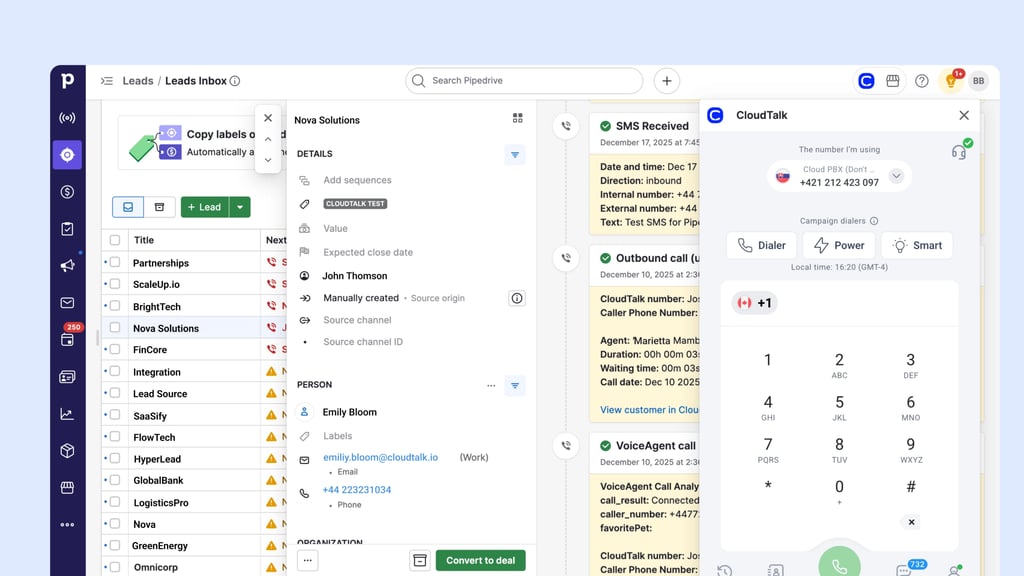
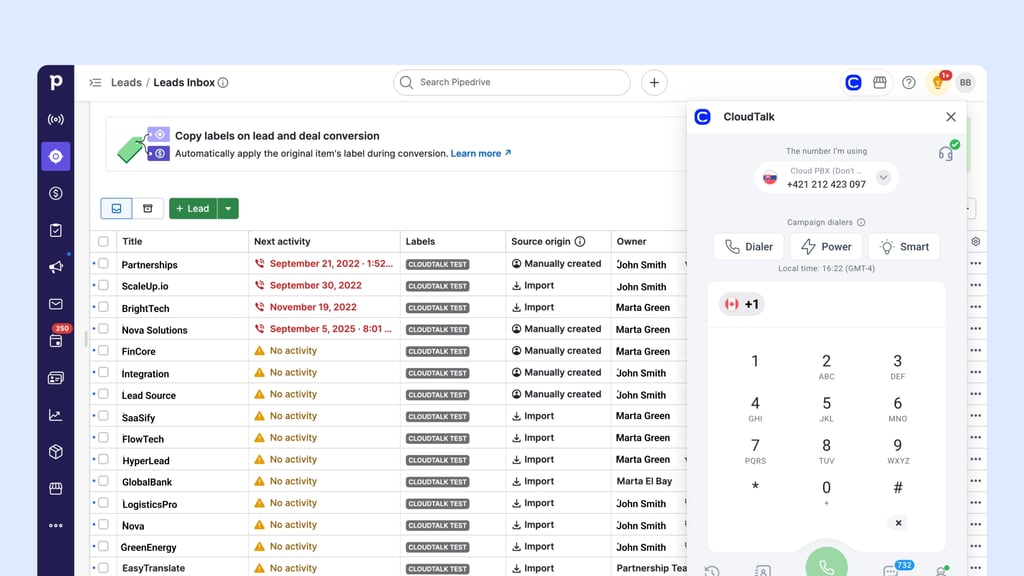
It connects through the "CloudTalk: AI Dialer & CTI for Pipedrive" app in the Pipedrive Marketplace, with a calling panel that sits inside Pipedrive.
Watch: Pipedrive + CloudTalk Integration Overview, on CloudTalk's YouTube channel
Who Is CloudTalk's Pipedrive Integration Best For?
Best for: sales teams that want every call logged in Pipedrive and a faster way to work Pipedrive lists.
- Sales development (SDR) teams calling Pipedrive lists in Power or Parallel mode
- Account executives (AEs) and account managers who need recordings and AI summaries on the deal
- Teams calling several countries with local numbers
- Teams that want an AI voice agent to call new Pipedrive leads or answer inbound calls
What Can CloudTalk's Pipedrive Integration Do?
- Call without leaving Pipedrive: click any number or the CloudTalk icon to open the calling panel, and set CloudTalk as Pipedrive's default calling app.
- Know who's calling before you pick up: inbound calls pop up in Pipedrive and can open the caller's person page or their latest open deal automatically.
- Stop logging calls by hand: every call becomes a Pipedrive activity on the person, the linked organization and deals, with notes, tags, duration, wait time and a recording link. You can map your own activity types.
- Route calls to the right rep: CloudTalk syncs Pipedrive People (names, all phone numbers, all emails) or Organizations, and the owner becomes the caller's preferred agent. Missed calls and voicemails go to the contact owner.
- Keep texts on the record: texts log as Pipedrive activities, either as completed or as open follow-ups that show as overdue.
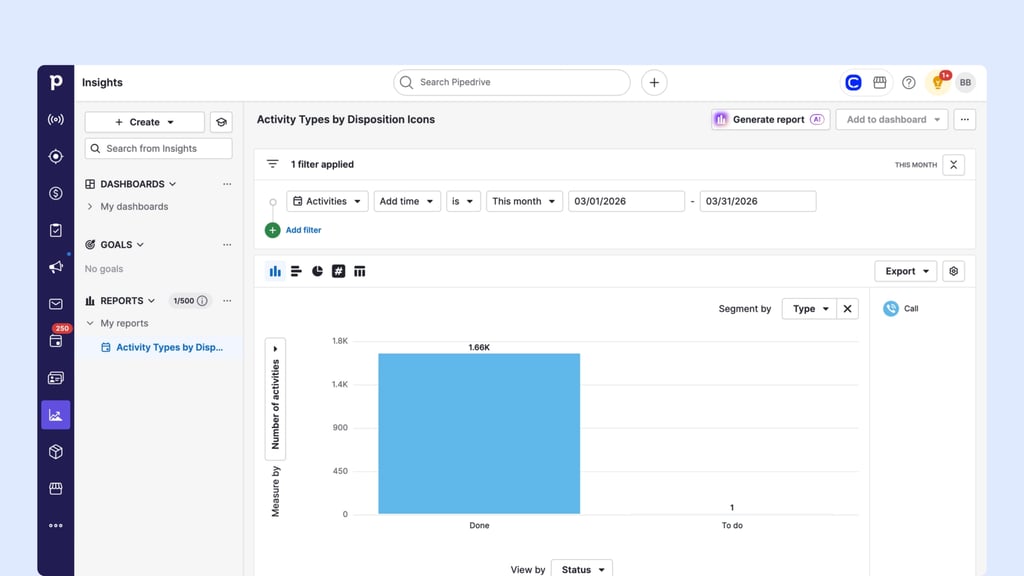
- Work lists faster: AI Sales Dialer campaigns pull from Pipedrive lists or tags in Power or Parallel mode, so power dialing in Pipedrive needs no list exports, and call dispositions map to Pipedrive activity types.
- Put AI on the deal: with the Conversation Intelligence add-on, AI call summaries, sentiment and topics land on the Pipedrive call activity. A Pipedrive Automation can also trigger an AI voice agent call, with the results exported back to Pipedrive.
Teams with dedicated numbers per rep can also run separate integrations per rep or number set.
One honest consideration: dialer campaigns refresh from a Pipedrive list once every 24 hours. If you need brand-new leads called within minutes, push them through Zapier, Make or the API, or trigger an AI voice agent from a Pipedrive Automation.
What Other Tools Does CloudTalk Integrate With?
- Everything else: 100+ tools on the CloudTalk integrations page, plus Zapier, Make and an open API
How Much Does CloudTalk Cost With Pipedrive?
CloudTalk starts at $25 per user per month billed annually ($34 monthly), and, per the CloudTalk pricing page, the Pipedrive integration starts on the Essential plan at $29 per user per month.
| Plan | Annual (per user/month) | Monthly | For Pipedrive teams |
|---|---|---|---|
| Starter | $25 | $34 | IVR, routing; no Pipedrive |
| Essential | $29 | $39 | Pipedrive, API, 100+ integrations |
| Expert | $49 | $69 | Power dialer, Salesforce |
| Custom | Contact Sales | Contact Sales | 25+ seats, custom setups |
Dialer and AI are priced separately: Power Dialer is a $15/user/month add-on on Starter and Essential (included in Expert), and Parallel Dialer is $39 on every plan. Conversation Intelligence is $9/user/month, AI Voice Agents start at $99 per month for 200 minutes, and AI Receptionist includes 50 free minutes.
What Do Customers Say About CloudTalk on G2 and Reddit?
CloudTalk's G2 rating, plus its Pipedrive pros and cons, limits included:
What Is CloudTalk's G2 Rating?
CloudTalk is rated 4.4/5 on G2 from 1941+ reviews (checked October 2026).
CloudTalk Pros and Cons Based on G2 Reviews and Reddit
| Pros | Cons |
|---|---|
| Native integration, automatic call logging | Dialer lists refresh once a day |
| Power and Parallel dialing from Pipedrive lists | Custom fields not in the standard sync |
| Local numbers in 160+ countries | AI is post-call, not live coaching |
2. Aircall
What Is Aircall?
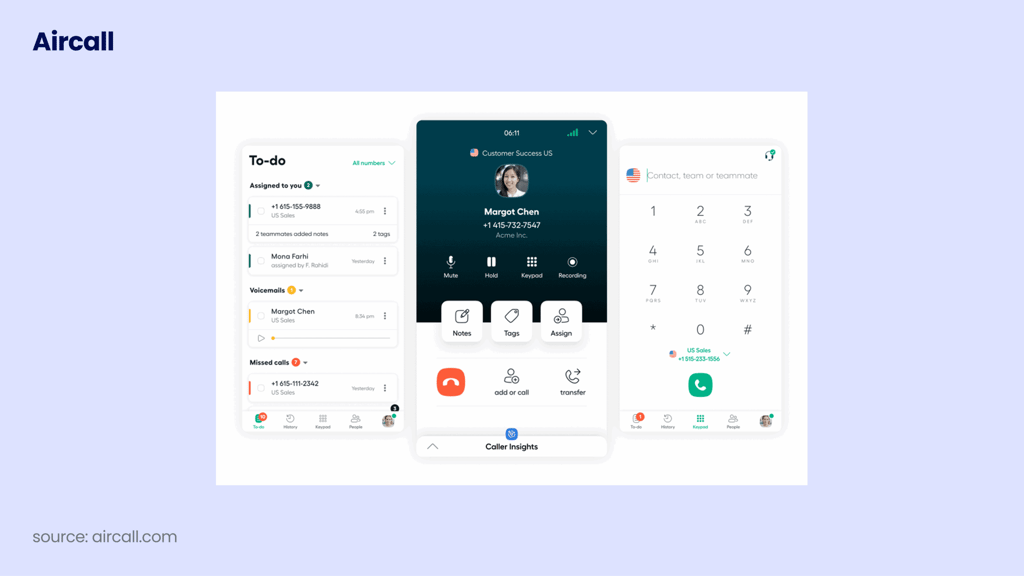
Aircall is a cloud phone system that calls itself "the communications & intelligence platform, designed for sales teams." Popular with SMB sales and support teams, it connects through the Aircall app in the Pipedrive Marketplace, plus an optional Chrome click-to-dial extension.
Who Is Aircall's Pipedrive Integration Best For?
Best for: teams that want a widely used, easy phone app.
It fits teams of three or more that value a familiar interface and a large user base. Teams that need parallel dialing or a single seat should look elsewhere, since Aircall's paid plans start at three licences.
What Can Aircall's Pipedrive Integration Do?
According to Aircall's Pipedrive Marketplace listing:
- Every call and SMS logs as an activity against the deal, contact or organization
- The call recording attaches to the deal, and an AI call summary goes into the activity note
- Reps click to call from a deal or contact, and inbound callers are matched to their deal stage
- Aircall's Power Dialer works through call lists, with voicemail drop
- Contacts sync both ways, and the last activity date updates on each call
What Other Tools Does Aircall Integrate With?
- 250+ integrations on the Essentials plan, Pipedrive included
- Help desks and CRMs such as Freshdesk and ActiveCampaign
- WhatsApp as a paid add-on
How Much Does Aircall Cost With Pipedrive?
Aircall starts at $30 per licence per month billed annually, with a three-licence minimum, and the Pipedrive integration is on that entry plan (Essentials). For add-ons and contract terms, see our full guide to Aircall pricing.
| Plan | Price (billed annually) | Pipedrive-relevant features |
|---|---|---|
| Essentials | $30/licence/month | Pipedrive integration, 250+ integrations |
| Professional | $50/licence/month | Adds Power Dialer, analytics, AI |
| Enterprise | Custom (25+ licences) | Custom setup |
Live AI coaching (AI Assist Pro) costs an extra $49 per seat per month, extra numbers are $6 per month, and AI Voice Agents start at $100 per month. There's a 7-day free trial.
What Do Customers Say About Aircall on G2 and Reddit?
Aircall's G2 score, plus where its Pipedrive setup is strong and where it falls short:
What Is Aircall's G2 Rating?
Aircall is rated 4.4/5 on G2 from 1677+ reviews (checked October 2026). See Aircall's G2 reviews.
Aircall Pros and Cons Based on G2 Reviews and Reddit
| Pros | Cons |
|---|---|
| Calls, SMS, recordings log to the deal | Three-licence minimum |
| AI summary in the activity note | Power Dialer from Professional; no Parallel |
| Two-way contact sync | Live AI coaching is a $49/seat add-on |
3. JustCall
What Is JustCall?
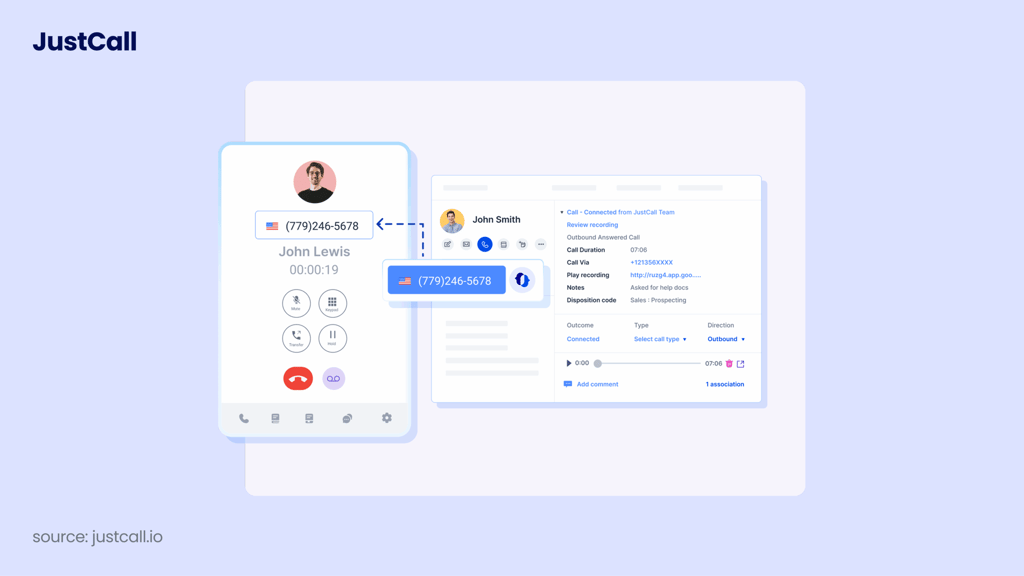
JustCall, from SaaS Labs, calls itself "an AI-powered communication platform for voice, SMS, and email." It's popular with sales teams that mix calls and texts, and it connects through the JustCall app in the Pipedrive Marketplace, which adds JustCall panels to deal, person and organization pages.
Who Is JustCall's Pipedrive Integration Best For?
Best for: teams that text as much as they call and want AI coaching.
It suits sales teams that run SMS follow-ups off Pipedrive events and want AI coaching on higher tiers. Keep in mind that multi-line dialing sits on the quote-based SalesPro plan.
What Can JustCall's Pipedrive Integration Do?
According to JustCall's Pipedrive Marketplace listing:
- Reps call or text from Pipedrive, and every call, SMS and voicemail logs automatically
- "JustCall Sales Dialer" and "JustCall Bulk SMS" actions appear on activity, deal and People lists
- Auto-dialing campaigns run on Pipedrive contact lists with Power, Dynamic and 10-line Predictive dialers
- AI call summaries, topics, sentiment and action items show up in Pipedrive
- Texts can fire on Pipedrive events such as lead status changes, deal updates and missed calls
What Other Tools Does JustCall Integrate With?
- CRMs such as HubSpot, Salesforce and Zoho
- Zapier for other apps
- Pipedrive on every plan from Team up, per its pricing page ("Business phone system with CRM integrations")
How Much Does JustCall Cost With Pipedrive?
JustCall starts at $29 per user per month billed annually, with a two-licence minimum, and the Pipedrive integration is on that entry plan (Team). Our breakdown of JustCall pricing covers each tier in more detail.
| Plan | Price (billed annually) | Pipedrive-relevant features |
|---|---|---|
| Team | $29/user/month | Pipedrive integration and core calling |
| Pro | $49/user/month | More features on top of Team |
| Pro Plus | $89/user/month | AI coaching and tracking |
| Business / SalesPro | Quote-based | Predictive (10 lines), Power, Dynamic |
The AI Voice Agent is priced separately.
What Do Customers Say About JustCall on G2 and Reddit?
JustCall's G2 rating and the pros and cons Pipedrive teams should weigh:
What Is JustCall's G2 Rating?
JustCall is rated 4.3/5 on G2 from 2395+ reviews (checked October 2026). See JustCall's G2 reviews.
JustCall Pros and Cons Based on G2 Reviews and Reddit
| Pros | Cons |
|---|---|
| Calls, SMS and voicemail all log to Pipedrive | Two-licence minimum |
| Dialer and bulk SMS on Pipedrive lists | Multi-line only on quote-based SalesPro |
| AI summaries and action items in Pipedrive | AI coaching from Pro Plus |
4. Kixie
What Is Kixie?
Kixie is a calling and texting platform for sales teams, and its Pipedrive Marketplace app, "Kixie PowerCall & SMS," pitches it as "a powerful calling and texting engagement platform for Pipedrive." Reps call through a Chrome extension that adds click-to-call to Pipedrive and any other web page.
Who Is Kixie's Pipedrive Integration Best For?
Best for: US outbound SDR teams that want calling and texting together.
Kixie fits SDR and BDR teams whose day is one long call block, mostly into the US and Canada, where its plans include unlimited minutes. Teams that want published pricing up front will need to talk to sales.
What Can Kixie's Pipedrive Integration Do?
According to Kixie's Pipedrive Marketplace listing:
- Calls, texts, dispositions and activities log automatically, with recordings, summaries and outcomes
- Click-to-call works from Pipedrive and any web page through the Chrome extension
- SMS templates pull in dynamic Pipedrive fields
- Voicemail drop and ConnectionBoost local presence help reps reach more people
- Managers can listen in and whisper during live calls, and IVRs, ring groups and queues handle inbound
What Other Tools Does Kixie Integrate With?
- CRMs such as HubSpot, Salesforce and Zoho
- Zapier for other apps
- Any web page through the Chrome click-to-call extension
How Much Does Kixie Cost With Pipedrive?
Kixie doesn't publish prices in a form we could verify, and every plan includes the CRM integration, business phone service and unlimited US and Canada minutes. Our Kixie pricing guide explains how its plans are structured.
| Plan | Price | Pipedrive-relevant features |
|---|---|---|
| Professional | Not published | CRM integration, business phone service |
| Single-Line PowerDialer | Not published | Adds the power dialer |
| Multi-Line PowerDialer | Not published | Power dials up to 4 lines at once |
There's a 7-day free trial with no credit card.
What Do Customers Say About Kixie on G2 and Reddit?
How Kixie rates on G2, and what to weigh before you pair it with Pipedrive:
What Is Kixie's G2 Rating?
Kixie is rated 4.8/5 on G2 from 866+ reviews (checked October 2026). See Kixie's G2 reviews.
Kixie Pros and Cons Based on G2 Reviews and Reddit
| Pros | Cons |
|---|---|
| Calls, texts, dispositions log automatically | Prices aren't published |
| Multi-line power dialing | Multi-line only on its own plan |
| Local presence, voicemail drop | Unlimited minutes: US and Canada only |
5. RingCentral
What Is RingCentral?
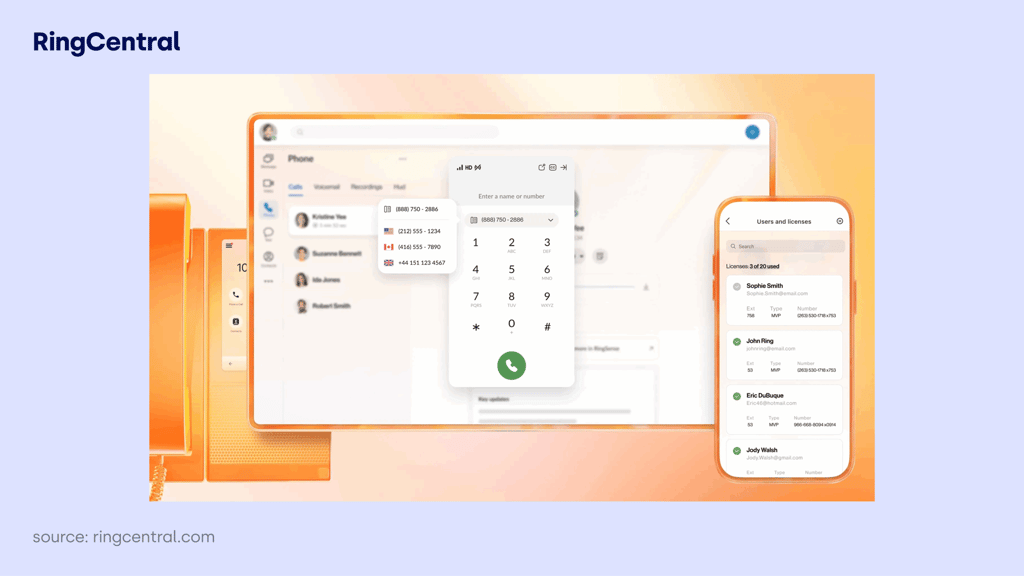
RingCentral is a business communications provider whose phone product, RingEX, bundles voice, video and team messaging. It connects to Pipedrive through "RingCentral App Connect," a Chrome and Edge extension listed in the Pipedrive Marketplace, plus a separate RingCentral SMS for Pipedrive app.
Who Is RingCentral's Pipedrive Integration Best For?
Best for: companies standardizing voice, video and team chat on one provider.
It makes sense when the whole company already uses RingCentral for internal chat and meetings, and sales just needs calls logged in Pipedrive. You need both a RingCentral and a Pipedrive account, and reps work through the browser extension.
What Can RingCentral's Pipedrive Integration Do?
According to RingCentral's Pipedrive Marketplace listing:
- Reps make and receive calls and texts from inside Pipedrive
- Screen pop-ups appear for incoming and outgoing calls
- Hovering over any number gives click-to-call
- Call history, SMS and voicemail log to contacts, deals and activities, automatically or manually
- Call dispositions sync to Pipedrive
What Other Tools Does RingCentral Integrate With?
- Other CRMs through the same App Connect extension
- Microsoft Teams and Google Workspace
- An open API and developer platform
How Much Does RingCentral Cost With Pipedrive?
RingCentral's AI add-ons are listed on its pricing page: Conversational Intelligence starts at $60 and AI Receptionist starts at $39. Our RingCentral pricing guide covers its plans and add-ons in more detail.
| Plan | Price (billed annually) | Pipedrive-relevant features |
|---|---|---|
| RingEX plans | Not confirmed | App Connect (plan not confirmed) |
| Conversational Intelligence add-on | From $60 | AI call analysis |
| AI Receptionist add-on | From $39 | AI answering for inbound calls |
What Do Customers Say About RingCentral on G2 and Reddit?
RingCentral's G2 rating, followed by its Pipedrive-specific pros and cons:
What Is RingCentral's G2 Rating?
RingCentral is rated 0/5 on G2 from 0+ reviews (checked October 2026). See RingCentral on G2.
RingCentral Pros and Cons Based on G2 Reviews and Reddit
| Pros | Cons |
|---|---|
| Calls, SMS, voicemail log to deals | Browser extension only (Chrome, Edge) |
| Screen pops on incoming and outgoing calls | No dialer for Pipedrive lists found |
| Voice, video and chat in one | Separate RingCentral account needed |
6. Ringover
What Is Ringover?
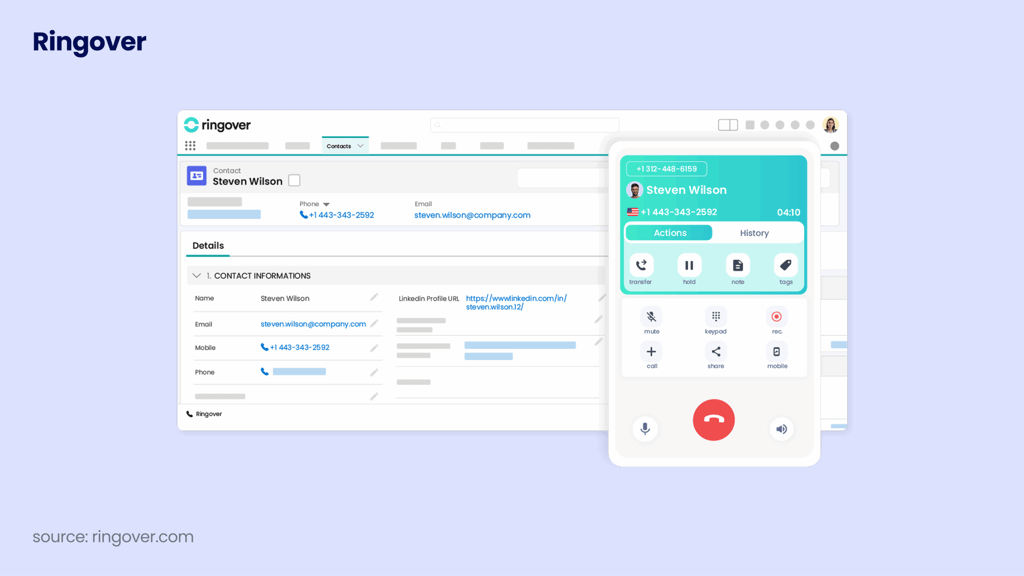
Ringover is a cloud phone system popular with European SMBs, and its Pipedrive Marketplace listing promises "Calls, Video, SMS, WhatsApp and Conversation Analysis, all synced in Pipedrive." Reps click to dial through a Chrome extension, which Ringover recommends.
Who Is Ringover's Pipedrive Integration Best For?
Best for: European teams that want calls and WhatsApp synced to deals.
It suits teams of three or more that sell over the phone and WhatsApp and want both on the deal. The Pipedrive integration needs the BUSINESS plan or higher, with a 12-month commitment.
What Can Ringover's Pipedrive Integration Do?
According to Ringover's Pipedrive Marketplace listing:
- Click-to-dial from Pipedrive, with a Chrome extension recommended
- Call logs, SMS, rep notes and tags log automatically
- Contacts sync both ways, with sync settings per agent
- WhatsApp conversations sync to deals
- With the conversation insights add-on, AI summaries and transcripts go into Pipedrive
What Other Tools Does Ringover Integrate With?
- 100+ native integrations on the BUSINESS plan
- CRMs such as HubSpot, Salesforce and Zoho CRM
- Help desks such as Freshdesk
How Much Does Ringover Cost With Pipedrive?
Ringover starts at $19 per user per month on a 12-month commitment, but the Pipedrive integration starts on BUSINESS at $49 per user per month, with a three-user minimum. See our Ringover pricing guide for the full plan comparison.
| Plan | Price (12-month commitment) | Pipedrive-relevant features |
|---|---|---|
| TALK | $19/user/month ($29 monthly) | No Pipedrive integration |
| BUSINESS | $49/user/month ($69 monthly) | Pipedrive, Power Dialer, transcription |
| UNIFIED / ENTERPRISE | Higher tiers | More features on top of BUSINESS |
The Parallel Dialer is an add-on, conversation intelligence costs $39 per user per month, and AI agents start at $100 per month.
What Do Customers Say About Ringover on G2 and Reddit?
Ringover's G2 score and the trade-offs for Pipedrive teams:
What Is Ringover's G2 Rating?
Ringover is rated 4.6/5 on G2 from 500+ reviews (checked October 2026). See Ringover's G2 reviews.
Ringover Pros and Cons Based on G2 Reviews and Reddit
| Pros | Cons |
|---|---|
| WhatsApp syncs to Pipedrive deals | Pipedrive needs BUSINESS, not TALK |
| Power Dialer included on BUSINESS | 3-user minimum, 12-month term |
| Per-agent sync settings | Parallel dialing and AI insights cost extra |
7. CallHippo
What Is CallHippo?
CallHippo is a virtual phone system aimed at small and growing teams. Its Pipedrive Marketplace listing describes an "AI-Enhanced CallHippo and Pipedrive Integration, Featuring AI-powered Analytics, Click-to-Call, and Task Automation," and reps work from a floating window in Pipedrive's top bar.
Who Is CallHippo's Pipedrive Integration Best For?
Best for: small teams that want a low-cost start.
It works for small teams that want calls logged in Pipedrive without a big seat price. Just budget for per-minute calling on top, and note that the Pipedrive integration isn't on the two cheapest plans.
What Can CallHippo's Pipedrive Integration Do?
According to CallHippo's Pipedrive Marketplace listing:
- Calls log to Pipedrive automatically
- Recordings and notes are saved in Pipedrive
- Call outcomes can trigger workflows, such as follow-up emails or deal stage updates
- A floating top-bar window lets reps call, take notes and log outcomes without leaving Pipedrive
What Other Tools Does CallHippo Integrate With?
- CRMs such as HubSpot, Salesforce and Zoho on the Professional plan
- Zapier, Slack and webhooks on every plan
How Much Does CallHippo Cost With Pipedrive?
CallHippo starts at $0 on its Basic plan billed annually, but the Pipedrive integration starts on Professional at $30 per user per month. Our CallHippo pricing guide covers each plan in more detail.
| Plan | Price (per user/month) | Pipedrive-relevant features |
|---|---|---|
| Basic | $0 (billed annually) | Zapier, Slack and webhook integrations only |
| Starter | $18 | No Pipedrive integration |
| Professional | $30 | Pipedrive, HubSpot, Salesforce, Zoho |
| Ultimate | $42 | More features on top of Professional |
Calls are billed separately at $0.25 per minute, there's a one-time $20 setup fee per account, and call recording costs $0.005 per minute. There's a 10-day free trial.
What Do Customers Say About CallHippo on G2 and Reddit?
CallHippo's G2 rating, then what its pricing model means for Pipedrive users:
What Is CallHippo's G2 Rating?
CallHippo is rated 4.4/5 on G2 from 416+ reviews (checked October 2026). See CallHippo's G2 reviews.
CallHippo Pros and Cons Based on G2 Reviews and Reddit
| Pros | Cons |
|---|---|
| Low seat price | Pipedrive needs Professional, not $0 or $18 |
| Call outcomes trigger Pipedrive workflows | Per-minute calling on top of seats |
| Recordings and notes saved in Pipedrive | One-time setup fee per account |
8. Ring.io
What Is Ring.io?
Ring.io describes itself as "a Sales Engagement Platform and Power Dialer." It connects through the "Ring.io Sales Engagement" app in the Pipedrive Marketplace, which adds an "Add to Power Dialer" action to Pipedrive deal, person and organization pages and lists.
Who Is Ring.io's Pipedrive Integration Best For?
Best for: teams that want a dedicated power dialer layer for Pipedrive.
Ring.io suits outbound teams that live in a dialer and want leads pulled from Pipedrive as they appear. It has the highest entry price on this list, so it pays off mainly for teams that dial all day.
What Can Ring.io's Pipedrive Integration Do?
According to Ring.io's Pipedrive Marketplace listing:
- "Add to Power Dialer" works from deal, person and organization details and lists
- Calls, emails and replies sync both ways, and recordings go into Pipedrive
- New Pipedrive leads can import into the dialer as they appear
- Leads can move through stages based on activity
- Voicemail drop, SMS and MMS during sessions, and local caller IDs
What Other Tools Does Ring.io Integrate With?
- CRMs such as Salesforce, HubSpot, Zoho and Microsoft Dynamics
- CRM integrations are free on every plan, per Ring.io's pricing page
How Much Does Ring.io Cost With Pipedrive?
Ring.io starts at $90 per user per month billed annually, with a two-user minimum, and the Pipedrive integration is free on every plan. If that entry price is too steep for your team, compare these Ring.io alternatives.
| Plan | Price (billed annually) | Pipedrive-relevant features |
|---|---|---|
| Startup | $90 ($120 monthly), min. 2 users | Power Dialer, Pipedrive |
| Growth | $120 ($155 monthly), min. 3 users | Adds AI Parallel, local caller ID, AI summaries |
| Enterprise | $250 ($300 monthly), min. 25 users | Full feature set |
Ring.io also has a free plan for solo reps and a 21-day free trial on Startup and Growth.
What Do Customers Say About Ring.io on G2 and Reddit?
Ring.io's G2 rating and the trade-offs of using it as your Pipedrive dialer:
What Is Ring.io's G2 Rating?
Ring.io Pros and Cons Based on G2 Reviews and Reddit
| Pros | Cons |
|---|---|
| Power Dialer on Pipedrive lists | Highest entry price here, min. 2 users |
| New Pipedrive leads import into the dialer | Parallel dialing only from Growth |
| Pipedrive integration free on every plan | AI summaries only from Growth |
9. CircleLoop
What Is CircleLoop?
CircleLoop is a UK cloud phone system for small businesses. Its Pipedrive Marketplace listing calls the integration "UK only at present," and it adds a CircleLoop panel to deal, person and organization pages.
Who Is CircleLoop's Pipedrive Integration Best For?
Best for: small UK teams that want simple, low-cost calling.
It suits small UK teams that make and take calls by hand and want them on the Pipedrive record. There's no dialer or AI, so outbound teams and anyone outside the UK should look further up the list.
What Can CircleLoop's Pipedrive Integration Do?
According to CircleLoop's Pipedrive Marketplace listing:
- Pipedrive contacts sync to CircleLoop for caller ID
- Click-to-call links work once you set Pipedrive's phone link syntax to
circleloop:[number] - Every call is added to the contact's activities in Pipedrive
- Voicemails are transcribed and added as a note
What Other Tools Does CircleLoop Integrate With?
- CRMs such as HubSpot and Zoho
- Help desks such as Intercom
- Zapier for other apps
How Much Does CircleLoop Cost With Pipedrive?
CircleLoop starts at £5 + VAT per user per month, billed monthly with no contract, and the Pipedrive integration works on its plans. If you need calling outside the UK, see these CircleLoop alternatives.
| Plan | Price (monthly) | Pipedrive-relevant features |
|---|---|---|
| Pay As You Go | £5 + VAT/user/month | One UK number, Pipedrive integration |
| Unlimited | £15 + VAT/user/month | Unlimited calling, Pipedrive integration |
Extra UK numbers cost from £2 per month + VAT, texts cost 4p each, and there are no setup fees. There's a 7-day free trial, and the Marketplace listing also mentions a free 30-day offer for Pipedrive users.
What Do Customers Say About CircleLoop on G2 and Reddit?
CircleLoop's G2 rating and what its UK-only setup means for Pipedrive teams:
What Is CircleLoop's G2 Rating?
CircleLoop Pros and Cons Based on G2 Reviews and Reddit
| Pros | Cons |
|---|---|
| Low monthly price with no contract | Pipedrive integration is UK only |
| Every call logs to the Pipedrive contact | No dialer for Pipedrive lists |
| Voicemail transcripts saved as notes | No AI on the deal |
10. Toky
What Is Toky?
Toky is a virtual phone system that calls itself "your virtual phone system connected to everything." It connects through the Toky app in the Pipedrive Marketplace, which, per Pipedrive's knowledge base, syncs contacts and leads to Toky and logs Toky calls in Pipedrive.
Who Is Toky's Pipedrive Integration Best For?
Best for: small teams that want low-cost click-to-call with Pipedrive logging.
Toky fits small teams that want click-to-call and basic logging at a low seat price. Teams that need AI or predictable bills at volume should compare carefully, since several features are charged per use on the entry plan.
What Can Toky's Pipedrive Integration Do?
According to Toky's Pipedrive Marketplace listing:
- Reps click to call from Pipedrive
- The call events you choose create Pipedrive activities
- Unknown callers can be created as new Pipedrive contacts
- Toky can search custom phone fields on deals and organizations
- Toky agents map to Pipedrive users
What Other Tools Does Toky Integrate With?
- Pipedrive as a Standard Integration
- Salesforce and Zendesk as Premium Integrations
- Help desks and CRMs such as Intercom and HubSpot
How Much Does Toky Cost With Pipedrive?
Toky starts at $20 per agent per month billed annually, and Pipedrive is a Standard Integration available from that entry plan. If per-use charges add up for your team, compare these Toky alternatives.
| Plan | Price (billed annually) | Pipedrive-relevant features |
|---|---|---|
| Entrepreneur | $20/agent/month ($25 monthly) | Pipedrive; Power Dialer $0.05/dialed number |
| Business | $25/agent/month ($35 monthly), min. 3 | Power Dialer included |
| Enterprise | On request | Custom setup |
On Entrepreneur, recording costs $0.003 per minute, monitoring $0.05 per minute and warm transfers $0.10 each. Numbers cost $4 per month, and there's a free trial.
What Do Customers Say About Toky on G2 and Reddit?
Toky's G2 rating and the cost and feature trade-offs for Pipedrive users:
What Is Toky's G2 Rating?
Toky Pros and Cons Based on G2 Reviews and Reddit
| Pros | Cons |
|---|---|
| Low seat price | Per-use charges make costs hard to predict |
| Searches custom phone fields | No AI on the Pipedrive deal found |
| Creates contacts for unknown callers | Power Dialer billed per number on entry plan |
11. Talkdesk
What Is Talkdesk?
Talkdesk is contact center software for larger support and sales operations; its Pipedrive app calls it "browser-based call center software." The app isn't publicly listed in the Pipedrive Marketplace, but anyone with the link can install it, with setup in Talkdesk Admin under Integrations.

Who Is Talkdesk's Pipedrive Integration Best For?
Best for: larger contact centers already standardized on Talkdesk.
It makes sense when your contact center already runs on Talkdesk and the sales team uses Pipedrive. For a sales team picking a phone system mainly for Pipedrive, the high seat price and unlisted app are worth weighing.
What Can Talkdesk's Pipedrive Integration Do?
According to Talkdesk's Pipedrive app listing:
- Agents see the contact's history on incoming calls
- Notes, contacts and activities can be created and updated in Pipedrive from Talkdesk
- Contacts, activities and notes sync between the two
- Talkdesk events can trigger actions in Pipedrive
What Other Tools Does Talkdesk Integrate With?
- CRMs such as Salesforce and Microsoft Dynamics
- Help desks and service tools such as Zendesk and ServiceNow
- Team chat such as Slack and Microsoft Teams
How Much Does Talkdesk Cost With Pipedrive?
Talkdesk starts at $85 per user per month, and its pricing page doesn't say which plan includes the Pipedrive connector. Our Talkdesk pricing guide covers each plan in more detail.
| Plan | Price (per user/month) | Pipedrive-relevant features |
|---|---|---|
| Digital Essentials | $85 | Digital channels |
| Voice Essentials | $105 | Voice contact center |
| Elite | $165 | Advanced contact center features |
| Industry Experience Clouds | $225 | Industry-specific features |
Talkdesk also runs an "Express" offer for businesses under 50 employees, with 25 licences and $100 in free credit.
What Do Customers Say About Talkdesk on G2 and Reddit?
Talkdesk's G2 rating and the trade-offs for sales teams on Pipedrive:
What Is Talkdesk's G2 Rating?
Talkdesk is rated 4.4/5 on G2 from 2605+ reviews (checked October 2026). See Talkdesk's G2 reviews.
Talkdesk Pros and Cons Based on G2 Reviews and Reddit
| Pros | Cons |
|---|---|
| Contact history shown on incoming calls | Highest per-seat floor on the list |
| Talkdesk events trigger Pipedrive actions | Pipedrive app isn't publicly listed |
| Full contact center platform | No Pipedrive-specific dialer or AI found |
12. Aloware
What Is Aloware?
Aloware is a contact center platform for calling and texting, used mostly by US sales teams. It connects through the "Aloware Contact Center" app in the Pipedrive Marketplace, which adds a panel to person pages and click-to-call through a Chrome extension. A paid Aloware account is required.
Who Is Aloware's Pipedrive Integration Best For?
Best for: US teams that want calling and texting with unlimited US and Canada minutes.
Aloware fits US teams of ten or more that want speed-to-lead calling and texting from Pipedrive People lists. Smaller teams should check the seat minimums first.
What Can Aloware's Pipedrive Integration Do?
According to Aloware's Pipedrive Marketplace listing:
- Calls, messages and voicemail push to Pipedrive
- Name, phone number, call notes, call tags and SMS attachments sync
- Reps can listen to call recordings in Pipedrive
- "Add to Power Dialer" and "Enroll to Sequence" actions appear on the People list
- Click-to-call works through the Chrome extension
What Other Tools Does Aloware Integrate With?
- Native HubSpot and Zoho integrations on every plan
- Pipedrive from the entry iPro plan
How Much Does Aloware Cost With Pipedrive?
Aloware starts at $30 per user per month billed annually, with a ten-user minimum, and the Pipedrive integration is on that entry plan (iPro + AI). Our Aloware pricing guide covers its seat minimums and packages in more detail.
| Plan | Price (billed annually) | Pipedrive-relevant features |
|---|---|---|
| iPro + AI | $30 ($40 monthly), min. 10 users | Pipedrive, HubSpot, Zoho |
| uPro | $60 ($70 monthly), min. 5 users | Adds Power Dialer, AI summaries |
| Higher tier | $85 ($100 monthly), min. 5 users | More features on top of uPro |
Every plan includes unlimited US and Canada calling, there are startup packages (for example, three users for $199 per month), and there's a 7-day free trial.
What Do Customers Say About Aloware on G2 and Reddit?
Aloware's G2 rating and the trade-offs of its seat minimums and US focus:
What Is Aloware's G2 Rating?
Aloware is rated 4.1/5 on G2 from 828+ reviews (checked October 2026).
Aloware Pros and Cons Based on G2 Reviews and Reddit
| Pros | Cons |
|---|---|
| Calls, texts and voicemail push to Pipedrive | Ten-user minimum on the entry plan |
| Power Dialer, sequences from People list | Power Dialer and AI from uPro |
| Unlimited US and Canada calling | Bundle covers US and Canada only |
How to Integrate CloudTalk With Pipedrive (Step-by-Step)
Setting up the CloudTalk Pipedrive integration takes settings, not code, and the CloudTalk team helps during onboarding. The full reference lives in the CloudTalk help center guide to configuring Pipedrive.
Before you start:
- A Pipedrive admin needs to set up the integration.
- The email address in CloudTalk must match each rep's Pipedrive email.
- Save phone numbers on the person (not only the organization), with the country code.
Step 1: Connect Pipedrive. In the CloudTalk Dashboard, go to Account > Integrations, find Pipedrive and connect it. Sign in to Pipedrive and grant access.
Step 2: Choose what to sync. Pick Pipedrive People (recommended for most sales teams) or Organizations. Choose one per account, because mixing both creates duplicates.
Step 3: Choose the connected numbers. Only calls and texts on these numbers get logged to Pipedrive.
Step 4: Set how calls and texts log. Map activity types, choose which deals get the call, decide whether texts log as completed or as open follow-ups, assign missed calls to the owner, and choose whether unknown callers become new Pipedrive contacts.
Step 5: Set CloudTalk as your calling app. Install the CloudTalk app from the Pipedrive Marketplace, then set it as the default under Tools and apps > Phone calls. Each rep installs the Chrome calling panel; the Click-to-Call extension is an alternative, but don't run both.
Step 6 (optional): Add dialing and AI. Build an AI Sales Dialer campaign from a Pipedrive list or tag and map dispositions to Pipedrive activity types. You can also trigger AI voice agent calls from a Pipedrive Automation.
Step 7: Test it. Make one outbound and one inbound call, then check the activity, the recording link and the deal the call landed on.
Calls not showing up in Pipedrive?
Most "missing call" cases come from one of three causes: the number is stored only on the organization, the number has no country code, or the rep's default calling app in Pipedrive isn't set to CloudTalk.
Once the test call lands on the right deal, your setup is done. If you're still deciding whether you need a phone system at all, the next section covers what Pipedrive does on its own.
What Is a Pipedrive VoIP Integration?
A Pipedrive VoIP integration connects a cloud phone system to Pipedrive, so reps call from person, deal and organization pages, and every call, recording and outcome is logged as a Pipedrive activity automatically. It replaces dialing from a mobile and typing notes into the CRM afterward.
Every Pipedrive call integration follows that idea, as does any VoIP integration with a customer relationship management (CRM) system, but the details decide how much admin your reps save.
How Does a Pipedrive Phone Integration Work?
A Pipedrive phone integration has two parts:
- Calling: either a calling panel inside Pipedrive that you set as the default calling app, or a desktop app plus a browser extension that makes numbers clickable.
- Sync: people move between the two systems, and each call becomes an activity on the person and deal, with its recording, notes and outcome.
On inbound calls, the phone system matches the number to a Pipedrive person, shows who's calling, and call routing can send the call to the contact's owner. On outbound, reps click the number on the deal. Either way, the activity lands in Pipedrive without anyone typing it.
Does Pipedrive Have Built-In Calling?
No, not as a business phone system. Pipedrive's own knowledge base says: "Pipedrive doesn't have a built-in calling integration." On the web, you install a Marketplace calling app and set it as default, or use link syntax (such as Callto) so numbers open another app.
Pipedrive's mobile apps for iOS and Android do let you call contacts from your phone, with call logging and caller ID. There's also web-to-mobile calling, where you click a number in Pipedrive on the web and the call starts on your phone, with calls charged to your usual phone bill.
That covers occasional calls from your own phone. Most teams add a business phone system for the rest: business numbers, call routing, list dialers, recordings and AI summaries. Pipedrive's knowledge base lists CloudTalk among its most popular calling apps.
If you searched for a Pipedrive Zoom integration, note that the Zoom app in the Pipedrive Marketplace is for Zoom Meetings. Zoom Phone has no native Pipedrive app; it connects through tools like Zapier or a zoomphonecall: link for click-to-dial without call logging.
Why Integrate a Phone System With Pipedrive? 5 Benefits for Sales Teams
These are the Pipedrive-specific benefits of a VoIP CRM integration, and each one starts with a problem Pipedrive teams describe when they talk to us.
No More Manual Activity Logging
Reps tell us they finish a call, then spend minutes typing it into Pipedrive, or skip it and the deal goes quiet. With a phone integration, the call, recording link, notes and outcome become a Pipedrive activity: one of the simplest ways to automate your sales process.
CloudTalk logs every call as an activity on the person, the linked organization and deals, with notes, tags, duration and a recording link.
Every Call Lands on the Right Person and Deal
A common complaint: calls land on the organization, or on no deal at all, so nobody sees the history. A good integration matches the caller to the right record, logs the call on the chosen deal and can route the call to the contact's owner, so reps know who's calling before they pick up.
In CloudTalk, inbound calls pop up in Pipedrive and can open the caller's person page or latest open deal automatically.
Reps Work Through Pipedrive Lists Faster
Outbound teams want to work through their Pipedrive filters every day without dialing one number at a time. A list dialer takes the next contact from the list, dials, and moves on when the call ends. Reps spend their time talking instead of copying numbers.
CloudTalk's AI Sales Dialer calls Pipedrive lists in Power or Parallel mode and maps each call outcome to a Pipedrive activity type.
New Leads Get a Call While They're Still Interested
Leads from ads often land in Pipedrive and then wait until the next list refresh before anyone calls. By then, they've moved on. The fix is to trigger the call when the lead arrives, not when someone remembers.
With CloudTalk, a Pipedrive Automation can trigger an AI voice agent call when a deal or person is created, and the results export back to Pipedrive. Set up as an AI voice agent for lead qualification, it can ask the first screening questions before a rep picks up the deal.
Managers Coach From Real Conversations
Sales managers can't sit in on every call, and notes rarely capture what prospects said. With recordings and AI summaries on the deal, managers review the calls that matter and build a sales coaching plan around them. SDR-to-AE handovers get easier too.
That's how Pipedrive's own teams work with CloudTalk. According to their published customer story, top SDRs make 270+ calls a month, and managers can see the talk time behind every one of them.
CloudTalk gives us the tools to track customer interactions and coach with real conversations.
What Should a Pipedrive Phone Integration Sync Automatically?
Bring this checklist to every demo. The first column is what should sync, and the last column is the question that tells you whether it does.
| What syncs | Why it matters | Ask the vendor |
|---|---|---|
| Call activity | Every touch on the deal | "Which deal gets the call?" |
| Call recordings | Replay what was said | "On the activity or a link?" |
| Outcomes, activity types | Reports stay current | "Can outcomes set our activity types?" |
| Notes, tags, AI summaries | Context stays on the deal | "What shows on the activity?" |
| Texts | Full conversation on record | "Inbound and outbound logged?" |
| Owners | Callers reach their rep | "Does it ring the owner first?" |
| Unknown callers | New contacts captured | "Will it create duplicates?" |
| Custom fields | Your data model stays intact | "Two-way, one-way or API?" |
What Usually Doesn't Sync (Ask Before You Buy)
Most Pipedrive phone integrations share the same gaps, so check these in the trial:
- Custom fields: many integrations sync standard fields like name, phone and email, but not your custom fields.
- Deal details inside the phone app: reps may see the contact's name but not deal value or stage.
- Pipedrive Leads: calls often can't be logged to items in the Leads Inbox, only to people and deals.
- Picking a specific deal per call: the integration's settings may decide which deal gets the call, not the rep.
- Real-time list changes: dialer campaigns built from Pipedrive lists often refresh on a schedule, not live.
None of these gaps stops basic sales call tracking from working, and you can live with most of them, as long as you find them in the trial and not after rollout. The gaps widen once you start dialing lists.
Best Pipedrive Dialer Integrations: Power, Parallel and Predictive
If your team calls Pipedrive lists every day, choose your Pipedrive dialer first. This table shows which tools can dial from Pipedrive lists, and in which modes.
| Tool | Power | Parallel | Voicemail detection | From Pipedrive lists |
|---|---|---|---|---|
| CloudTalk | Yes | 2 to 5 lines | Yes, plus drop | Lists or tags |
| Aircall | Professional | Not found | Drop only | Call lists |
| JustCall | Yes | Predictive, 10 lines | Not confirmed | Contact lists |
| Kixie | Yes | 4 lines | Drop only | Not confirmed |
| Ringover | BUSINESS | Add-on | Not confirmed | Not confirmed |
| CallHippo | Offered | Offered | Not confirmed | Not confirmed |
| Ring.io | Startup | AI Parallel (Growth) | Drop only | Yes |
| Toky | Per number | Not found | Not confirmed | Not confirmed |
| Aloware | uPro | Not found | Not confirmed | People list |
"Drop only" means voicemail drop is available, but automatic detection isn't confirmed.
Parallel dialing on its own isn't rare: JustCall, Kixie and Ring.io offer multi-line dialing too. With CloudTalk, the difference is that parallel dialing runs on CloudTalk's own telephony, with local numbers in 160+ countries and inbound calls and AI on the same platform.
Power vs. Parallel vs. Predictive: Which Dialer Fits Your Pipedrive Team?
Each mode suits a different kind of list (our parallel dialer vs. power dialer comparison goes deeper):
- Power dials one contact at a time and moves to the next when the call ends. It's the right choice for warm lists, follow-ups and any call where the rep needs to read the deal first.
- Parallel dials several contacts at once for one rep and connects the first person who answers. It suits cold lists with low pickup rates.
- Predictive paces calls across a whole team based on how many agents are free. It's built for high-volume call centers.
Our advice on Parallel: start at 3 lines and adjust. More lines mean more people who answer and hear silence before the call drops, and more numbers flagged as spam.
How to Use a Dialer With Pipedrive
Using a dialer with Pipedrive follows the same pattern in most tools, whether it's a power dialer or a parallel one:
- 01Build the list: create a Pipedrive filter or list of the people you want to call.
- 02Connect it to a campaign: pick that list or tag as the campaign's source in your dialer.
- 03Set attempts and callbacks: decide how many times to try each contact and when to retry.
- 04Map outcomes to activity types: each disposition (interested, no answer, call back) becomes a Pipedrive activity type.
- 05Call from inside Pipedrive: reps work the campaign while the deal stays in view.
- 06Check results on each deal: the call, outcome and recording sit on the record.
Can a dialer auto-create follow-up tasks after each call? Yes, via step 4: an outcome mapped to an activity type creates a Pipedrive activity, and an automation can schedule the follow-up or move the deal. CloudTalk's dialer refreshes Pipedrive lists every 24 hours, so route new leads through an Automation.
AI for Pipedrive Calls: Voice Agents and Conversation Intelligence
Pipedrive buyers scrutinize AI harder than any other feature, and it's also the feature vendors oversell most. We stuck to what each tool's AI writes into Pipedrive.
Which Platforms Bring Conversation Intelligence Into Pipedrive?
Conversation intelligence turns calls into data: transcripts, summaries, sentiment, topics and sometimes call scoring. The useful question is what lands on the Pipedrive deal, and whether the AI works after the call or during it.
Post-call AI writes its output once the call ends. What lands in Pipedrive with each tool, per their Pipedrive Marketplace listings and pricing pages:
- CloudTalk: with the Conversation Intelligence add-on, AI summaries, sentiment and topics go on the Pipedrive call activity.
- Aircall: an AI call summary goes into the Pipedrive activity note.
- JustCall: AI call summaries, topics, sentiment and action items appear in Pipedrive.
- Ringover: the conversation insights add-on sends summaries and transcripts to Pipedrive.
Live in-call AI coaches the rep while the call is happening. Aircall sells this as AI Assist Pro, "real-time AI coaching during live calls," for $49 per seat per month, and JustCall offers real-time agent assist on higher tiers.
CloudTalk's AI works after the call, not during it. If live coaching is a must-have for your team, test it specifically in your trials.
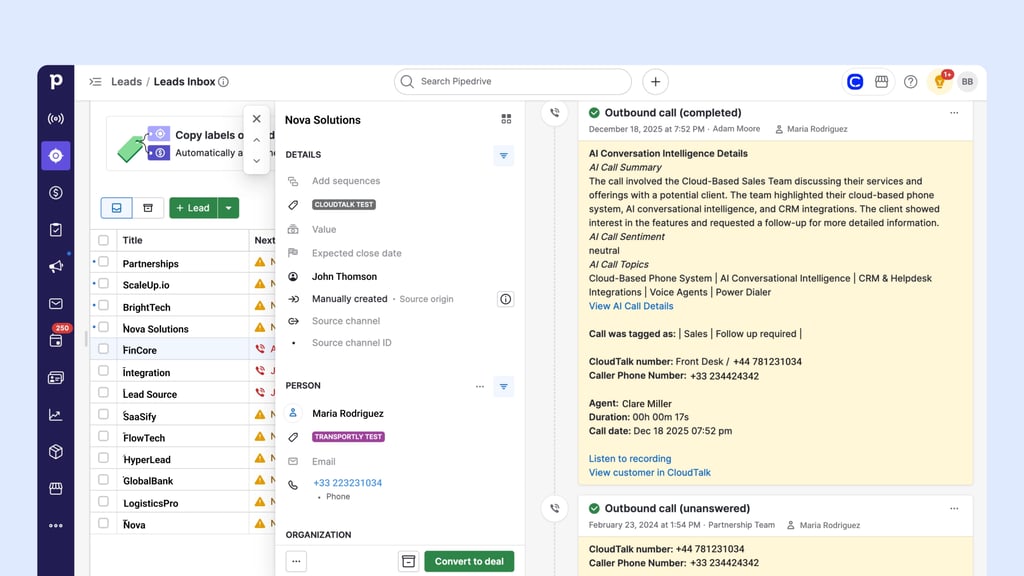
Which AI Voice Agents Work With Pipedrive?
The best AI voice agents answer or place calls on their own and write the results back to Pipedrive. They cover two jobs:
- Answering inbound calls: an AI receptionist picks up when your team can't, 24/7, and routes or qualifies the caller. For solo founders, this is the "voice bot" that stops missed calls from becoming lost deals.
- Calling new leads: an outbound agent calls a fresh Pipedrive lead, qualifies them and logs what it learned. Set up as an AI voice agent for appointment booking, it can also book the meeting on the call.
CloudTalk's AI Receptionist answers calls 24/7 and AI Specialist runs outbound workflows. A Pipedrive Automation webhook can trigger a voice agent call, and since April 2026 the results (data, summaries, custom fields) export to Pipedrive natively. AI Voice Agents are an add-on from $99 per month for 200 minutes.
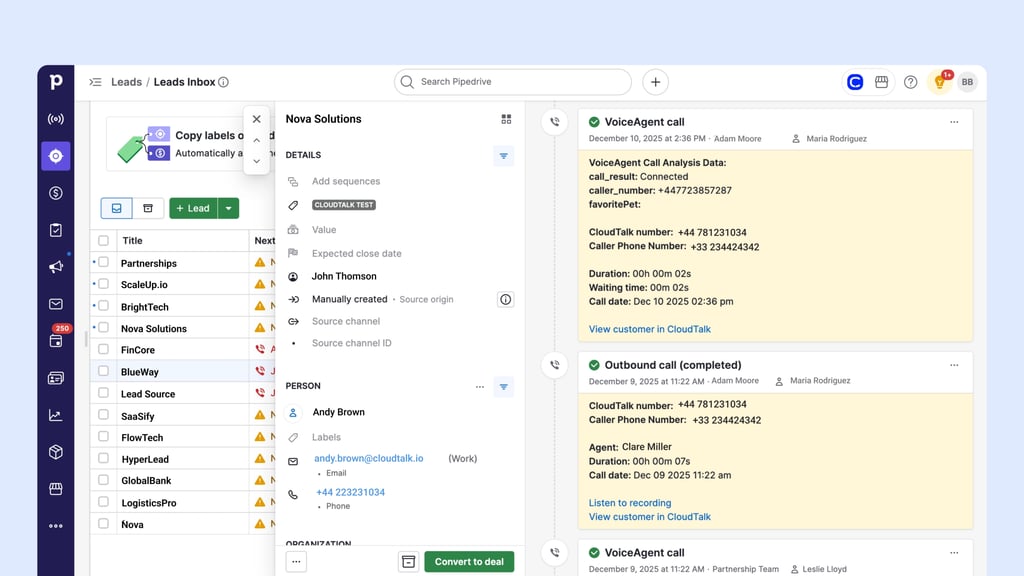
One requirement on Pipedrive's side: Pipedrive's knowledge base says automations and webhooks in automations are only available on its Advanced plan and higher. Phone numbers also need the country code for the agent to dial them.
Other vendors on this list sell AI agents too: Aircall's AI Voice Agents start at $100 per month, Ringover's AI agents start at $100 per month, and RingCentral's AI Receptionist starts at $39. Ask each one whether the agent's results write back to Pipedrive, and to which record.
Best Pipedrive Phone Integration by Team Type
The best Pipedrive phone system integration depends on who's using it, so we picked one tool and two alternatives for each of four common team types.
Best for Solo Founders and Small Sales Teams
Solo founders and small teams want a quick setup, a low monthly bill and calls logged without thinking about it. Many also want something to answer the phone when they're in a meeting.
Our pick: CloudTalk. You can start with a single seat, the Pipedrive integration is on Essential at $29 per user per month, and CloudTalk AI Receptionist starts with 50 free minutes for missed calls.
Alternatives:
- CallHippo: low seat prices, with Pipedrive on Professional at $30, but calls are billed per minute.
- CircleLoop: £5 + VAT per user per month with no contract, but the Pipedrive integration is UK only.
Best for Mid-Market Sales Teams
Mid-market teams need clean SDR to AE handovers, more than one dialing mode, coaching data and a phone system that stays up.
Our pick: CloudTalk. It's what Pipedrive's own SDR, sales and account management teams use, so the SDR's call history is already on the deal when an AE takes it over. Power and Parallel modes cover both warm and cold lists, and recordings and AI summaries stay on the deal for sales coaching.
Alternatives:
- Aircall: a familiar app with Power Dialer on Professional and live AI coaching as an add-on.
- JustCall: strong on SMS, with predictive dialing and AI coaching on higher tiers.
Best Pipedrive Call Center Integration for Inside Sales and Support Teams
A Pipedrive call center integration needs queues, IVR, routing to the right owner and a way for managers to monitor calls.
Our pick: CloudTalk. Interactive voice response (IVR) and call routing come with every plan from Starter. With the Pipedrive integration (from Essential), the person or organization owner becomes the caller's preferred agent, and on Expert, managers can listen in, whisper or barge in on live calls.
Alternatives:
- Talkdesk: full contact center software, best if you already run on it; its Pipedrive app isn't publicly listed.
- RingCentral: voice, video and chat from one provider, with Pipedrive through the App Connect extension.
Best for Multi-Country Teams That Need Local Numbers
Teams selling into several countries win or lose on numbers: which countries you can get, which number types, and what calls cost outside your home region.
Our pick: CloudTalk. It offers international numbers, with local numbers in 160+ countries with a native Pipedrive integration, so every country's calls land on the same Pipedrive deals.
Alternatives:
- Ringover: popular with European teams, with WhatsApp synced to Pipedrive deals.
- Aircall: numbers in many countries; check its current country list for yours.
Whichever vendor you pick, CloudTalk included, check mobile number availability and porting for each country before you buy. Coverage varies by country and number type.
How Much Does a Pipedrive Phone Integration Cost?
Your bill depends less on the headline price and more on which plan includes Pipedrive. The table shows the lowest plan with the Pipedrive integration for each tool (checked October 2026).
| Tool | Plan with Pipedrive | Price* | Dialer | AI |
|---|---|---|---|---|
| CloudTalk | Essential | $29 | Power $15 (in Expert); Parallel $39 | CI $9; agents from $99 |
| Aircall | Essentials | $30 (min. 3) | Power on Professional ($50) | AI Assist Pro $49 |
| JustCall | Team | $29 (min. 2) | Predictive on SalesPro | Coaching on Pro Plus ($89) |
| Kixie | Professional | Not published | Multi-Line plan | Not confirmed |
| RingCentral | Not confirmed | Not confirmed | Not found | From $60 |
| Ringover | BUSINESS | $49 (min. 3) | Power in; Parallel add-on | $39 |
| CallHippo | Professional | $30 + $0.25/min | Not confirmed | Not confirmed |
| Ring.io | Startup | $90 (min. 2) | AI Parallel on Growth ($120) | On Growth |
| CircleLoop | Pay As You Go | £5 + VAT | None | None |
| Toky | Entrepreneur | $20 | Power $0.05/number | None found |
| Talkdesk | Not confirmed | From $85 | Not Pipedrive-specific | Not Pipedrive-specific |
| Aloware | iPro + AI | $30 (min. 10) | Power on uPro ($60) | On uPro |
*Per user per month, annual billing where offered; min. is the seat minimum. CI is Conversation Intelligence, and CloudTalk AI Voice Agents start at $99 per month for 200 minutes.
Pipedrive buyers ask us about these hidden costs more than the seat price:
- Calls outside your included calling region: most providers bill these per minute, and CloudTalk does too. If you call several countries, price those minutes before you compare seat prices.
- Extra numbers: each additional local number usually has its own monthly fee.
- Dialer and AI add-ons: power dialing, parallel dialing, conversation intelligence and voice agents are often sold separately, which is why power dialer pricing varies so much between vendors.
- Seat minimums: Aircall, JustCall, Ringover, Ring.io and Aloware all set minimum seat counts on some plans.
- Your Pipedrive plan: triggering calls from Pipedrive Automations needs Pipedrive's Advanced plan or higher.
CloudTalk's per-seat pricing is public, and the Pipedrive integration starts on Essential. Calls outside your region are billed per minute, so check the rates for the countries you call.
How to Pick the Right Pipedrive VoIP Integration
Use this seven-step checklist during your trials. Each step comes from the reasons Pipedrive teams tell us they picked, or walked away from, a phone system.
- 01List what must sync. Use the sync table above and mark what your team can't live without.
- 02Decide between People and Organizations, and clean your numbers. Add country codes and make sure numbers are saved on the person, not only the organization.
- 03Test with real data. Try an inbound call from a known person, a person with two open deals, a voicemail and an unanswered call, then check what landed where in Pipedrive.
- 04Check number coverage and porting. Confirm mobile and landline numbers for every country you call, and whether you can port your current numbers.
- 05Match the dialer to your lists. Pick Power, Parallel or predictive based on pickup rates, and check how quickly new leads reach the dialer.
- 06Judge the AI on your own calls. Decide whether post-call summaries are enough or you need live coaching.
- 07Price the full stack. Add seats, add-ons, extra numbers, calls outside your region and the Pipedrive plan you need.
If a vendor won't let you test steps 3 to 6 in a trial, treat that as an answer too. You can run all seven in a 14-day CloudTalk trial.
How We Chose the Best Pipedrive Phone Integrations
We built this list around the questions Pipedrive teams ask before they buy, and around our conversations with teams choosing or switching phone systems: why they picked or rejected each option. Then we read each tool's Marketplace listing, docs and pricing page, and checked its G2 rating.
We scored every tool on the same criteria:
- Calling inside Pipedrive: a calling panel, an extension or click-to-call links
- What logs where: calls, recordings, notes and texts on the person, organization and deal
- Outcomes to activity types: whether call results update your pipeline
- Dialer modes from Pipedrive lists: Power, Parallel or predictive
- AI on the deal: what the AI writes into Pipedrive, and whether it works live or after the call
- Local number coverage: countries and number types
- Total cost: seat price, minimums, add-ons and calling rates
- User feedback: G2 ratings and reviews about sync reliability
Every tool had to have a working Pipedrive integration, either a native app or a Pipedrive Marketplace listing. That's why we dropped Appy Pie Automate (an automation platform, not a phone system) and Zoom Phone (no native Pipedrive app), and added RingCentral and Aloware.
CloudTalk is our product, and we put it first. To keep the review fair, every tool, CloudTalk included, gets the same sections, and we flag CloudTalk's limits in its entry the same way we do for every other tool.
Why Trust Our Software Reviews?
For nearly a decade, we've helped over 30,000 professionals find smarter business communication tools. We've reviewed 200+ tools, analyzed 5,500+ verified reviews from G2, Capterra, Trustpilot and TrustRadius, and drawn on real user discussions on Reddit and Quora.
In the past year alone, we published 1,000+ articles, each one written by humans for humans. Learn how we keep our content integrity and our software review methodology.
Start Logging Every Pipedrive Call Automatically
If you want every call logged in Pipedrive and faster list dialing, the CloudTalk Pipedrive integration is the strongest fit, and it's what Pipedrive's own sales team uses. Teams needing cheap UK calling, or already on RingCentral or Talkdesk, may prefer those. Either way, run the seven-step checklist in a trial.
Put your Pipedrive pipeline on the phone
Sources:
- 01Salesforce
Frequently asked questions
Yes, once you connect a calling app and set it as the default under Tools and apps > Phone calls. Pipedrive alone only calls through your mobile, on your own phone bill. A phone integration adds virtual business numbers, automatic deal logging, call recordings and list dialers.
For most sales teams, it's CloudTalk: reps call inside Pipedrive, every call logs to the right person and deal, and lists run in Power or Parallel mode. Small UK teams may only need CircleLoop, and RingCentral or Talkdesk users can start there. The comparison table above shows all 12.
Install the phone system's app from the Pipedrive Marketplace, connect Pipedrive inside it, and set it as your default calling app. Choose what syncs, how calls and texts log and which numbers connect, then test one inbound and one outbound call. The step-by-step CloudTalk setup above shows each screen.
Yes, when a connected cloud phone system logs them: each call becomes an activity on the person and deal, with duration, notes and a recording link. Rep emails must match in both tools, and numbers need country codes. Pipedrive's mobile app also logs calls from your phone.
Recording happens in the phone system, and the Pipedrive activity gets a link, so settings, retention and access rules live there. Check the call recording consent rules in every country you call. Unanswered calls have no recording, but a good integration still logs them.
It depends on your lists: Power suits warm lists and follow-ups, Parallel suits cold lists with low pickup, and predictive dialers suit large call centers. CloudTalk's AI Sales Dialer runs Power and Parallel from Pipedrive lists or tags, with voicemail detection on Parallel at 2+ lines.
Yes. A Pipedrive Automation with a webhook can trigger an AI voice agent call when a deal or person is created, and CloudTalk exports the results (data, summaries, custom fields) back to Pipedrive. Webhook automations need Pipedrive Advanced or higher, and every number needs a country code.
Most support business SMS; with CloudTalk, texts log as completed activities or open follow-ups. WhatsApp varies by vendor and plan: Ringover syncs WhatsApp to deals, and Aircall sells it as an add-on. If WhatsApp matters, ask each vendor what actually reaches the deal.
Several do, including CloudTalk, Aircall, JustCall, Kixie, Ringover and Aloware, and our guide to HubSpot phone integrations compares them from the HubSpot side. CloudTalk also connects to Salesforce and Zoho CRM. Check that your plan includes both integrations.
Beyond calling, the best Pipedrive integrations cover email and calendar, meeting scheduling and automation (Zapier, Make), all in the Pipedrive Marketplace. Start with what reps use daily, then ask every app the same question: what does it log to the deal?